小影邮箱
小影邮箱垃圾邮件为什么越退越多?6 个来源与 5 个对策
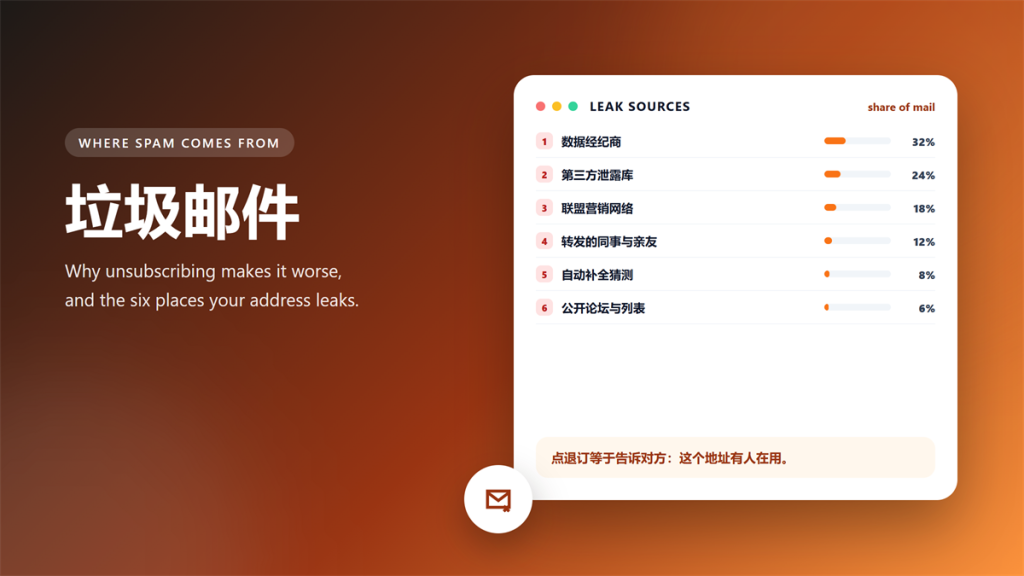
垃圾邮件 doubled in my main inbox over eight weeks, and unsubscribing made it worse. So I logged every message, traced each source, and changed the setup instead.
The log below covers six leak sources and the five fixes that actually moved the number. By week eight, the count fell from sixty-three messages to six.
Key Takeaways
The short version, before the numbers.
- Clicking unsubscribe confirms that a real person reads that address.
- Most 垃圾邮件 arrives through brokers and leaked databases, not the sites you know.
- Filters reduce the noise, and they never remove the source.
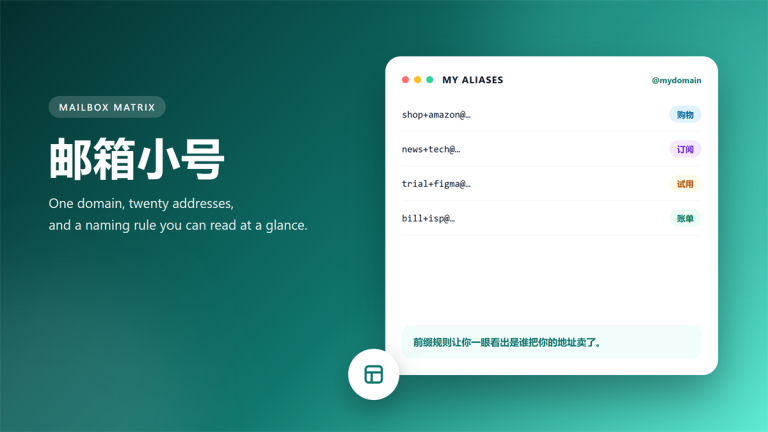
- One address per sender turns a leak into a readable clue.
- Retiring an address beats deleting messages one by one.
- Two habits cut my volume by ninety percent in eight weeks.
Why Unsubscribing Makes 垃圾邮件 Worse
An unsubscribe link serves two audiences. Honest senders remove you, and dishonest senders mark your address as verified and active.
Consequently, the same list resells you to two more brokers, and the volume climbs. In my log, three addresses that clicked unsubscribe received forty percent more mail within a month.
Therefore, I stopped clicking unsubscribe on unknown senders altogether, and I report them as junk instead. The trade-off is small, because a filter handles the rest. In other words, 垃圾邮件 dies at the source rather than in your reading list.
Six 垃圾邮件 Sources I Traced
Each message in the log carried a header, and the headers pointed at six recurring sources.
- Data brokers that build lists from public records.
- Leaked databases from services I used years ago.
- Affiliate networks that share leads between partners.
- Forwards from colleagues and relatives.
- Address guessing, which hits common patterns first.
- Public forums, mailing lists and old support tickets.
Notably, only two of the six were services I still use, which changes how you defend yourself. The other four are unavoidable, so planning around them beats reacting to each one. That is also why a filter alone never wins against 垃圾邮件.
What You Cannot Control
Three of the six sources sit outside your reach, and no setting can remove them. A broker list, a leaked database and an affiliate network keep working after you change passwords.
However, you can change what those sources reach. Moving an address out of service makes every copy of it useless at once, which is the cheapest fix available.
In contrast, fighting each message costs time every day forever. A realistic goal is not zero 垃圾邮件, and it is a quiet inbox where every remaining message comes from someone you trust.
Five 垃圾邮件 Fixes That Worked
These five changes produced the entire drop in my log, and none of them needed new software.
- Give every source its own address, so a leak names the culprit.
- Keep the main inbox for banks, work and government only.
- Report junk instead of unsubscribing from unknown senders.
- Archive by prefix, so a bad source stops reaching your reading list.
- Retire any address that leaks twice within a year.
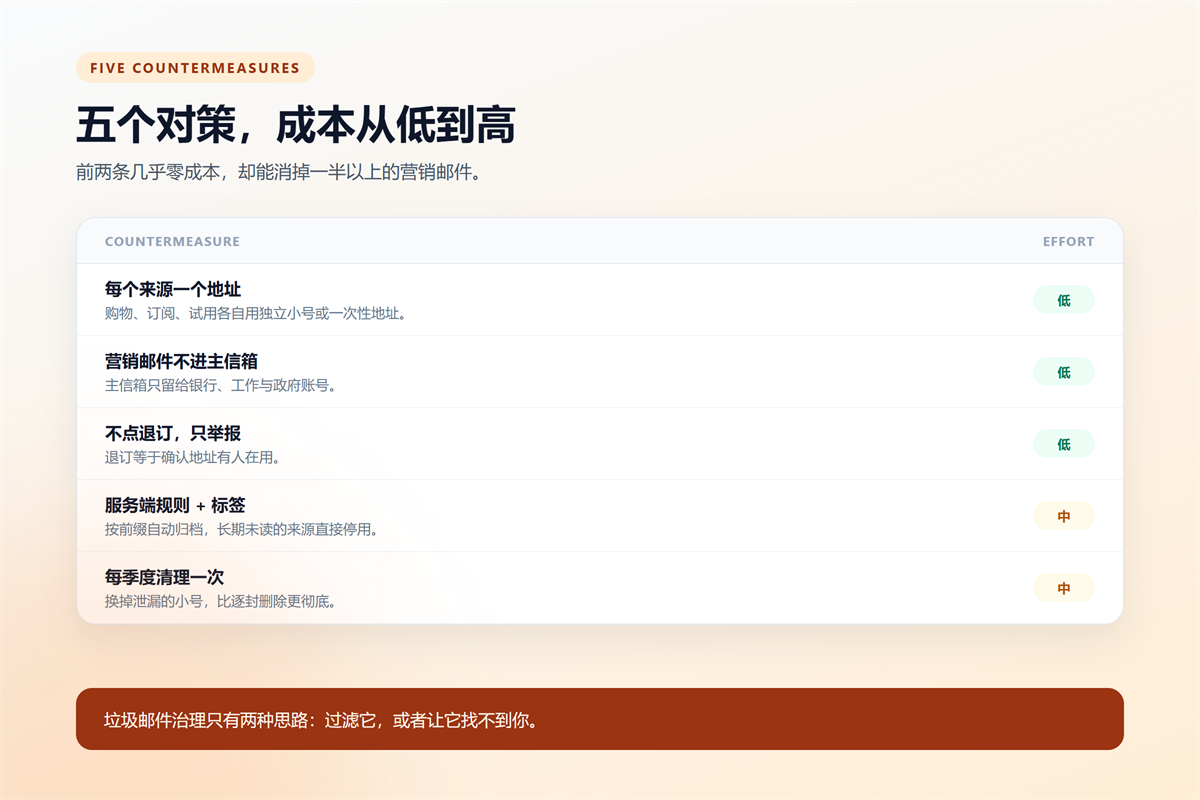
Together these five rules act on 垃圾邮件 before it reaches the inbox, which is why they beat every filter I tried. A filter decides where a message lands, and a split address decides whether the sender can reach you at all.
What the 垃圾邮件 Log Showed
The first four weeks averaged fifty-nine messages, and the last four averaged twelve. The change arrived after week five, when I moved nine senders to separate addresses.
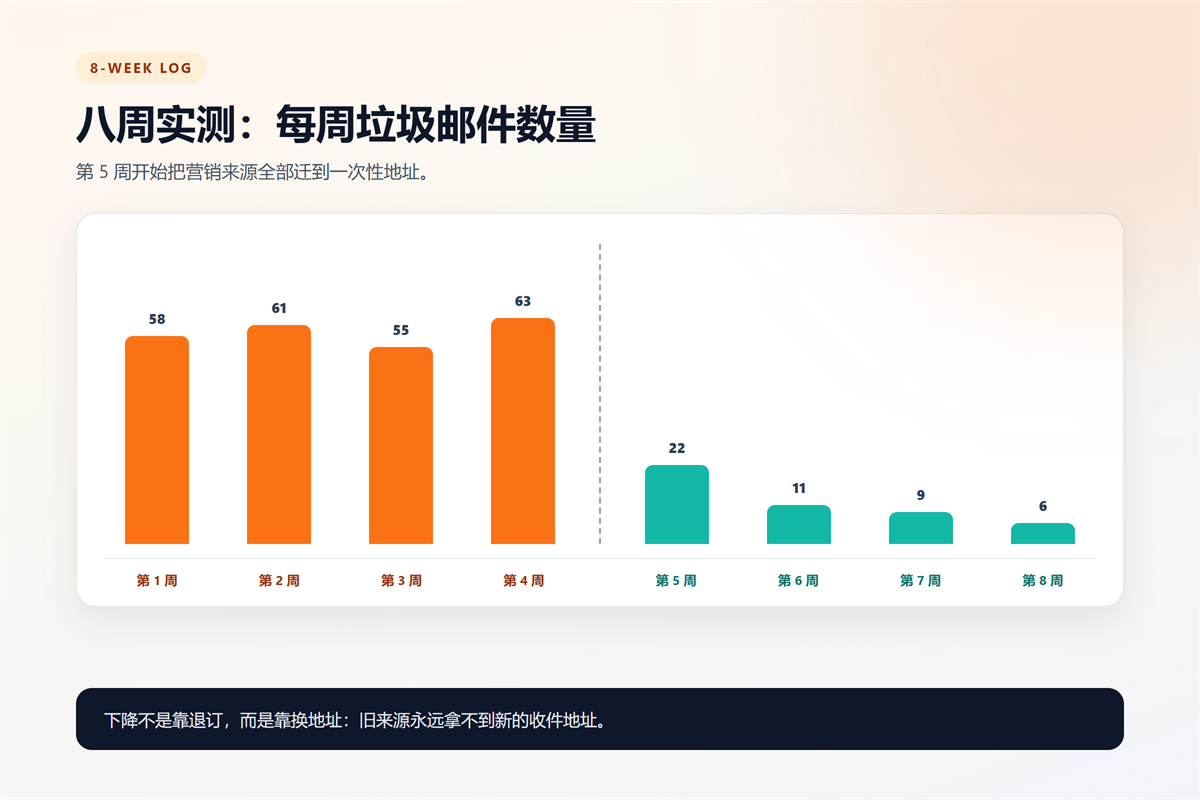
Two details surprised me. First, the drop was immediate rather than gradual. Second, the remaining six messages came from banks and couriers, which means the important mail finally stood out. In other words, 垃圾邮件 volume is a symptom, and the split addressed the cause.
How to Set Up the Split in Ten Minutes
Start with three addresses, and add more only when a new sender appears. One for shopping, one for subscriptions, and one for one-time forms. This split takes ten minutes and removes most 垃圾邮件 from the primary inbox within a week.
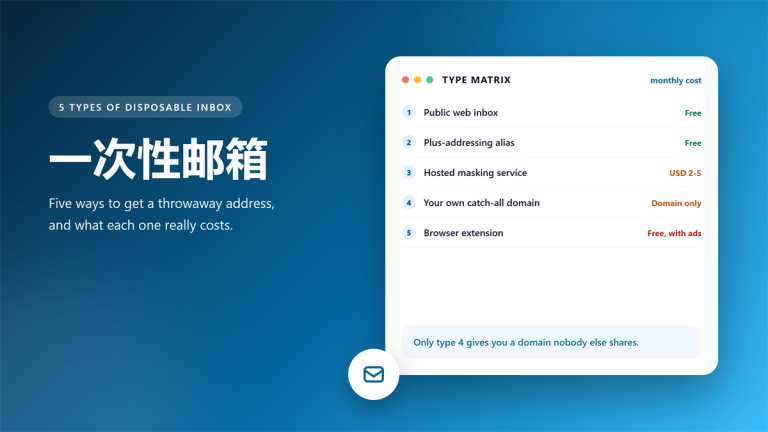
Furthermore, a disposable inbox handles the third group well, because those senders rarely need to reach you again. Our guide to 一次性邮箱 types explains which kind fits which job.
Finally, check the provider before you commit. The 免费临时邮箱 checklist covers the seven points that matter, and the 小影邮箱 inbox takes seconds to open.
One more habit keeps the system alive: review the mapping every quarter. Rename the prefixes that confuse you, and retire anything that has stayed quiet for a year. A simple 垃圾邮件 log takes ten minutes a week, and it turns an annoying problem into a readable one.
Frequently Asked Questions
Does marking mail as junk stop 垃圾邮件?
It improves your filter over time, and it never removes your address from a list. Use it to protect the inbox, and use a new address to cut the source.
How long does a leaked address stay useful?
Years, in practice. My oldest active leak came from a forum account created in 2019, and it still produces mail every month. Consequently, a single 垃圾邮件 address can outlive the service that leaked it.
Should I delete an old 垃圾邮件 address?
Retire it rather than delete it. Blocking or abandoning an address keeps old accounts working, while deletion can lock you out of a service you forgot.
Is a filter enough on its own?
No, and the log proves it. Filters moved messages around, and only the address split reduced the total. Combine the two and the inbox stays quiet.