 小影邮箱
小影邮箱邮件误发怎么办?Recall, Apologize, Prevent
Key Takeaways
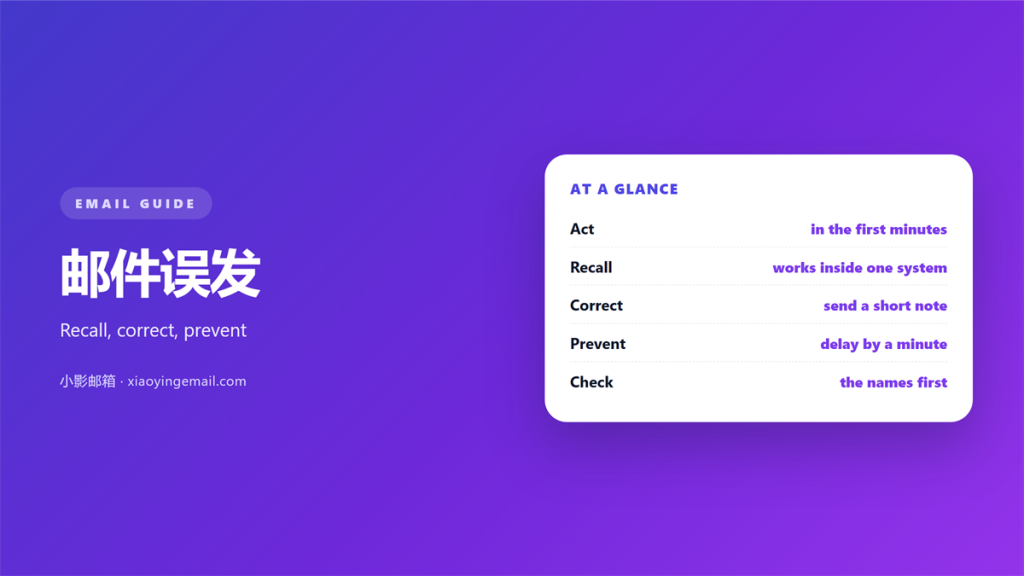
- A 邮件误发 cannot be truly taken back.
- Recall works only inside one company system.
- Correct the error once and stay calm.
- Fill the address field last every time.
- A slow final look stops most mistakes.
What 邮件误发 really means
邮件误发 is any message that reaches the wrong reader.
A wrong name is the common case. A wrong file is just as bad.
Sometimes the words are fine and the audience is wrong.
The real damage depends on what the reader learns.
A leaked price list hurts more than a missing greeting.
So judge the mistake by its content, not by its size.
The first minute matters most after a 邮件误发.
A calm reply beats a panicked one in almost every case.
You cannot pull words back from a full inbox.
Once delivered, the message lives on the other side.
That is why prevention is worth more than clean up.
Still, a 邮件误发 is not the end of your day.
Most readers forgive a clear and honest correction.
The fear is often worse than the event itself.
Keep your response short and your facts straight.
Then let the moment pass and move on.
A steady hand here protects your reputation well.
Sound familiar? Most of us have felt this at work.
Why 邮件误发 happens so often
Auto complete causes more 邮件误发 than anything else.
Two colleagues share a first name and the wrong one fills in.
Reply all is the second cause. A group grows with every round.
An old thread holds old names. People move and addresses stay.
Speed is the third cause. Rushed sends skip the last check.
Attachment mix ups are fourth and very common.
You grab the wrong file from a crowded folder.
Mobile sending adds real risk. The screen is small.
None of these are rare. Each one has a cheap fix.
A single second of hesitation beats an hour of apology.
Stress also plays a part in many cases.
A busy mind simply reads less carefully than a calm one.
So the fix is not only technical, but also personal.
Good habits catch what software cannot see.
That is the lesson behind almost every 邮件误发 story.
Once you know the causes, the cure is easier to pick.
Most incidents share one root: a skipped check.
What to do after a 邮件误发
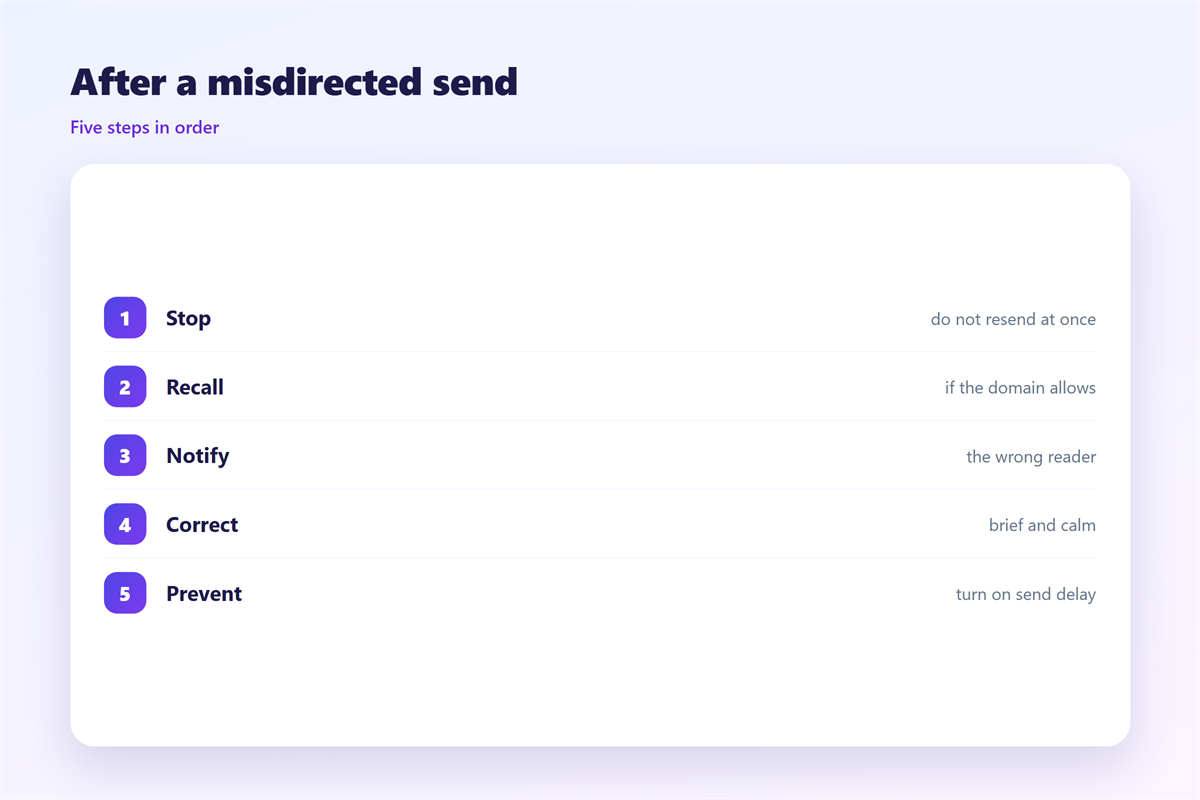
Act in the first few minutes if you possibly can.
If the system allows recall, try it once and once only.
Recall works inside one mail system and rarely outside it.
So do not count on it. Assume the message was read.
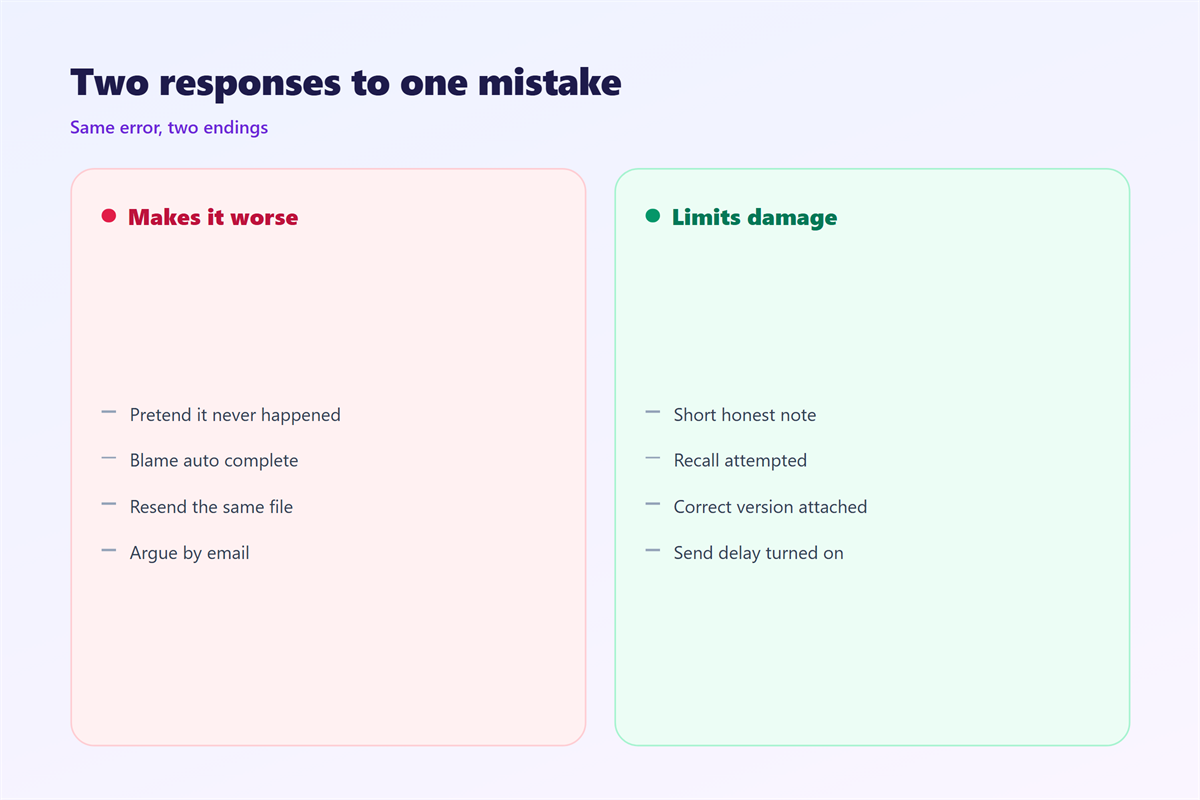
Then send a short correction. Keep the tone calm and plain.
Name the error once. Do not over explain what happened.
State the correct fact in a single clear line.
Apologize briefly and then stop writing.
A long apology only draws more eyes to the 邮件误发.
If the reader is a client, add one clear next step.
If the note was private, tell the few people who must know.
Do not forward the mistake to a wide list.
The first goal after a 邮件误发 is a calm reply.
Keep the correction short. Length invites more questions.
End with a simple line that closes the topic.
Then return to normal work without dwelling on it.
Most readers move on faster than you expect.
Your steady tone sets the tone for them too.
Preventing the next 邮件误发
Change one habit and most 邮件误发 cases vanish.
Fill the address field last. Write the whole message first.
Read the names aloud before you press send.
For a group, open the full list and scan every name.
Check every attachment name. The file title often shows the error.
For a private note, use a hidden copy on purpose.
Pause after a long day. Tired hands make quiet mistakes.
A short wait before sending is not slow, it is careful.
These steps take ten seconds. They save a week of damage.
Most 邮件误发 cases trace back to one speed habit.
Train the habit until it feels completely normal.
Ask a colleague to double check a risky message.
A second pair of eyes catches what you miss.
Keep your contact list clean and current.
Delete old aliases that no longer point anywhere.
Small upkeep now prevents a large error later.
The best 邮件误发 is the one that never leaves.
Tools and team habits that help
Tools help, but they do not think for you.
A short delay rule can hold a message for a minute.
That pause catches many errors before they leave.
Some clients warn you on outside addresses. Turn that warning on.
Keep one personal rule. If a message feels rushed, wait.
Teams can agree on a shared sending check.
A written rule is stronger than a good intention.
Post the check where everyone can see it.
Review the rule every few months and update it.
New tools arrive and old habits slowly fade.
Our notes on 邮件撤回 explain recall limits. The cleaner option is covered under 邮件重发. The hidden copy is treated in 邮件密送, and decision records sit under 邮件确认.
FAQ
Can a 邮件误发 be recalled?
Only inside one system and only sometimes. Treat recall as a lucky extra, not a plan.
Should I apologize more than once?
No. One clear apology is enough. Repeating it makes the error look bigger.
What if the message held private data?
Tell the people who must know. Then fix the habit that caused the 邮件误发.
How do I stop a repeat 邮件误发?
Slow the final check. Address last, read names aloud, confirm the file.
评论
还没有评论,来说两句吧。
评论功能已关闭。