 小影邮箱
小影邮箱邮件收发是怎么回事?The Path of One Message
Key Takeaways
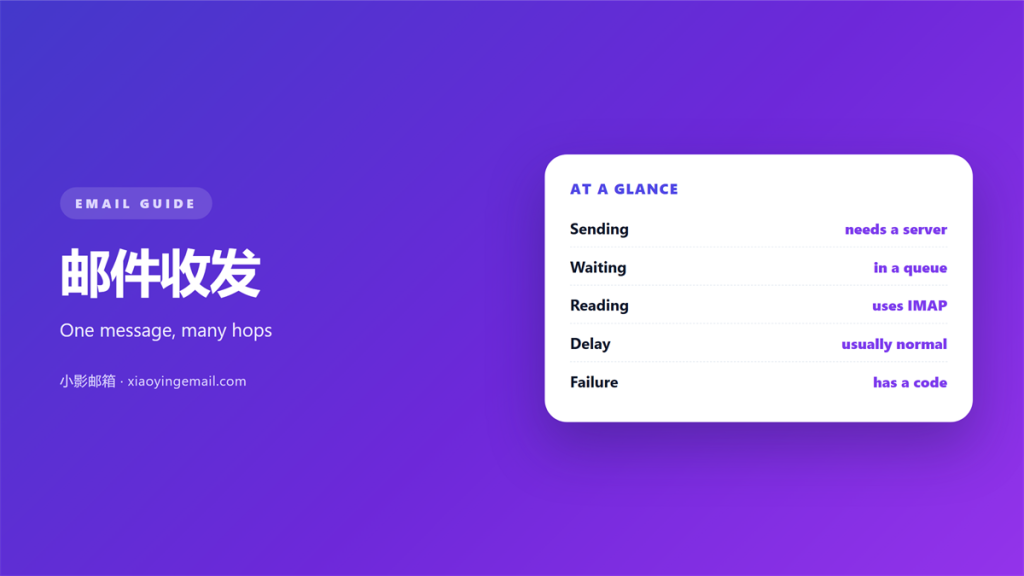
- 邮件收发 is a chain of separate handoffs.
- Each server accepts, stores, and forwards the message.
- Your device only talks to one outgoing server.
- Queues hold mail when a server is busy.
- Most delay happens at the last hop.
What 邮件收发 really involves
邮件收发 looks instant from the outside. Behind the send button sits a chain of servers.
Each one accepts the message, stores it, and passes it on.
The chain can break at any link. Knowing the links makes the break easier to find.
Every 邮件收发 step also leaves a trace in the message headers.
One message can touch four or five machines before a person reads it.
This guide follows that message from a laptop to a reply in the same inbox.
邮件收发 is not one action. It is a sequence of small agreements between machines.
Most of those agreements are called protocols. They are older than the web itself.
They still work because they assume the network is unreliable.
That single assumption explains almost every design choice you will meet here.
A slow path is often correct behavior, not a fault.
Understanding it turns a mystery into a checklist.
None of this is visible in a normal mail window.
Each handoff has a clear owner and a clear failure mode.
A message is copied at each stage, never moved in one piece.
The first hop: from client to server
You press send. Your mail app hands the message to an outgoing server.
That server usually listens on port 587 and asks for your credentials.
If the login fails, the message never leaves your machine.
Once accepted, the server takes responsibility for delivery.
This handoff is why 邮件收发 feels reliable. Your device can now sleep.
This first hop is the only part of 邮件收发 you control directly.
A copy may stay in a sent folder on the server, not just on your device.
That copy is what you see later when you search your sent mail.
Your provider decides the outgoing address, and it rarely changes.
The rules behind this step belong to the 邮件协议 family.
Different clients hide these rules behind simple settings screens.
Most providers publish these settings on a help page.
Knowing the rule underneath helps when a setting refuses to work.
How 邮件收发 crosses between servers
The outgoing server looks up the recipient domain in DNS.
DNS returns a list of servers willing to accept mail there.
Your server picks one and opens a fresh connection.
It announces the sender, then the recipient, then the message body.
If the far side refuses, your server keeps trying later.
Most 邮件收发 delay comes from the far side, not your own network.
Good 邮件收发 leaves a readable trail in those headers.
The path is usually invisible, but it is always recorded.
Lookups are cached, which is why the first send can be slower.
A missing DNS record makes delivery impossible from the start.
Small delays here are normal and rarely need action.
Each role in this exchange is described under 邮件服务器.
The message may cross several servers before it lands.
Every hop adds a header line. Those lines record the path and the time.
Reading the headers is the fastest way to locate a stubborn problem.
Where 邮件收发 waits in a queue
No server delivers mail the moment it arrives. It writes the message to disk first.
That waiting area is a queue. Mail leaves it in order, one at a time.
A long queue means something is wrong downstream. The retry timer then moves mail slowly.
The retry interval grows after each failed attempt.
Retries are normal. A temporary error is expected and handled by design.
邮件收发 rarely fails silently. The queue shows exactly what is stuck.
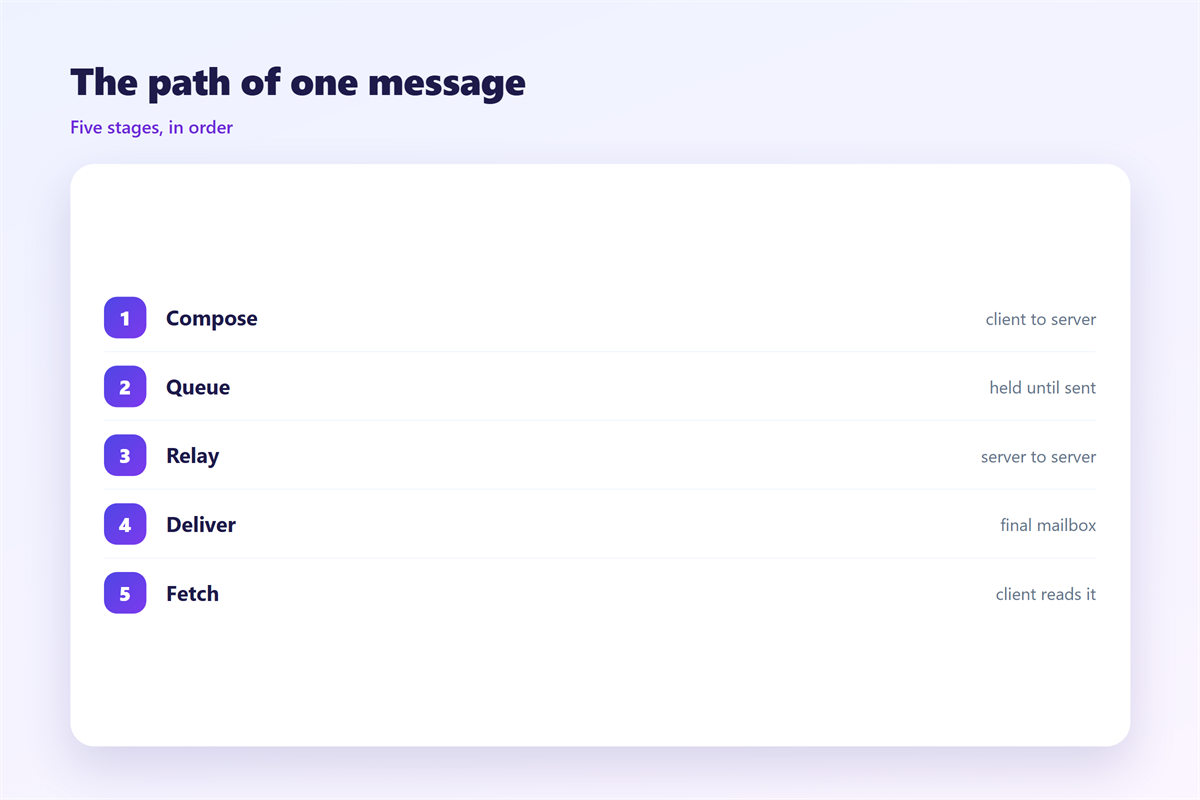
The details of this waiting room sit in 邮件队列.
A queue that never drains points to a blocked port or a full disk.
Clearing the block lets the whole backlog drain in minutes.
The disk write protects the message if the process restarts.
A healthy queue drains in seconds under normal load.
Why 邮件收发 is late
Most late mail is not lost. It is waiting or retrying somewhere.
The last hop is the most common delay. The final server may throttle new senders.
A large attachment also slows the transfer. Slow networks add more time.
If the delay lasts, a bounce message explains the reason.
邮件收发 is a habit as much as a process. Check the queue before you resend.
Common causes are listed under 邮件延迟.
When 邮件收发 breaks, the queue is the first place to look.
A short retry is often better than sending the same file again.
A queue check answers most questions faster than a support ticket.
Readers rarely see any of these steps, and that is the point.
A calm sender checks first and resends rarely.
FAQ
How long does 邮件收发 normally take?
Seconds in most cases. A busy server can add minutes, not days. If it takes longer, check the queue.
What does a bounce message mean?
The message was refused. Read the code to learn whether a retry will help. A permanent code means stop and fix the address.
Does 邮件收发 need both IMAP and SMTP?
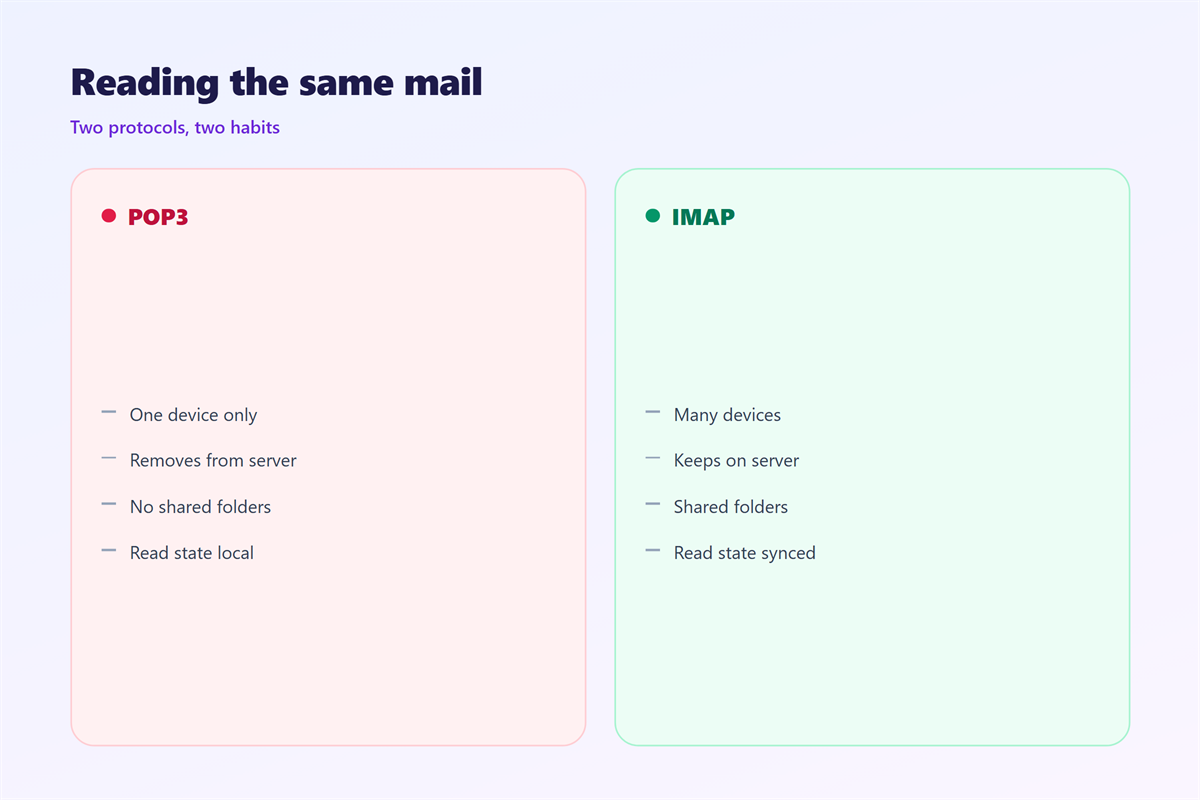
Yes in most clients. SMTP sends, and IMAP or POP3 receives. They serve different directions.
Why does the same message arrive twice?
A retry can duplicate mail when the first copy was already delivered. A missing server reply is the usual cause.
References
- IETF RFC 5321: Simple Mail Transfer Protocol.
- IETF RFC 5322: Internet Message Format.
- IETF RFC 3501: IMAP version 4rev1.
评论
还没有评论,来说两句吧。
评论功能已关闭。