 小影邮箱
小影邮箱邮件协议有哪些?IMAP, POP3 and SMTP Explained
Key Takeaways
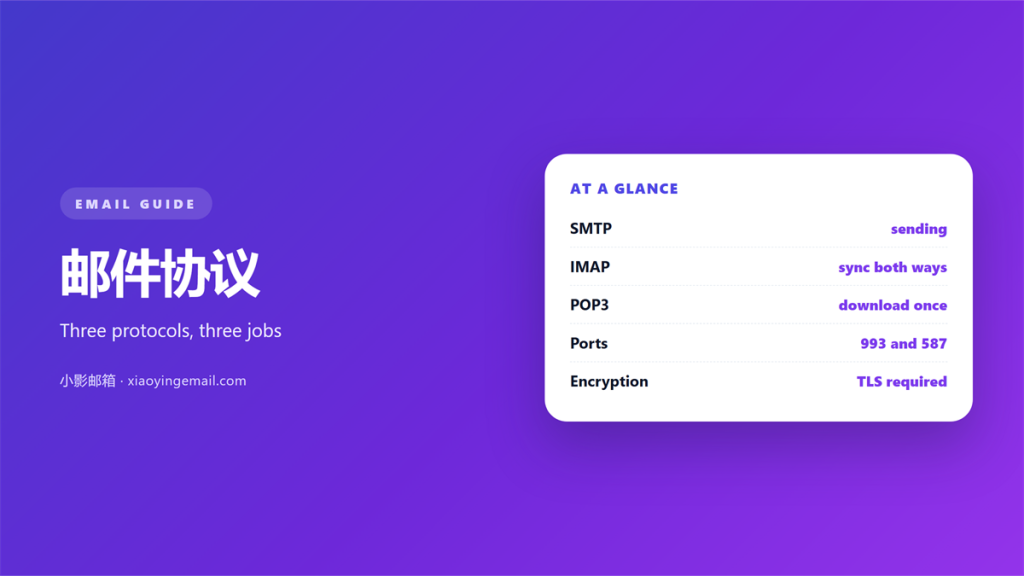
- 邮件协议 is the shared set of rules that two mail systems follow.
- No single protocol does the whole job.
- SMTP sends a message, while IMAP and POP3 retrieve it.
- Confusing those two roles explains most setup mistakes.
- IMAP keeps mail on the server, and POP3 hands it to one device.
What 邮件协议 actually control
邮件协议 is the shared language two mail systems speak. They were built by different people, so they need agreed rules. One set of rules carries a message from the sender to the recipient’s server.
Another set carries it from that server to your device. Confusing the two causes a great many failed setups.
The rules exist because mail is store-and-forward. A sending program cannot drop a file onto your phone. It hands the message to a server instead. That server holds the message until you ask for it.
Each 邮件协议 makes one hop of that journey reliable. Each was designed at a different time. Each assumed a different level of trust in the network.
A 邮件协议 is also a contract about behaviour. It says what each side may expect, and what it must send back. When a client and a server disagree, the message simply stops.
The three 邮件协议 you meet most often
Almost every account you configure depends on three names. The names are worth knowing, because each one tells you what a setting is for.
SMTP
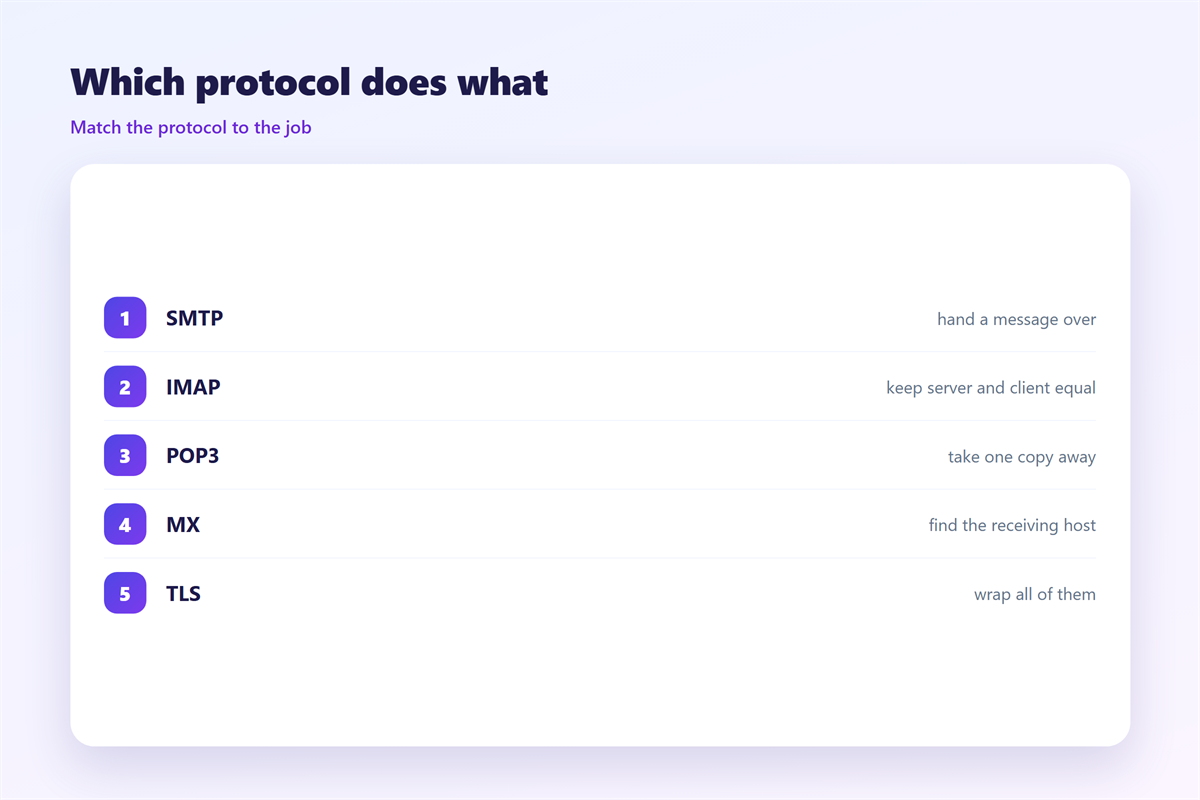
SMTP is the sending 邮件协议, and it is the oldest of the three. It moves a message from a client up to a server. It also moves messages between servers, all the way to the destination. When the message arrives, SMTP’s part is finished. It has no idea what happens next.
IMAP
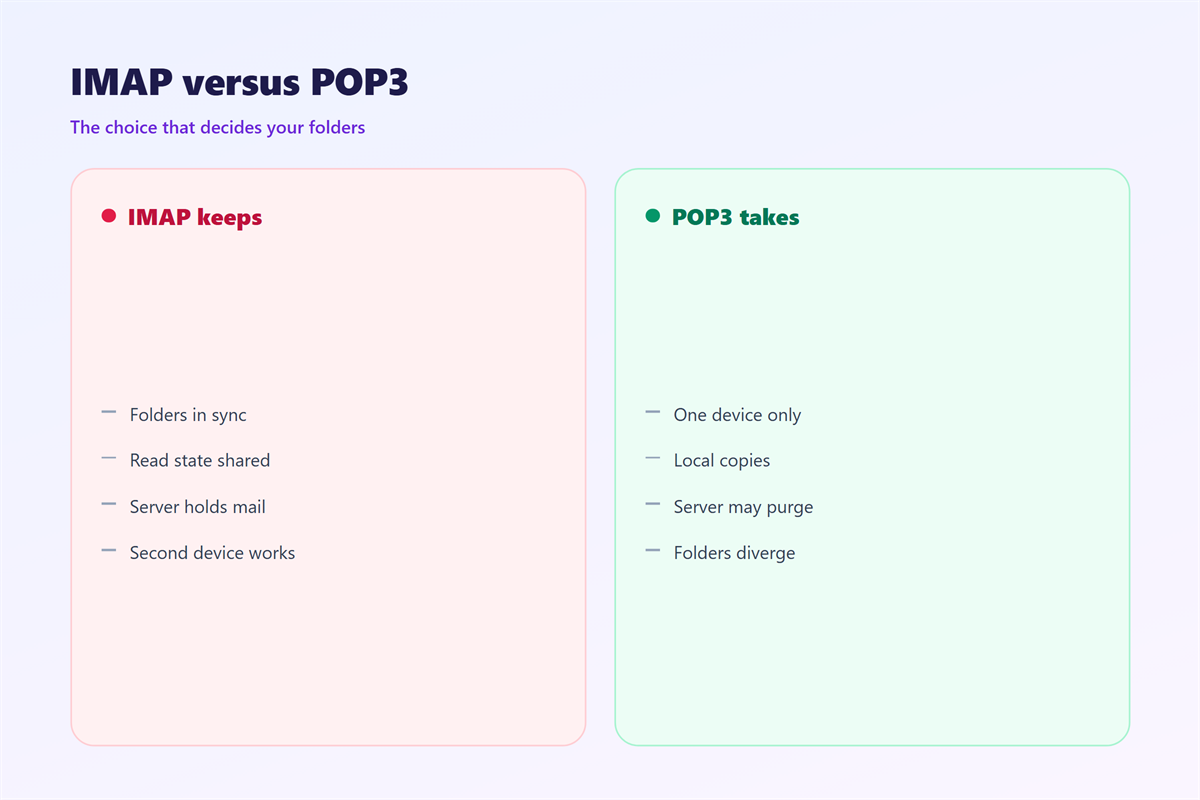
IMAP is the modern reading 邮件协议. It leaves every message on the server. It also keeps the client in step, including folders, read flags and deletions. The truth lives on the server, so two devices can show the same mailbox.
POP3
POP3 is the older reading 邮件协议. It was written when storage was expensive. Its default habit is to download messages and remove them from the server. That works well for one device. It works badly for anyone who owns a phone and a laptop.
Why 邮件协议 disagree about folders
The split between IMAP and POP3 is not about age. It is a different idea of where the mailbox lives. IMAP treats the server as the mailbox and the client as a window onto it. POP3 treats the client as the mailbox and the server as a delivery van.
That one difference explains why folders behave so differently. An IMAP client can create, rename and reorder folders. It is editing a structure that sits on the server. A POP3 client builds a structure of its own. Nothing it does is visible to the next device.
It also explains why some 邮件协议 settings ask about leaving a copy on the server. A pure download-and-delete habit surprises people. Many expect a background copy. Providers added a compromise rather than change the protocol.
None of this makes one 邮件协议 better than another. It makes them suitable for different jobs.
Securing 邮件协议 in transit
These protocols were written for a network where everyone was trusted. None of them encrypts anything on its own. A password sent over a bare connection is a password sent in the clear.
Every 邮件协议 here predates the assumption of a hostile network. That is why the encryption sits outside the protocol, not inside it.
The fix is not a new protocol. It is a wrapper. The whole conversation goes inside a TLS tunnel. That is what the names SSL, TLS and STARTTLS refer to.
The practical rule is simple. If a client offers an encrypted and an unencrypted connection, take the encrypted one. If a server offers only the plain option, look elsewhere. The 邮件协议 itself does not protect you. The connection around it does.
Which 邮件协议 should you choose
For almost everyone reading mail on more than one device, the answer is simple. Use IMAP for reading and SMTP for sending. Wrap both in TLS. That keeps the mailbox in one place, and every device sees the same thing.
The account fields are set out in our walkthrough of the 邮件客户端. The machine at the far end is described in the notes on the 邮件服务器. The records that prove a sender is genuine belong with 邮件认证. What a provider inspects before delivery is covered under 邮件网关.
POP3 still earns its keep in narrow cases. It suits a single computer, a small quota, or a wish to keep mail locally. Choosing it by accident is how people lose a folder of messages.
FAQ
Can one kind of 邮件协议 do everything?
No. Sending and reading were separated from the beginning, and the split has proved durable. A client always uses at least two protocols. That is why a setup screen asks for an outgoing and an incoming server.
Is POP3 obsolete?
Not obsolete, but rarely the right default. It remains useful for single-device accounts. It still works everywhere, so it is unlikely to disappear.
Why does IMAP need more server space?
Because nothing is removed by default. The mailbox grows on the server as long as you keep messages. A provider’s quota becomes the practical limit on your history.
Do these protocols matter for webmail?
They still run underneath. A webmail page is a client the provider operates. The same rules move the message, even though you never type a server name.
References
- IETF RFC 5321: Simple Mail Transfer Protocol
- IETF RFC 3501: Internet Message Access Protocol v4rev1
- IETF RFC 1939: Post Office Protocol – Version 3
评论
还没有评论,来说两句吧。
评论功能已关闭。