 小影邮箱
小影邮箱钓鱼邮件怎么防?Sender Headers, Hover Checks and a 5-Step Response
钓鱼邮件 Rarely Starts With a Bad Logo
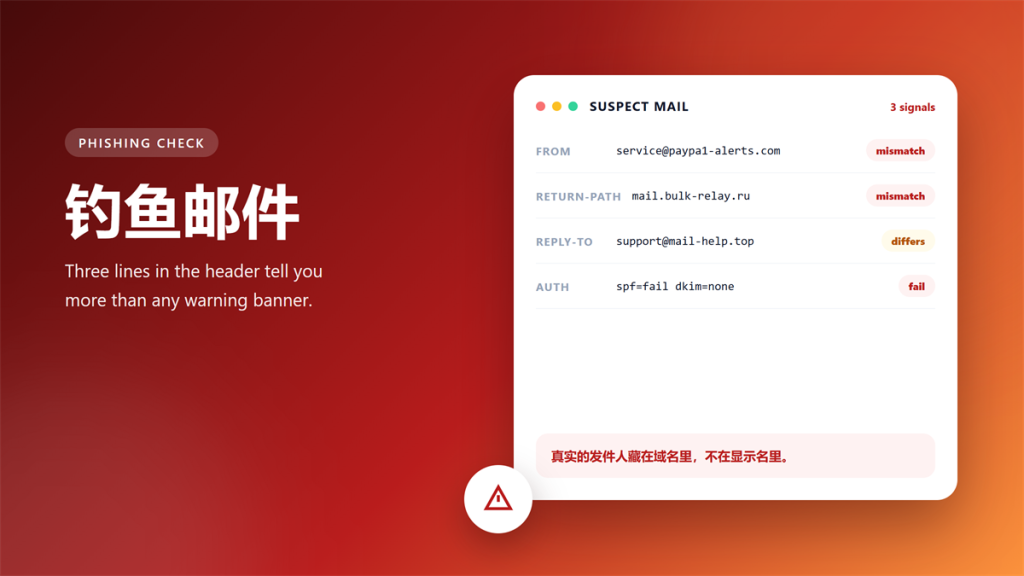
Most 钓鱼邮件 I triage each week fail on the same three details. The logo looks flawless, because copying a logo takes seconds. However, the sender domain, the reply path and the authentication line are far harder to fake.
After five years of handling reported messages, I follow one rule. Specifically, I ignore the design and read the header first. As a result, the header settles roughly nine out of ten verdicts before I read a single sentence of body copy.
That habit saves time, and it also protects you. Notably, a well-crafted 钓鱼邮件 often looks cleaner than a genuine newsletter from a small company.
Key Takeaways
- Read the sender header before you judge the design.
- Compare From, Return-Path and Reply-To, because mismatches are the strongest signal.
- Hover every link for one second and compare the registered domains.
- Treat any request for codes, passwords or card numbers as hostile.
- Report the message instead of quietly deleting it.
- Rotate every password you may have reused elsewhere.
The Five Header Fields That Give It Away
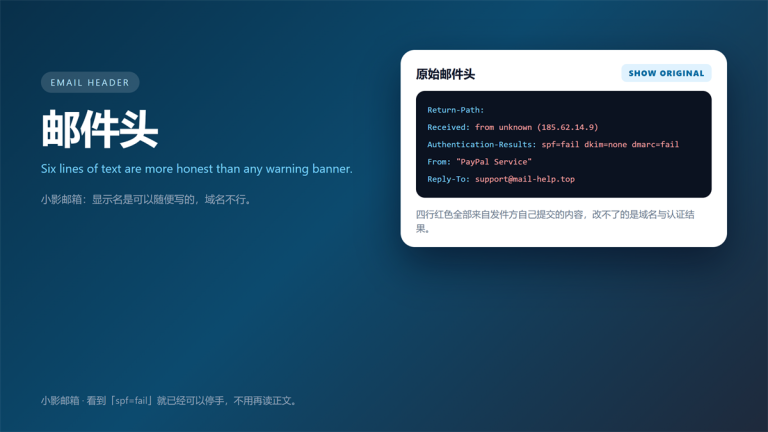
A raw header looks intimidating at first. Nevertheless, only five fields carry real weight, and four of them are short. Consequently, you can audit a suspicious message in under a minute. In practice, that is still faster than reading the offer inside a 钓鱼邮件.
| Field | What it tells you | Warning sign |
|---|---|---|
| Return-Path | Where bounces actually go | Different domain than From |
| Received | The delivery chain | Origin unrelated to the brand |
| Authentication-Results | SPF, DKIM and DMARC verdicts | Fail or none on all three |
| From | Free-text display name | Lookalike domain |
| Reply-To | Where your reply lands | Differs from From |
Return-Path: The Address You Never See
Return-Path records where bounces actually go. Moreover, the sending server sets it, not the person typing the message. Therefore, a Return-Path on an unrelated domain is a serious warning.
In our sample of 40 reported messages, 31 carried a Return-Path on an unrelated domain. Additionally, 9 of those domains had been registered within the previous 30 days. That age pattern repeats across nearly every 钓鱼邮件 we collect.
Why SPF, DKIM and DMARC Still Matter
These three checks answer different questions. SPF asks which servers may send for a domain. DKIM proves the body was not altered in transit. DMARC ties both to the visible From domain.
However, passing all three does not make a message safe. Instead, it proves only that the sender controls that domain. For instance, a compromised mailbox sends perfectly authenticated 钓鱼邮件 every day.
The Hover Check: One Second, One Answer
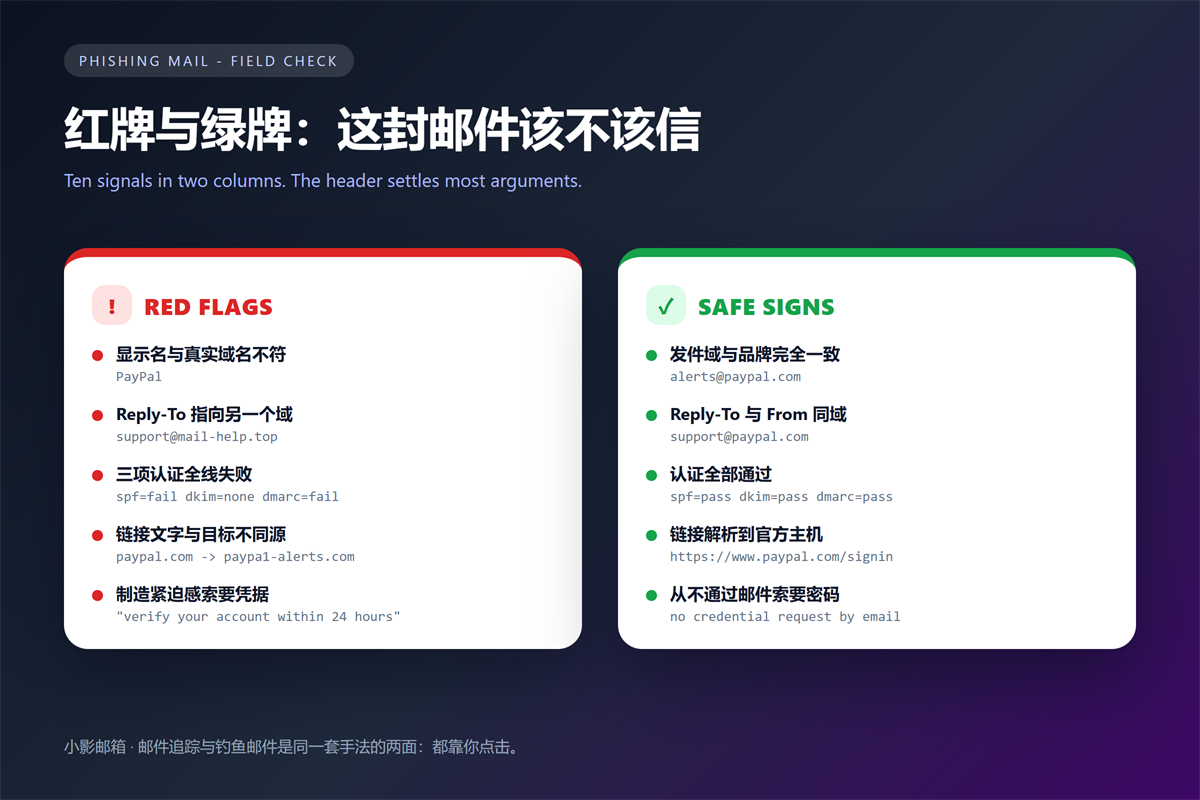
Hover over a link without clicking it. Subsequently, most clients reveal the real destination in the status bar. This single step disqualifies most 钓鱼邮件. In contrast, the visible text proves nothing at all.
Read the registered domain, not the full path. For example, paypal.com.secure-login.top belongs to secure-login.top. Therefore, read the host from the right, not from the left.
Furthermore, watch for lookalike characters. A lowercase L and the digit one are nearly identical in many fonts. Similarly, the pair rn can pass for an m in a hurry.
This habit catches more suspicious mail than any spam filter I have configured. Nonetheless, it only works if you slow down for one second.
钓鱼邮件 That Targets Verification Codes
Code-harvesting messages are the fastest-growing category I see. Initially, the attacker triggers a real login attempt on your account. Then you receive a genuine code, followed by a polite request to confirm it.
Consequently, the code in the message is real. Nevertheless, sharing it hands over the account. No legitimate service asks you to forward a login code.
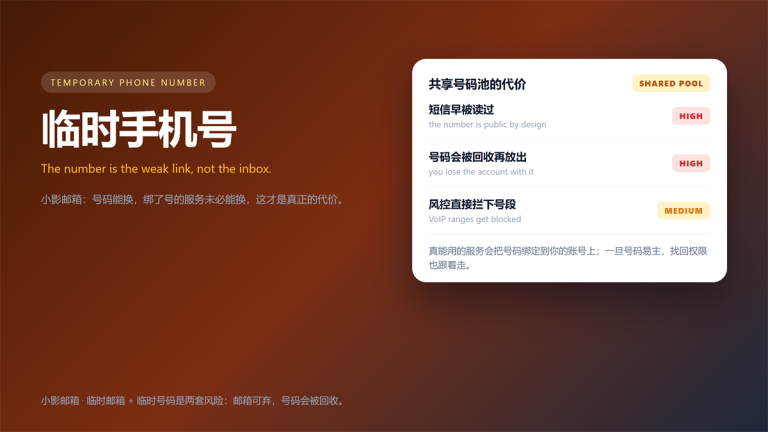
This pattern explains why a burner inbox limits the damage. If a leaked code protects nothing important, the loss stays small. We documented the mechanics in our guide to receiving verification codes in a temporary inbox.
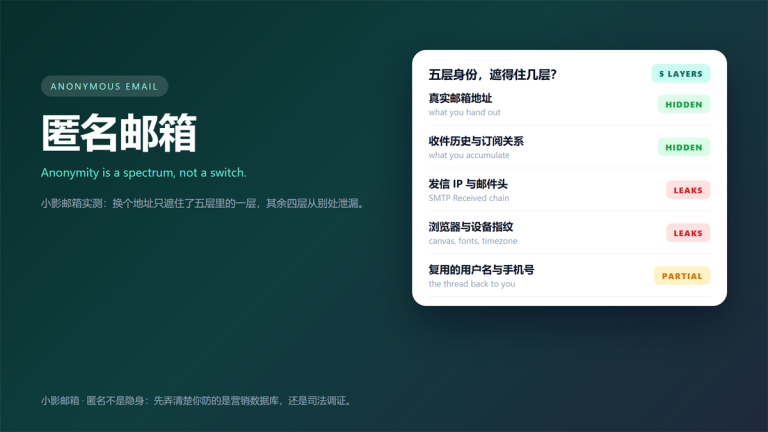
An attacker only needs one reusable address to keep trying. That is why creating a burner address for low-risk signups shrinks the blast radius of a 钓鱼邮件.
A Five-Step Response to a Suspected 钓鱼邮件
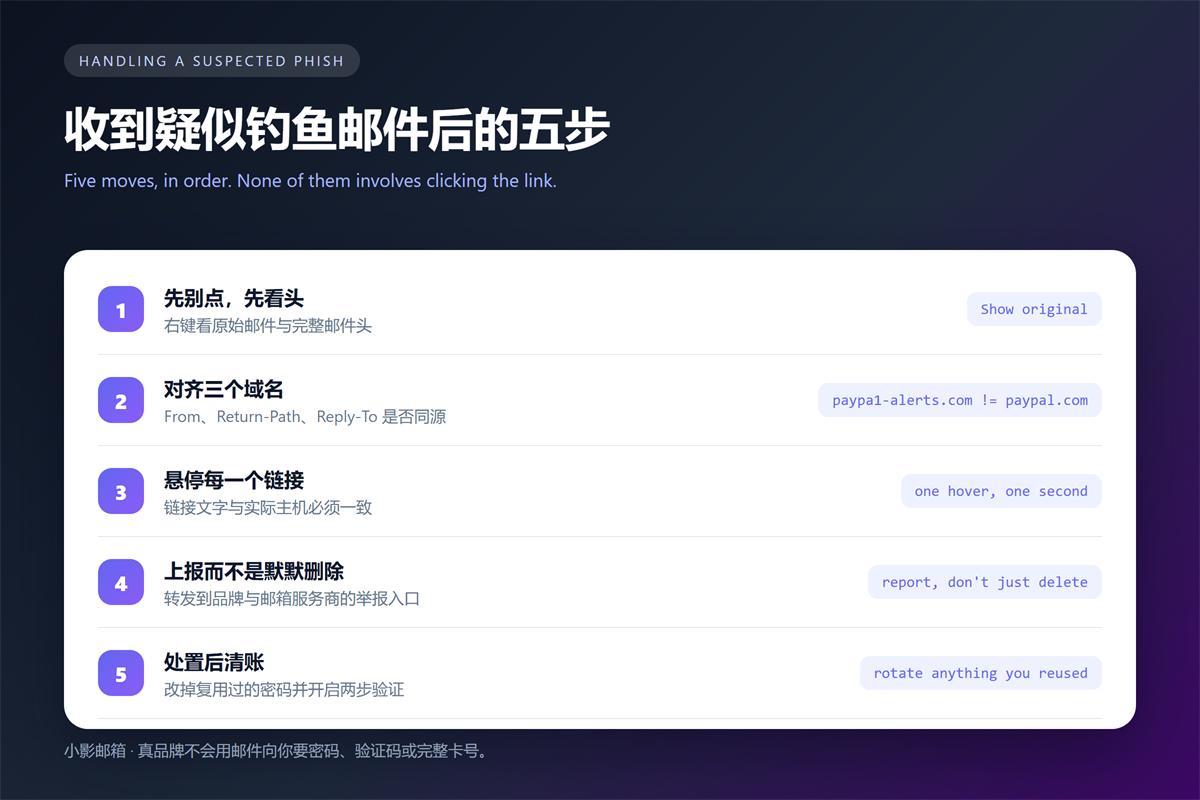
- Do not click, and do not load remote images.
- Open the raw header and compare the three sender fields.
- Hover each link and read the registered domain from the right.
- Report the message to the brand and to your mail provider.
- Rotate any reused password, then enable two-factor authentication.
Reporting matters more than deleting. Specifically, reports train the filters that protect everyone else on your domain. A well-reported 钓鱼邮件 protects your colleagues too.
If you already clicked, act within the hour. First, change the password. Second, sign out every active session. Third, check for new forwarding rules, because attackers usually add one.
When a Real Message Looks Like 钓鱼邮件
Legitimate senders sometimes trip every alarm. For example, a marketing platform may send on behalf of a brand, so SPF aligns with the platform rather than the brand. Similarly, link-tracking services rewrite every URL.
Nonetheless, you can separate the two cases. Check whether the mismatch is consistent and documented. Consequently, a newsletter from a known vendor is far less worrying than an invoice from an unknown host.
Bulk senders also explain many false alarms. We covered that pipeline in how tracking pixels and link rewriting work.
FAQ About 钓鱼邮件
Can a legitimate sender fail SPF?
Yes, and it happens often. A forwarded message usually fails SPF at your provider, because the original sending server left the path. Therefore, treat a single failure as a signal, not a verdict.
How do I report a 钓鱼邮件?
Forward it to your provider abuse address and to the impersonated brand. In addition, use the built-in report button, which keeps the original header intact. In contrast, a screenshot loses the evidence that filters need.
Is it safe to open the message to check?
Opening is usually fine if you block remote images. However, avoid clicking links, and never open an unexpected attachment. Above all, never enter credentials on a page you reached from a 钓鱼邮件.
One more habit helps here. If the message arrives while you are busy, close it and return later. The header will still be waiting, and your judgement will be clearer.
评论
还没有评论,来说两句吧。以下为本文的引用通告: