 小影邮箱
小影邮箱邮件反向解析怎么做?Match Your IP to a Name
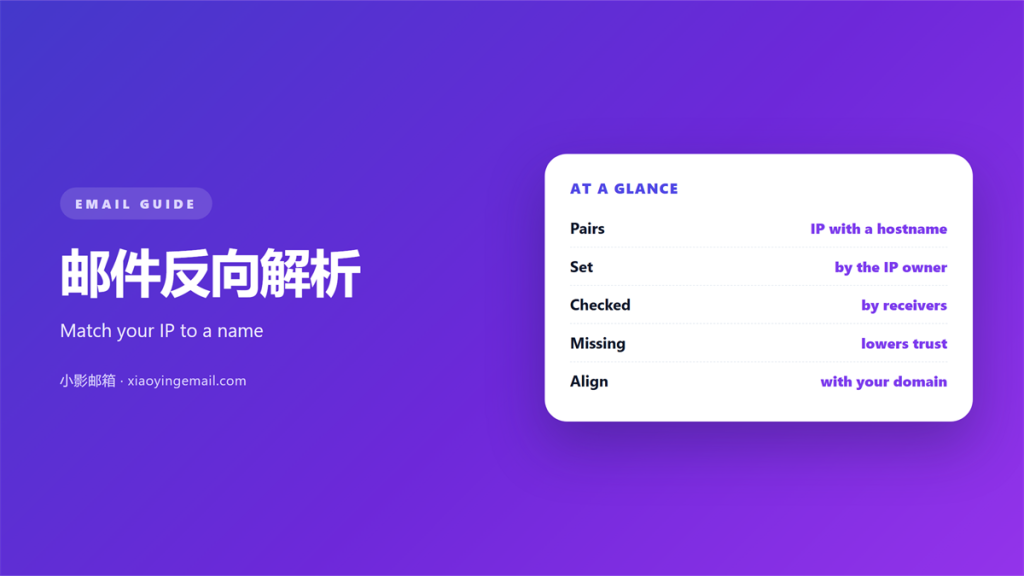
Key Takeaways
- 邮件反向解析 links an IP address back to a hostname.
- Filters compare that name with the sending domain.
- A missing record lowers your delivery rate.
- Your hosting provider usually sets the record, not you.
- Forward and reverse names should match exactly.
What 邮件反向解析 actually means
邮件反向解析 is the lookup of a name from an IP address.
Normal DNS turns a name into an address. Reverse DNS does the opposite.
The answer it returns is called a PTR record.
Mail filters use that record as a first identity check.
A server without one looks anonymous. Many filters simply refuse anonymous senders.
The idea is simple. If you claim a domain, prove the address belongs to it.
邮件反向解析 gives the receiving server a name to compare.
Without it, the filter has only an address. An address alone says very little.
A matching name is not proof of good intent. It is proof of ownership.
That small proof still matters. It removes a whole class of forgery.
A lookup takes less than a second.
Yet it decides whether a filter trusts you.
A clean 邮件反向解析 is cheap to keep.
How 邮件反向解析 works
Every IP address can carry a reverse name. The owner of the block sets it.
The name lives in a special zone. It is built by reversing the address and adding a suffix.
A lookup of that zone returns the PTR record.
Filters then resolve the name forward again. They check that it points back to the same address.
That round trip is called forward confirmed reverse DNS.
If the two directions disagree, the check fails.
Understanding 邮件反向解析 starts with this loop. Both directions must line up.
A record that exists but mismatches is worse than none. It looks deliberate.
The lookup is fast. It adds almost no delay to a normal message.
The suffix is standard and easy to learn.
Tools handle the reversal for you.
You only need the address and the name.
Setting up your 邮件反向解析
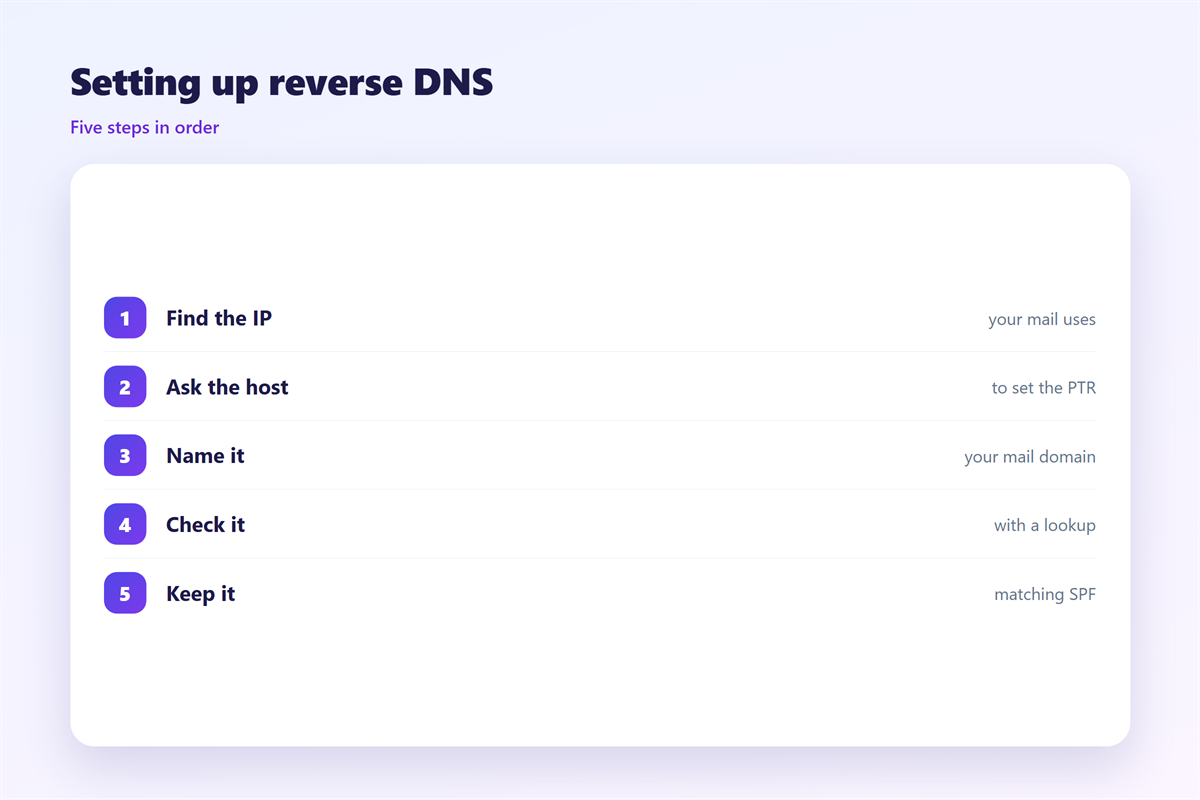
Most people cannot set this record themselves.
The block owner controls the reverse zone. That is usually your host or your ISP.
Open a support ticket and ask for the change.
Give them the exact hostname you send from. Use the name on your A record.
Point the reverse name at the same host.
Wait for the change to spread. Caches may hold the old answer for a day.
Then confirm the result with a lookup tool.
If you run your own block, you set the zone yourself. Then the task is in your hands.
Some hosts offer a control panel for this.
Others need a ticket every time.
Keep the request short and exact.
A clear hostname speeds the change.
When 邮件反向解析 breaks
Three faults appear again and again.
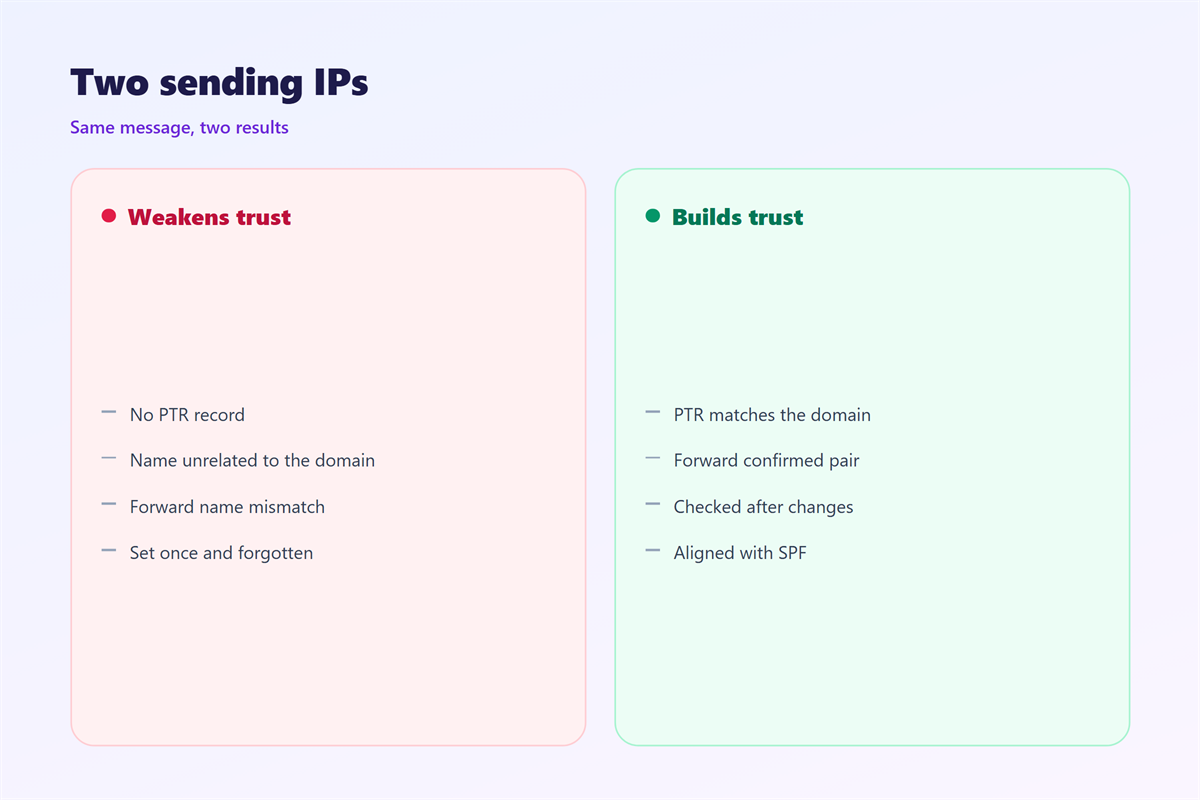
- Missing: no PTR record exists at all.
- Generic: the name is a default from the provider.
- Mismatch: the name does not match your domain.
Each fault sends a different signal. All three lower trust.
A missing record is the most common. Shared hosting causes most of them.
A generic name looks lazy. It suggests the sender never cared.
A mismatch looks deliberate. Filters treat it as a warning sign.
The fix is the same in every case. Ask the block owner to correct the record.
Do not invent a name you do not control. A false record is easy to spot.
Fix the forward record first. The reverse record should follow the same name.
A shared IP is a common cause.
Many users share one address and one name.
Your own record may be fine while the block is not.
Testing your 邮件反向解析
A record you never checked is a guess.
Look up your sending IP in a public tool. Read the name it returns.
Then look up that name. It should point back to the same address.
Test from an outside network too. Local caches can hide a fault.
Record the result and the date.
Checking 邮件反向解析 yourself removes the guesswork.
Repeat the test after any change of host. New addresses rarely inherit old names.
Keep the note with your other sending details. One page is enough.
Use two different tools to compare.
A single tool can carry a stale cache.
Save a screenshot of the good result.
A clean 邮件反向解析 is easy to prove.
邮件反向解析 and sender authentication
Reverse DNS is only one signal. It works best beside other records.
SPF lists the servers allowed to send for your domain.
DKIM signs each message so tampering shows.
DMARC tells receivers what to do when both fail.
Together they tell a receiver three separate things.
Reverse DNS proves the address. SPF proves the server. DKIM proves the message.
None of them is perfect alone. Together they are strong.
Our notes on 邮件SPF explain the sender list. The signature is described under 邮件DKIM. How the three records line up is covered in 邮件认证, and the result of a clean setup sits under 邮件投递率.
Fix the records before you send at volume. Reputation is easier to keep than rebuild.
A small mismatch can cost a whole campaign. Check all four signals at once.
A receiver weighs each signal on its own.
One weak record does not ruin the rest.
But several weak records add up fast.
A strong 邮件反向解析 supports the whole set.
A missing 邮件反向解析 weakens an otherwise good setup.
FAQ
Can I set 邮件反向解析 myself?
Only if you own the IP block. Otherwise ask your host or ISP to change it.
Does a PTR record improve delivery?
It removes one reason to reject you. Many filters demand it before anything else.
Why is my reverse name generic?
Shared hosting often reuses default names. Ask your host to set a custom one.
Is reverse DNS the same as SPF?
No. SPF lists allowed servers. Reverse DNS ties one address to one name.
评论
还没有评论,来说两句吧。
评论功能已关闭。