 小影邮箱
小影邮箱邮件认证怎么做?SPF, DKIM and DMARC
What 邮件认证 actually proves
邮件认证 does not make a message trustworthy, and it proves something narrower and more useful. It proves that the server sending the mail was allowed to send it for that domain.
I spent a week tracing why a client newsletter landed in spam while a password reset from the same company arrived without trouble. The difference was authentication: the reset came from an authenticated subdomain, and the newsletter went out through a marketing tool nobody had added to the DNS records.
Key Takeaways
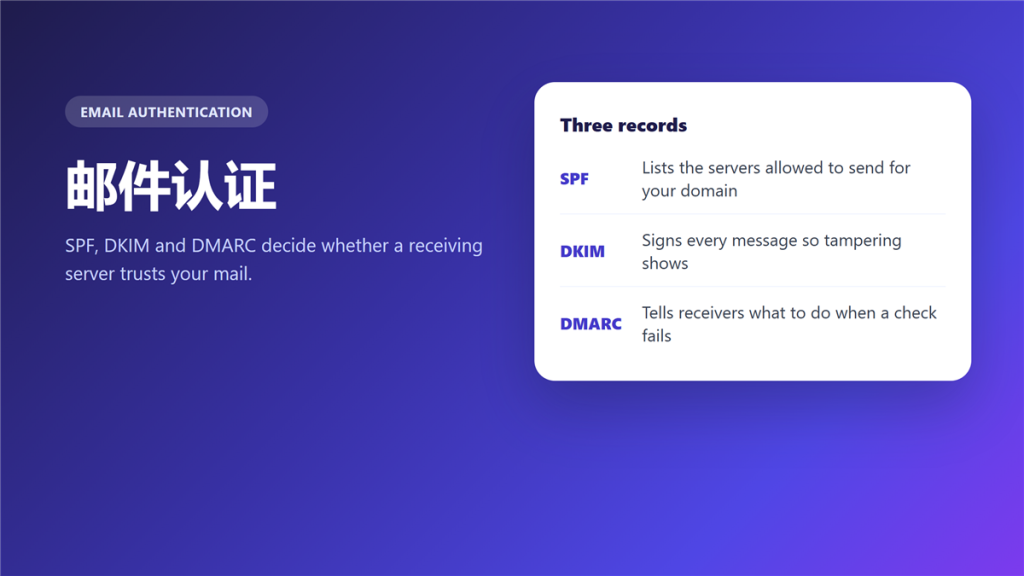
- 邮件认证 is three DNS records: SPF, DKIM and DMARC.
- SPF lists servers, DKIM signs messages, DMARC sets the policy.
- All three must align with the From domain, not merely pass.
- A missing record is worse than a misconfigured one.
- Receivers cache their judgement, so fixes take weeks to show.
- Authentication blocks spoofing, and it does not block spam.
The three records behind 邮件认证
Each record answers a different question, and confusing them is the usual reason a setup fails.
SPF: who may send
SPF is a DNS TXT record listing the servers permitted to send mail for your domain. Therefore a marketing platform that is absent from the list will fail the check, even when it is entirely legitimate.
DKIM: what was sent
DKIM attaches a cryptographic signature to each message using a private key, and the matching public key sits in DNS. Notably, any change to the body in transit invalidates that signature.
DMARC: what to do on failure
DMARC tells the receiver what to do when the first two checks disagree with the visible From domain. Consequently it is the record that changes behaviour, because it carries the policy.
Why 邮件认证 alignment matters more than passing
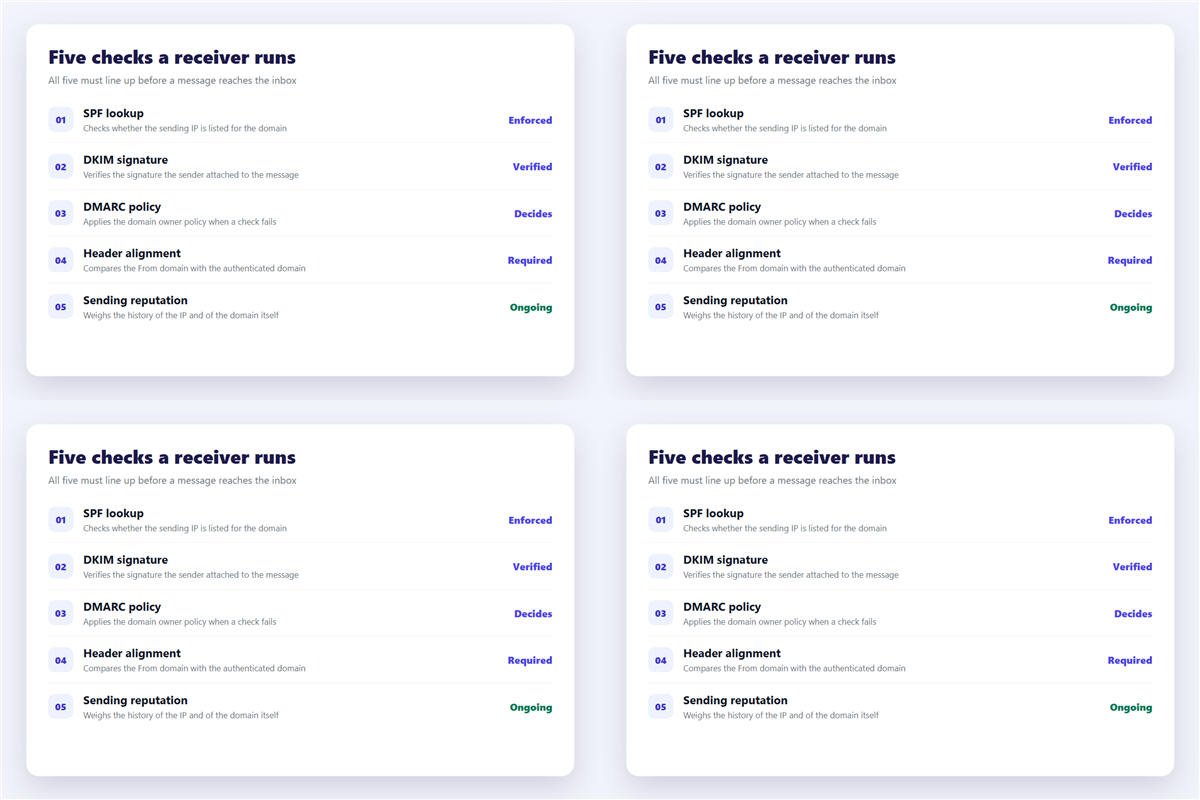
A record can pass and still be useless. Alignment means the domain that passed is the domain the reader sees.
For instance, a newsletter tool can send with a valid SPF record for its own domain while the From line shows yours. DMARC treats that as a failure, and the message is filed accordingly. Unfortunately this is the single most common reason 邮件认证 looks configured while mail still disappears.
How to check 邮件认证 on your own domain
- Look up the TXT records and confirm every sending service is listed.
- Send a test message to a mailbox you control and read the full headers.
- Check that the authentication results line names your domain, not a vendor domain.
- Raise the DMARC policy from none to quarantine only after a week of clean reports.
The fourth step deserves patience. Moreover, jumping straight to a reject policy has broken more legitimate mailing lists than any attacker ever did. If the domain is already on a block list, fix that separately, and the steps are in 邮件黑名单.
What 邮件认证 does not fix
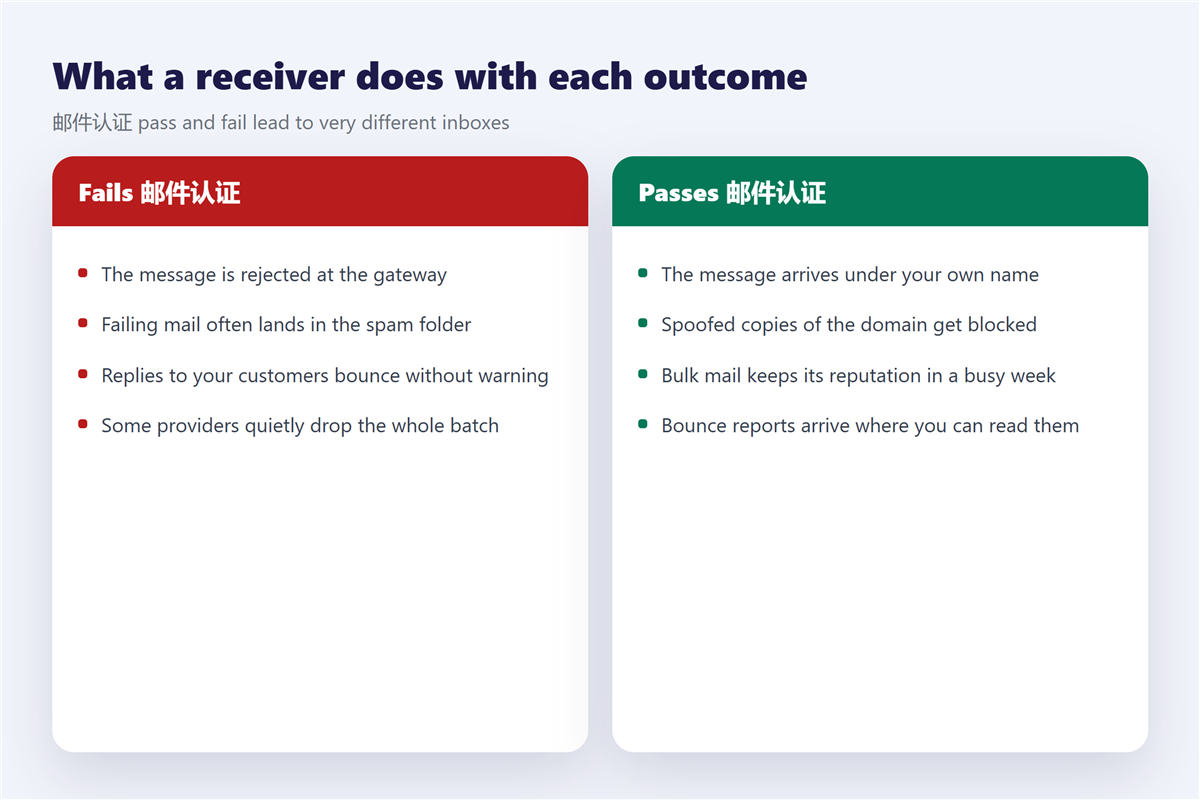
Three problems sit outside its reach, and expecting otherwise leads to wasted effort.
Authentication does not stop a compromised mailbox from sending real spam, because the message is genuinely authentic. In addition, it does not repair a poor sender reputation built up over years, since that history belongs to the IP address. Finally, it does not rescue a message that readers themselves mark as spam, and that signal outranks every record you publish.
If mail arrives but lands in the wrong folder, the cause is usually a filtering decision rather than a broken record, and the workflow in 垃圾邮件 separates the two. A forged sender is a different problem again, covered in 钓鱼邮件. When the message is plainly legitimate and simply misfiled, the checklist in 邮件误判 is the better starting point.
Where authentication sits in the stack
Authentication runs at the receiving server, before any rule you wrote in a mail client.
Because of that, it applies to every message the domain sends, including the password resets and invoices you never think of as marketing. The transport itself is described in 邮件服务器, and the DNS side in 邮箱域名.
Frequently asked questions
Does 邮件认证 guarantee inbox delivery?
No. It removes one large reason for rejection and leaves reputation, content and reader behaviour untouched.
Can I use 邮件认证 with a shared hosting mailbox?
Usually yes, provided the host publishes the records for you. Ask for the exact TXT values rather than guessing them.
How long does it take to work?
DNS changes propagate within hours, and receiver reputation takes one to four weeks to catch up.
Do I still need 邮件认证 if I never send bulk mail?
Yes. Without it anyone can send mail as your domain, and that hurts a small sender fastest.
References
延伸阅读
- 《邮箱后缀是什么?What the Domain After @ Says》
- 《邮箱验证怎么做?Links, Codes and Expiry》
- 《企业邮箱怎么选?Domain, Records and Admin Work》
- 《邮件营销怎么做?Permission, Flows and a Six-Item Pre-Send Check》
- 《邮件投递率怎么提升?Records, Reputation and Inbox Placement》
- 《邮件网关是什么?The Checkpoint Before Your Inbox》
- 《邮件冒充是怎么回事?When the Sender Is Not the Sender》
- 《邮件审计怎么做?Evidence, Scope and Custody》
- 《邮件证书是什么?S/MIME Signing, Encryption and Trust》
- 《邮件预热怎么做?A Four-Week Ramp for New Domains》
- 《邮件信誉怎么养?What Filters Remember About You》
- 《邮件协议有哪些?IMAP, POP3 and SMTP Explained》
- 《邮件SPF是什么?The Record That Blocks Spoofing》
- 《邮件DKIM是什么?Signing Mail So It Travels》
- 《邮件DMARC怎么设?Policy for Failing Mail》
- 《邮件防钓鱼怎么做?Spotting a Fake Sender》
- 《邮件收发测试怎么做?Test Before You Trust It》
- 《邮件反向解析怎么做?Match Your IP to a Name》
- 《邮件数字签名是什么?Proof of the Sender》
- 《邮件BIMI 是什么?Your Logo in the Inbox》
- 《邮件MTA-STS 怎么配?Enforce Secure Delivery》
- 《邮件发送域名怎么设?Domain Setup Basics》
- 《邮件伪造怎么防?Stopping Fake Senders》
评论
还没有评论,来说两句吧。以下为本文的引用通告: