 小影邮箱
小影邮箱邮件隔离是什么?Why Good Mail Gets Held
Key Takeaways
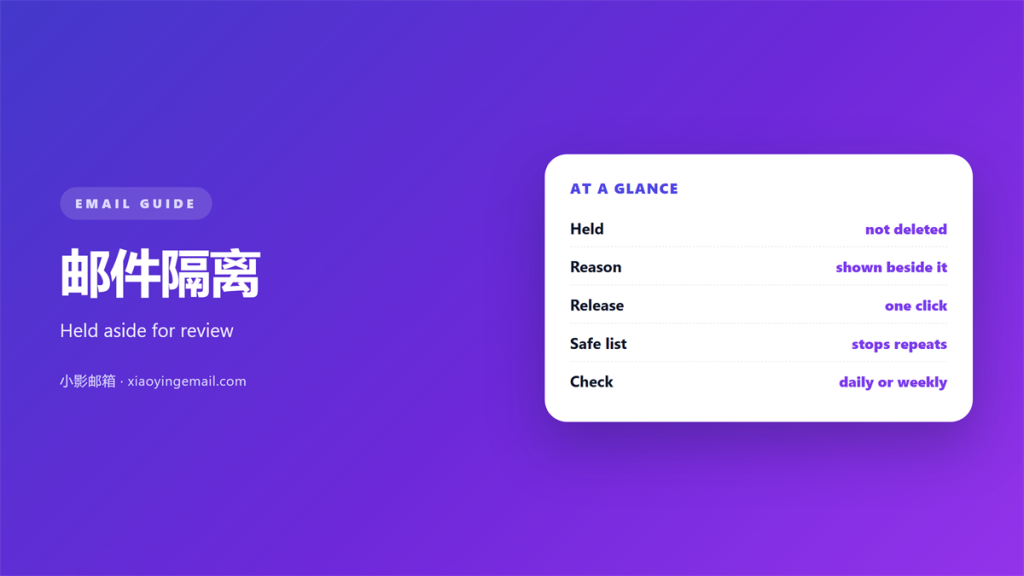
- 邮件隔离 holds a message aside for review.
- Most held mail is ordinary, not dangerous.
- A filter decides when a message is held.
- You can release or block almost anything.
- Minutes spent on rules save quiet losses.
What 邮件隔离 actually means
邮件隔离 is the holding area where a filter parks a message it does not trust.
The mail is delivered to a folder, not to you. It waits there until someone releases or deletes it.
That pause is the whole point. It gives a person a chance to look before the message reaches the inbox.
Most people meet 邮件隔离 for the first time by accident. A bill does not arrive and the sender insists it was sent.
The message was not lost. It was held.
A quarantine folder is common in business accounts. Personal mailboxes often hide the same feature under a different name.
So the first useful habit is knowing where the folder lives. Once you find it, the mystery mostly ends.
A held message is invisible until someone looks. That silence is why 邮件隔离 frustrates people.
The cure is simple curiosity. Open the folder once a week and see what the filter caught.
Every held message carries a reason. Most systems show a short label beside it.
邮件隔离 is not the same as spam. Spam is junk the filter is sure about. Quarantine is doubt.
Where 邮件隔离 happens
The decision is made by a gateway, usually before the message reaches your mailbox.
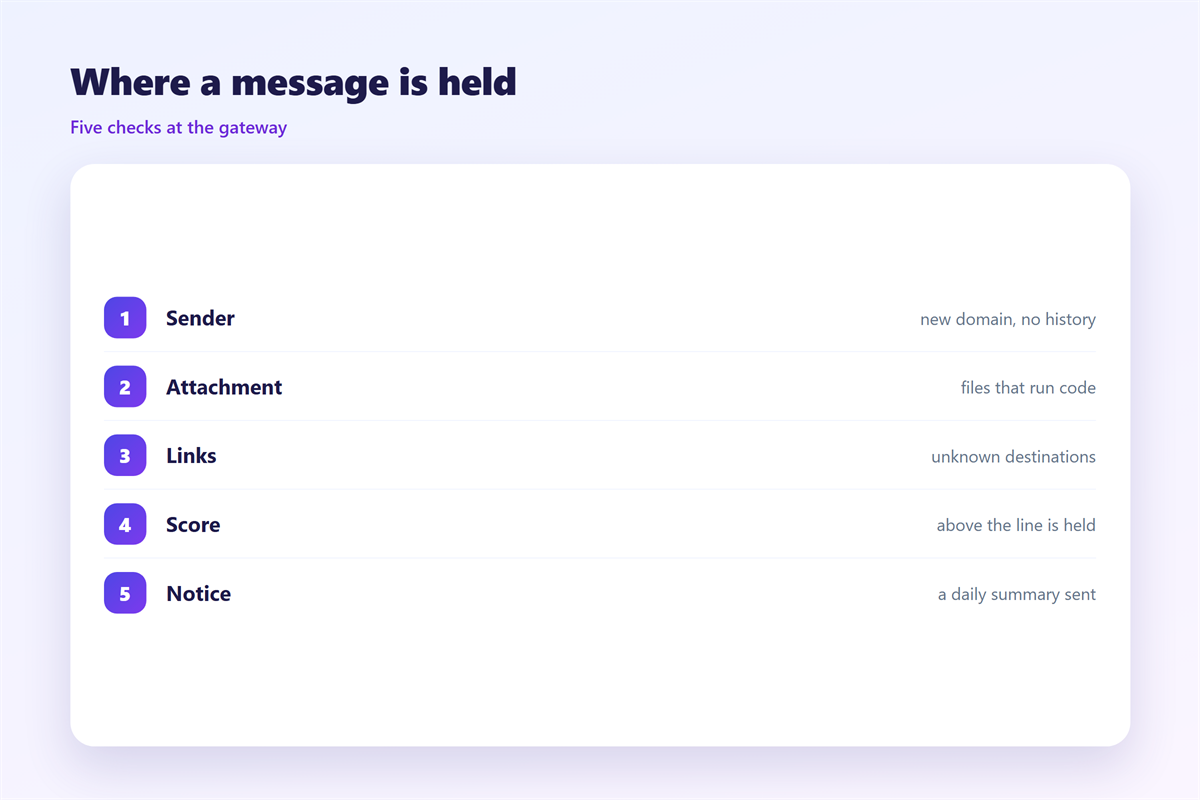
Several checks run at that point. The sender, the links and any attachment all get a score.
A message that scores badly is held. A message that scores well passes through.
Attachment types matter a great deal. Files that can run code are watched closely.
- Executables: programs and scripts are usually held.
- Archives: zip files with odd contents are often held.
- Links: a link to an unknown domain adds risk.
- Sender: a new domain with no history raises the score.
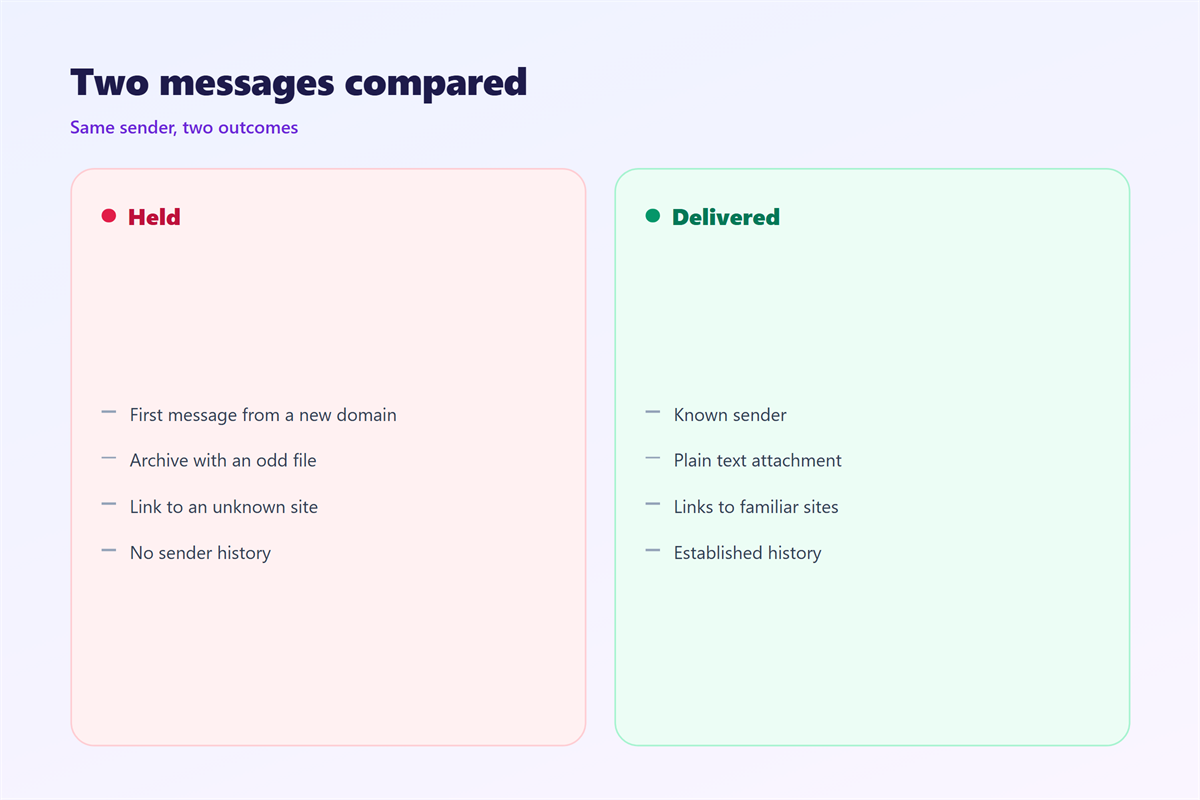
Understanding 邮件隔离 starts with those four checks. They explain why one message is held and its twin is not.
The same message can be held on one system and delivered on another. Each filter weighs the signals differently.
Your own habits change the score too. A message sent to many people at once looks bulkier than it is.
That is why 邮件隔离 sometimes holds a newsletter you wrote yourself.
When 邮件隔离 goes wrong
The feature fails in two directions. It holds good mail and it lets bad mail through.
The first failure is the one people notice. An invoice vanishes and a supplier grows impatient.
The second failure is quieter and more serious. A dangerous message slips past because it looked normal.
Neither failure is rare. Both come from the same limit. No filter reads intent.
A new sender is a good example of the first failure. The filter has no history to trust.
Notices are the fix for the first failure. Most 邮件隔离 systems can send a daily summary of what was held.
A notice turns a silent folder into a short report. Read it once a day and nothing important is missed.
Users learn to expect holds after a few weeks. A short weekly check keeps that habit honest.
Testing your 邮件隔离
A quarantine you cannot see is a trap. Test it before it costs you a message.
Send yourself a message with a normal attachment. Check whether it arrives or gets held.
Then send one with an unusual file type. See where it lands.
Record both results. A short note is enough.
Repeat the test after any change to your mail setup. Filters shift without warning.
A simple test tells you more than any manual. Filters describe their logic poorly.
Checking 邮件隔离 yourself removes the guesswork.
Two tests a year keep you ahead of the surprises that 邮件隔离 creates.
Releasing mail from 邮件隔离
Releasing a held message is usually one click. The harder choice is what to do next.
If the sender is safe, add them to a safe list. That stops the same message being held again.
If the sender is unknown, look at the address first. A name you recognise can hide a domain you do not.
Never release a message just because it asks you to. Urgency is the oldest trick in the book.
Our notes on 邮件误判 explain why good mail is flagged. The checks behind the decision are described under 邮件网关. Safe senders are covered in 邮件白名单, and the files worth fearing sit under 邮件病毒.
A little patience at this step protects the whole mailbox.
Keep the safe list short. A long list of trusted senders defeats the filter over time.
Log the releases you allow. A pattern of repeated approvals tells you the rule needs fixing.
FAQ
Is quarantined mail deleted?
Rarely. Most systems keep held mail for a set number of days. After that it may be removed. Check the retention window so nothing important expires unseen.
Why was my own message quarantined?
Your attachment or link may have looked risky. A filter cannot see that you meant well. Resend without the risky part or ask a colleague to release it.
Does 邮件隔离 replace antivirus?
No. It is one layer among several. Antivirus scans the device and the gateway. Quarantine only decides where a message waits.
How often should I check the folder?
Once a day is plenty for most people. A weekly summary is enough for a light mailbox. Do not let it sit for a month.
References
- IETF RFC 5322: Internet Message Format
- Microsoft: Quarantined email messages
- Google Workspace: Quarantine and deliver
评论
还没有评论,来说两句吧。
评论功能已关闭。