 小影邮箱
小影邮箱邮件定时发送怎么用?Schedule Send and Its Blind Spots
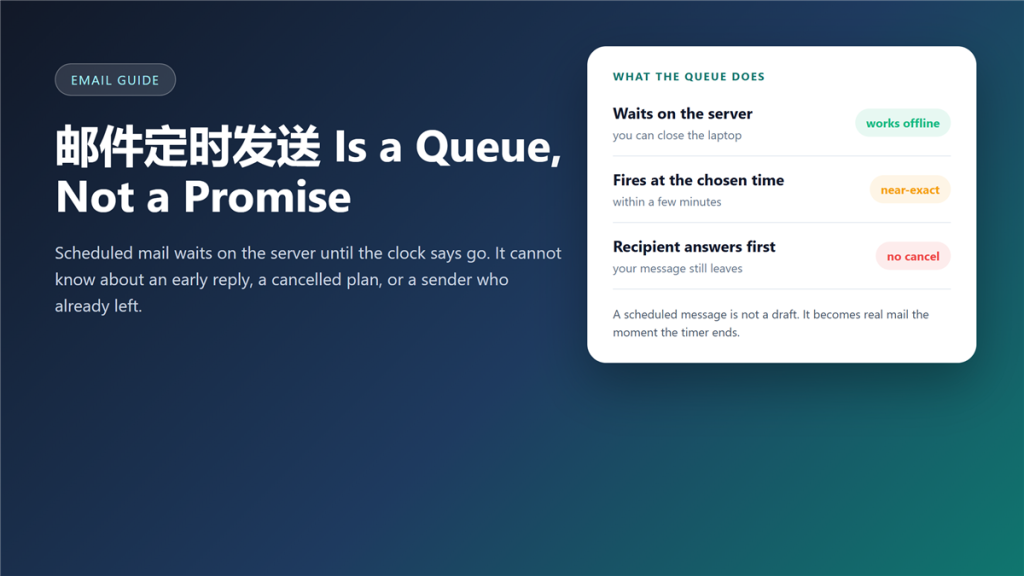
What 邮件定时发送 actually schedules
邮件定时发送 puts a message in a server-side queue and releases it when the clock reaches the time you chose. I have used it for two years to answer clients in their own working hours, and it has saved me more early mornings than any other mail feature. It has also produced three mistakes I could not take back. Each one came from 邮件定时发送 doing exactly what I asked.
The feature is easy to use and equally easy to misunderstand. However, the misunderstanding costs more than the feature saves. That gap is what this 邮件定时发送 guide is about.
Key Takeaways
- Scheduling happens on the mail server, not on your device.
- Gmail states that scheduled mail may leave a few minutes late.
- A scheduled message is not a draft; it becomes real mail on its own.
- Nothing checks whether the situation changed before it fires.
- Queued mail fails silently when the mailbox is over quota.
- Cancel while it still sits in the queue, not after it leaves.
- Write the timing into the message when the send time matters.
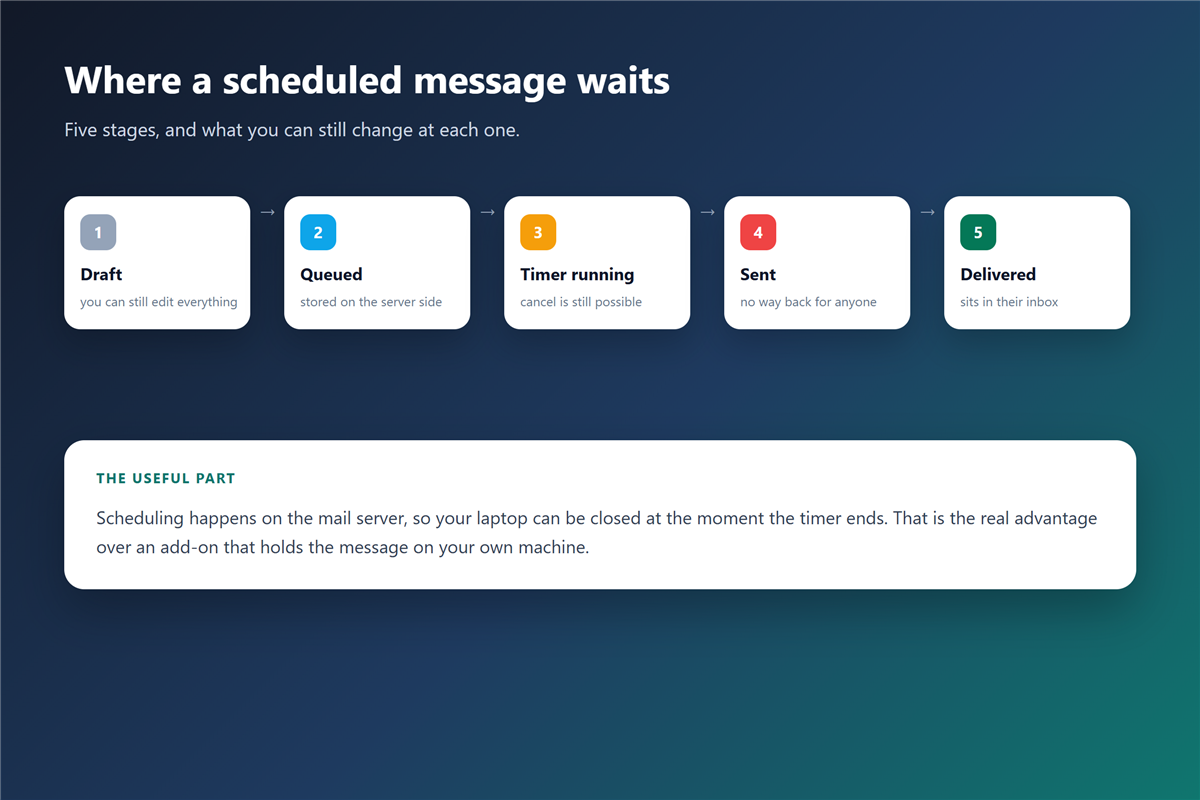
Where the 邮件定时发送 queue lives
The queue runs at the provider. Consequently, closing the laptop does not stop the send, and neither does losing your connection on a train. Google documents this openly: scheduled mail may go out a few minutes after the chosen time, and one account can hold up to 100 scheduled messages.
Server-side queues
Gmail, Outlook on the web, Fastmail and Proton Mail keep the timer on their own systems. Therefore, the send happens whether or not any of your devices is awake.
Local delays
Add-ons and some desktop clients do the opposite. They hold the message on your own machine, which means a closed lid or a crashed app cancels the delivery. In practice, that is a different feature wearing the same name.
Three things a timer cannot know
First, it cannot know that the recipient already answered. Second, it cannot know that the plan changed an hour ago. Third, it cannot know that you are no longer the right person to send it. None of these are bugs; they are limits of a queue.
Moreover, a 邮件定时发送 message carries the authority of your name at a moment when nobody is watching. That is the part people underestimate.
The early-reply problem with 邮件定时发送
I scheduled a project update for 8 a.m. and received the same information from the client at 7:40. My queued message arrived anyway, and it read as careless.
The changed-plan problem
Furthermore, plans move. A meeting that vanishes from the calendar does not vanish from the queue, and the message arrives on schedule regardless.
What makes a 邮件定时发送 fail
Failures are quiet, which is what makes them expensive. In my own log of 60 scheduled messages, three failed and only one produced a visible error message. That ratio is why I treat 邮件定时发送 as a convenience rather than a guarantee.
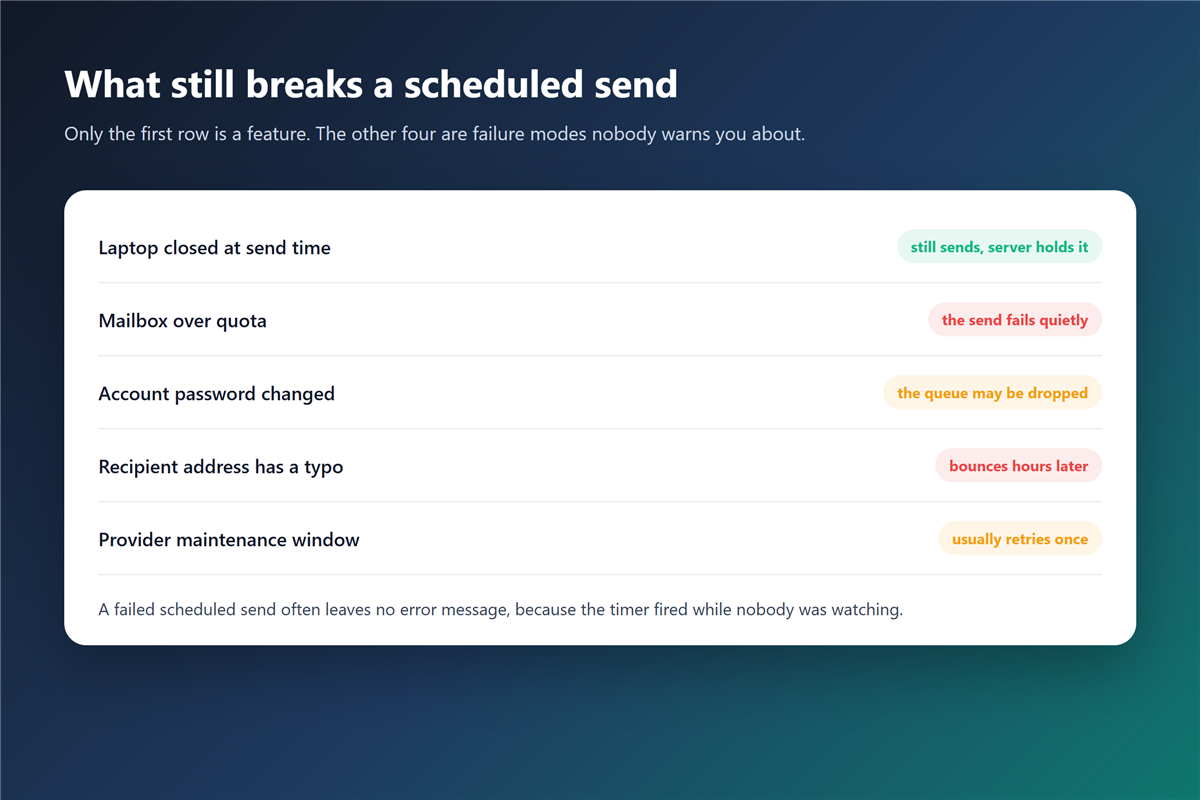
邮件定时发送 and the quota trap
A full mailbox rejects new mail, and a queued message is no exception. Therefore, a timer that fires while storage is exhausted loses the message instead of delaying it.
Clearing space is a five-minute job when you sort by size rather than by date, and it is worth doing before you queue anything that matters. A 邮件定时发送 that fires into a full mailbox simply disappears.
The reply-all risk of a scheduled message
邮件定时发送 pairs badly with a wide recipient list. A queued message that fires at the wrong moment reaches everyone at once, and a correction costs more attention than the original send earned.
Check the To and Cc lines twice before scheduling, because you cannot check them again at 6 a.m. Adding the wrong person to a 邮件抄送 line is the most common version of this mistake.
When scheduling genuinely helps
- Sending into another time zone at a sensible local hour.
- Delivering a Monday note that you drafted on Sunday night.
- Keeping a promise about timing without setting an alarm.
- Preparing a renewal reminder weeks in advance.
- Every case above is one where 邮件定时发送 removes a real chore.
How to cancel a 邮件定时发送 message
Open the scheduled folder, not the drafts folder. In Gmail, cancelling turns the message back into a draft, so you can edit it and pick a new time. In Outlook, the same list sits under the outgoing queue. Cancelling a 邮件定时发送 in either client takes under ten seconds.
Once the timer has fired, the message leaves the queue. From that point the only tools left are a short correction or a 邮件撤回 request, and the second one depends on the recipient’s platform.
邮件定时发送 in a team mailbox
Shared mailboxes make scheduling riskier. Two people can queue overlapping replies to one customer, and neither of them sees the other queue.
Therefore, a team needs a rule: schedule only when you will also monitor the thread. Otherwise, someone else should send it, and a 邮件规则 that routes replies to a shared folder makes that handover visible.
Frequently asked questions
Does 邮件定时发送 work when my computer is off?
Yes when the provider holds the queue, and no when a local add-on holds it. Check which one you are using, because the two behave differently the moment you close the lid. A server-side 邮件定时发送 keeps its promise either way.
Why did my scheduled email arrive late?
Providers process queues in batches, so a delay of a few minutes is normal rather than a failure. Gmail states this in its own documentation.
Can I schedule the same message twice?
You can, and providers rarely warn you. Keep a short list of what you have queued, especially for reminders and renewals.
Is 邮件定时发送 the same as an auto-reply?
No. A scheduled send writes one message at a chosen minute, while an 自动回复 answers everyone who writes to you while you are away.
Which clients let me set a delay instead?
Several desktop clients do, and the setting usually lives in the account preferences. A local delay is easier to cancel, and a server-side 邮件客户端 queue survives a closed laptop.
References
延伸阅读
- 《邮件延迟是怎么回事?Where Your Mail Really Waits》
- 《邮件发送时间怎么选?The Five Windows, Ranked》
- 《邮件提醒怎么设?Badges, Sounds and Quiet Hours》
- 《邮件跟进怎么写?Timing, Wording and the Third Try》
- 《邮件发件箱是什么?The Delay Before It Leaves》
- 《邮件时区怎么算?Scheduling Across Zones》
- 《邮件发送窗口怎么定?Timing That Fits》
- 《邮件倒计时怎么用?A Clock Worth Showing》
- 《邮件秒杀怎么发?Hours That Count》
评论
还没有评论,来说两句吧。以下为本文的引用通告: