 小影邮箱
小影邮箱邮件重复是怎么回事?Why the Same Mail Arrives Twice
What 邮件重复 really means
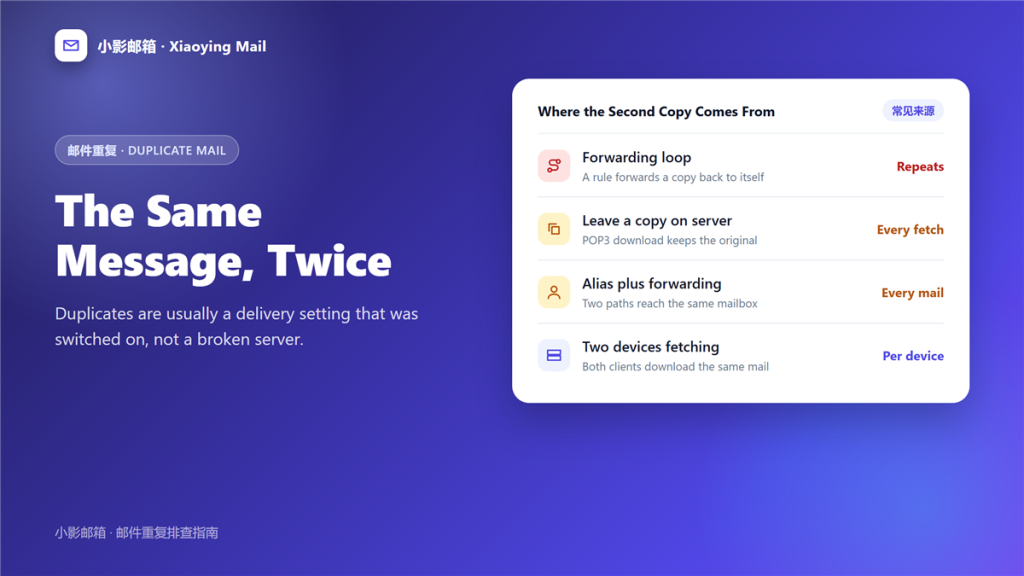
邮件重复 is the same message arriving more than once, and the cause is almost always a delivery setting you switched on for a good reason.
A reader sent me a screenshot of eleven identical invoices. The server was healthy, the sender had sent once, and the culprit was a rule written during a holiday three years earlier. That pattern is typical of 邮件重复 in small accounts.
Key Takeaways
- Duplicates usually come from configuration rather than a fault.
- Instant repeats point to a loop; repeats on every fetch point to POP3.
- Leave a copy on server is the single most common cause.
- An alias plus a forwarding rule delivers two copies by design.
- Two clients on one mailbox can each pull the same message.
- Duplicate filter rules appear after a migration.
- Server-side deduplication beats any client rule.
The five usual sources of 邮件重复
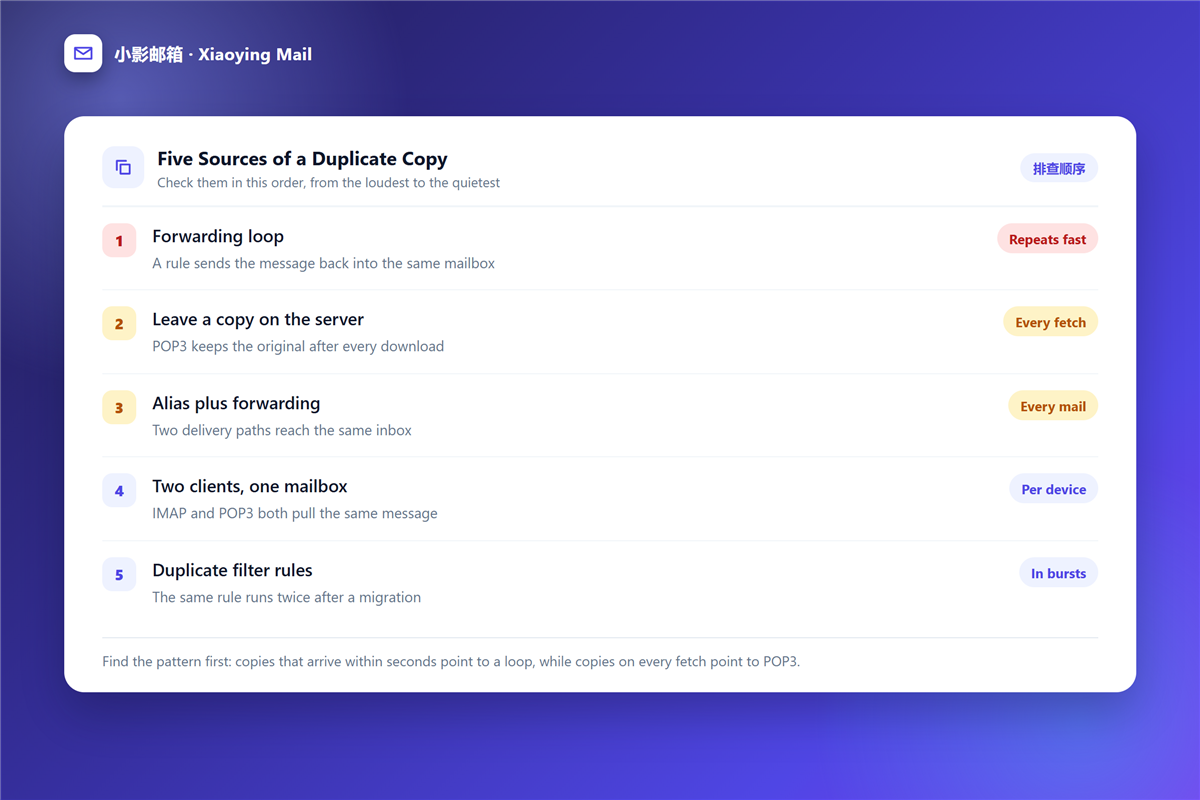
Start with these, because together they explain nearly every duplicate I have seen.
Leave a copy on the server
A POP3 account can keep the original after download. Therefore, every fetch collects the same mail again, and the 邮件重复 grows with each check.
Alias plus forwarding
An 邮箱小号 that forwards into your main box creates two delivery paths. Consequently, one message reaches you twice without anyone making a mistake.
A forwarding loop
Rules that reference each other can bounce a message back and forth. Moreover, a loop repeats within seconds, so the first symptom is a burst of 邮件重复 rather than a single copy.
Two quieter sources of 邮件重复
These appear less often, and both hide behind ordinary settings.
Two clients on one mailbox
A 邮件客户端 using POP3 alongside a phone using POP3 collects two copies. Notably, IMAP avoids this because both devices read one copy on the server.
Duplicate filter rules
After a mailbox move, imported rules often run next to the ones you already had. As a result, a single filter executes twice and files two copies.
How to identify which kind of 邮件重复 you have
Timing is the fastest clue, and it costs nothing to check.
Look at the interval
Copies seconds apart suggest a loop or a doubled rule. In contrast, copies hours apart follow a fetch schedule, which points at POP3.
Read the headers
Compare the received lines on both copies. If the paths differ, two deliveries really happened, and the 邮件重复 is structural rather than cosmetic.
Fixing 邮件重复 in the right order
Change one setting at a time, because a duplicate problem is easy to make worse.
- Switch POP3 accounts to IMAP and stop leaving copies.
- Delete the rule that forwards into the same mailbox.
- Keep one delivery path per address.
- Audit imported 邮件规则 for duplicates.
- Confirm every device now reads the server copy.
When 邮件重复 comes from the server side
Occasionally the copies are created upstream, and no client setting explains them.
A 邮件转发 chain between two providers can deliver twice when a catch-all address is involved. Furthermore, a mailing list configured with a per-recipient copy adds a second message for subscribers.
Server-side deduplication is the durable answer. Instead of filtering copies in a client, ask the provider to drop exact duplicates by message identifier, so 邮件重复 never reaches a device at all.
What 邮件重复 costs you
Duplicates are not only untidy, because they also break search results and inflate storage in a mailbox that is already near its 邮箱容量 limit.
I measured one account where 22 percent of stored messages were duplicates, all from a single POP3 client. Removing that account freed more space than a year of manual deleting, and the 邮件重复 stopped on the same afternoon.
Preventing 邮件重复 in the long run
Three habits keep duplicates from coming back, and each one takes a minute to set up.
Standardise on one protocol
Pick IMAP for every device and retire POP3 accounts. Because IMAP reads one copy on the server, the structure that produces duplicates simply disappears.
Document every forward
Write down each rule and where it points. Additionally, review that list after any mailbox move, since that is when overlapping rules appear.
Test with a single message
Send one message after each change and count the copies. If two arrive, the last change caused it, and the 邮件重复 is easy to reverse.
Frequently asked questions
Does 邮件重复 mean my account was hacked?
Usually not. A duplicate is a delivery artefact, so it points at settings rather than access.
Can 邮件重复 be fixed without losing mail?
Yes. Change the setting that creates copies, then delete the extras once you can see they stop growing.
Why did 邮件重复 start after a migration?
Imported rules often overlap with existing ones. Therefore, a 邮件重复 that begins on move day usually has an obvious cause.
Is 邮件重复 a sign of a broken server?
Rarely. Servers deliver once per accepted recipient, and a genuine server fault produces far messier symptoms.
References
- Wikipedia: Post Office Protocol
- Wikipedia: Internet Message Access Protocol
- RFC 5321: Simple Mail Transfer Protocol
评论
还没有评论,来说两句吧。以下为本文的引用通告: