 小影邮箱
小影邮箱邮件页脚该写什么?Footer Lines That Do Real Work
Key Takeaways
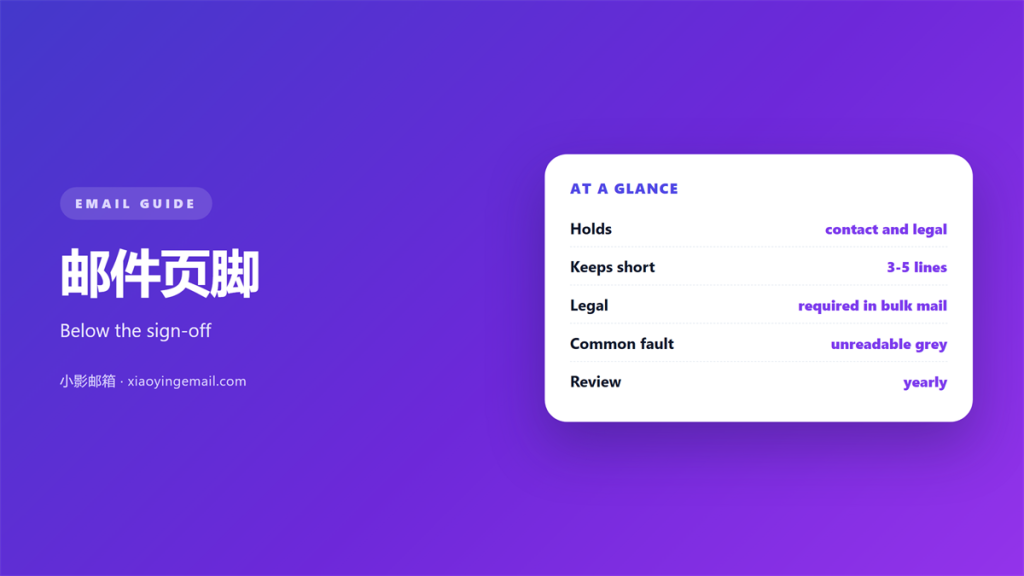
- 邮件页脚 is the block below the sign-off, and it is read far more often than it is written.
- A 邮件页脚 does three jobs: identify the sender, help someone reach them, and satisfy the rules that apply to bulk mail.
- Contact details and a one-line purpose beat a wall of legal text.
- Legal lines are only required in specific cases, not in every message.
- The best test is to read the 邮件页脚 as a stranger and ask what is still useful.
What belongs in a 邮件页脚
邮件页脚 is the small block beneath the sign-off, and most writers pay it no attention until something goes wrong. It is the last thing a reader sees and often the only part they scan when they come back to a message weeks later looking for a phone number or an address.
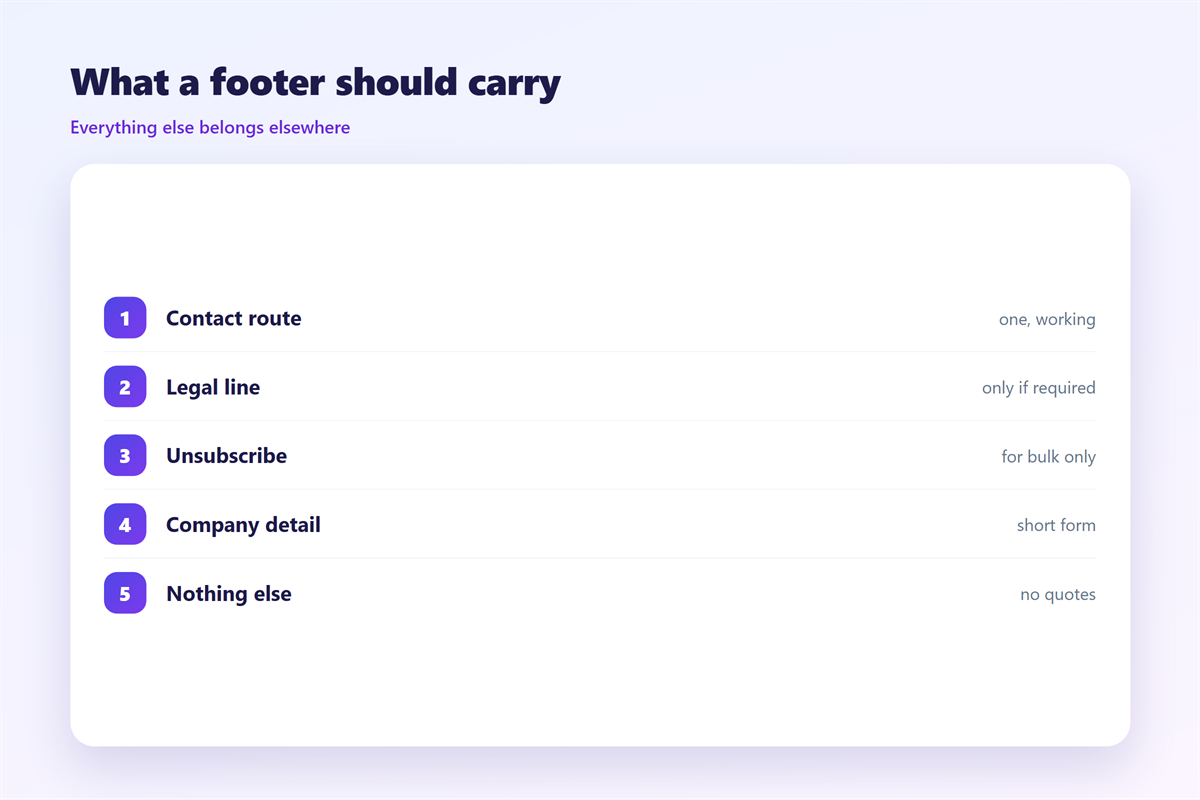
The block has three jobs. It identifies who wrote the message, it gives a route back to that person or their organisation, and, in certain kinds of mail, it carries statements that a rule or a law requires to be present. Anything that does not serve one of those three purposes is decoration, and decoration in a footer ages badly.
The 邮件页脚 lines that are actually required
The word required does a lot of work here. A personal note to a colleague requires almost nothing beyond a name. Marketing mail, especially in bulk, is where the obligations pile up: an unsubscribe route, a postal address and an accurate sender identity are the familiar trio, and none of them belongs in a message that is not commercial.
It helps to separate the two audiences. A 邮件页脚 written for one person can be as short as a signature; one written for a list has to work for a stranger who may never have heard of the sender and who needs to know how to stop hearing from them.
A quick way to decide is to ask who the reader is. If it is a single person you already know, the 邮件页脚 only has to identify you and offer a way back. If it is a list of strangers, the same block has to introduce the sender, explain why the message arrived, and make leaving easy. The longer version is not better in itself; it is simply doing more work for a reader who genuinely needs it, and length on its own has never made a footer clearer.
邮件页脚 clutter that hides the useful parts
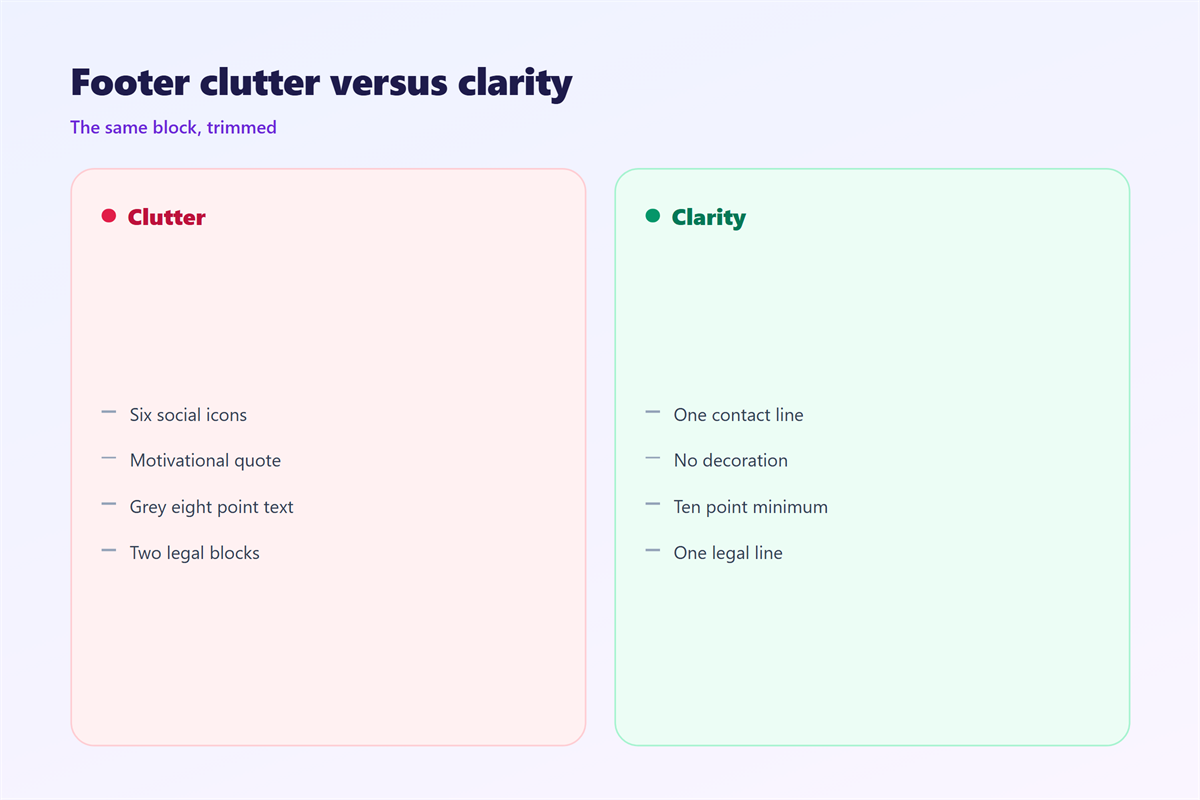
Clutter is the ordinary failure mode. A page of confidentiality boilerplate, a company motto, several social icons, a sustainability pledge and an animated logo all compete for the reader’s eye, and the effect is that the phone number nobody can find stops being read at all.
The fix is subtraction. Every line that survives should pass a simple question: would a reader ever need this? A confidentiality notice is included on the assumption that it protects the sender, yet in most jurisdictions it changes nothing, and its real cost is that it trains people to skip the whole block.
The same logic explains why a good footer and a good 邮件签名 are not the same object. The signature ends the message; the footer closes the document. Keeping that distinction stops both from growing without limit, the same discipline that keeps a 邮件模板 from turning into a form letter.
Testing a 邮件页脚
Read the block as a stranger would. Cover the message above it and ask what the footer tells you: who sent this, how to reply, and whether there is any reason to distrust it. If any of those answers is missing, the block is failing at its job.
Contact details
A single reliable route is enough. A direct address or number that someone actually monitors beats four channels nobody checks. If you list a phone line, make sure it is answered.
Unsubscribe and legal
For bulk mail, this belongs in every message and it should work without a login. Where the line is genuinely required, keep it short and let the reader act on it in one click.
Two further checks are worth the minute they take. Open the message with images switched off and confirm the 邮件页脚 still makes sense, and forward it to yourself to see whether any part of the block changes shape in transit. A block that only reads correctly in the client you wrote it in is not finished.
If you publish a newsletter, the choices that govern who receives it are covered in 邮件订阅, and the branch between plain-text and HTML footers is the same question discussed under 邮件格式.
FAQ
Is a 邮件页脚 the same as a signature?
Not quite. A signature ends the message and carries your name and details; a footer closes the document and may carry legal statements as well. In short mail they often merge, but in bulk mail they stay separate.
Do I need a legal disclaimer in every 邮件页脚?
Usually not. Disclaimers are mandatory only in particular cases, chiefly commercial and bulk mail. In ordinary correspondence they add length without adding protection.
How long should a 邮件页脚 be?
As short as the job allows. Two or three lines cover most people, and anything longer should earn its place by answering a question a reader would genuinely ask.
Can a 邮件页脚 hurt deliverability?
Yes, if it is heavy. Image-only footers and misleading unsubscribe links are both signals that filter systems watch, so keeping the block simple and honest is the safer choice.
References
- Wikipedia: Email signature
- U.S. FTC: CAN-SPAM Act compliance guide for business
- IETF RFC 5322: Internet Message Format
延伸阅读
- 《邮件页眉怎么做?The Top of the Message》
- 《邮件签名规范怎么定?What Belongs in a Sign Off》
- 《邮件免责声明怎么写?The Fine Print》
- 《邮件留白怎么用?Give It Room to Breathe》
- 《邮件分隔线怎么用?Quiet Section Breaks》
- 《邮件脚注怎么写?Notes at the Foot》
- 《邮件名片怎么做?A Contact Block That Works》
- 《邮件保密声明怎么写?A Quiet Footer Line》
- 《邮件版权声明怎么写?Marking Who Owns It》
- 《邮件落款怎么写?Closing Lines That Sign Off》
- 《邮件装饰怎么加?Decoration With Restraint》
评论
还没有评论,来说两句吧。
评论功能已关闭。