 小影邮箱
小影邮箱邮件追踪是怎么发生的?追踪像素、链接跳转与反制
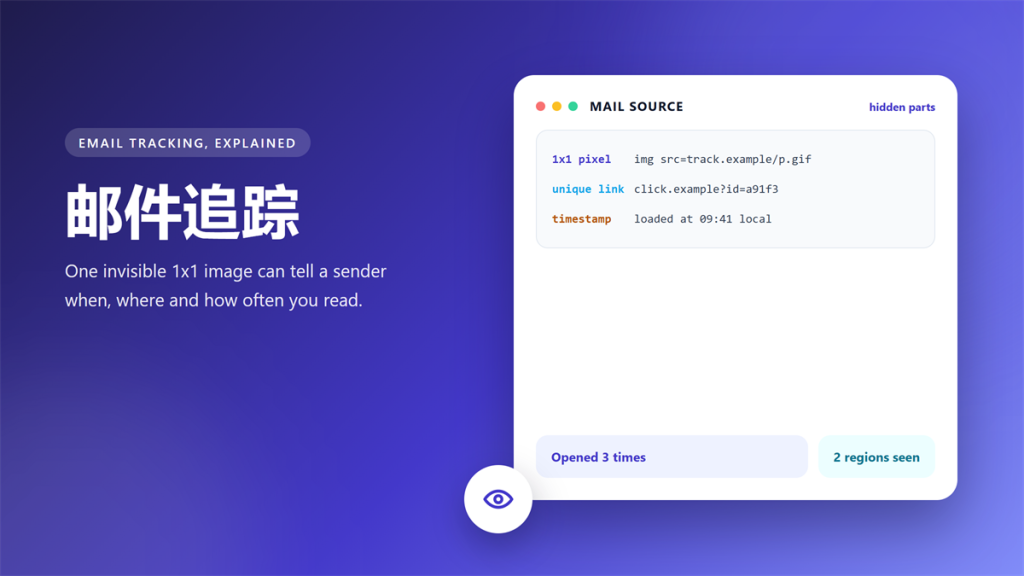
邮件追踪 is easy to overlook, and one marketing mail proved it to me. It reported my opening time, my region and my device back to the sender. I know, because I read the raw HTML after it arrived.
That report is called 邮件追踪, and it runs on two invisible parts: a one-pixel image and a unique link. This guide explains both, then shows four ways to cut the data flow. 邮件追踪 is older than social media, and it still works in almost every client.
Key Takeaways
Here is the short version, before the technical part.
- 邮件追踪 needs no click at all, because the image request is the trigger.
- Two signals matter most: the open event and the click event.
- Blocking images stops pixels, yet unique links still report clicks.
- Apple and Gmail proxy the request, which hides your IP but not the open.
- A disposable inbox keeps marketing mail away from your main identity.
- Read the mail source once and the tracking becomes visible.
What Travels Inside a 邮件追踪 Pixel
The pixel is a one-by-one transparent image, and its address is unique per recipient. That is the whole trick, because a unique address turns a static image into a beacon.
When your client loads it, the sender’s server records four things. The timestamp, the IP address, the browser or client string, and the campaign id embedded in the address.
Consequently, the sender learns which subject line worked and at what hour people read it. None of that requires you to click anything at all. In one test mail, the pixel id matched a campaign string that also appeared in the footer links.
The Four Steps of a 邮件追踪 Chain
Every tracked campaign follows the same path, whether it comes from a newsletter or a store.
- The sender inserts a pixel with a per-recipient id.
- You open the mail, and the client requests the image.
- The tracking server logs time, IP and client details.
- The data lands in a marketing system next to your profile.
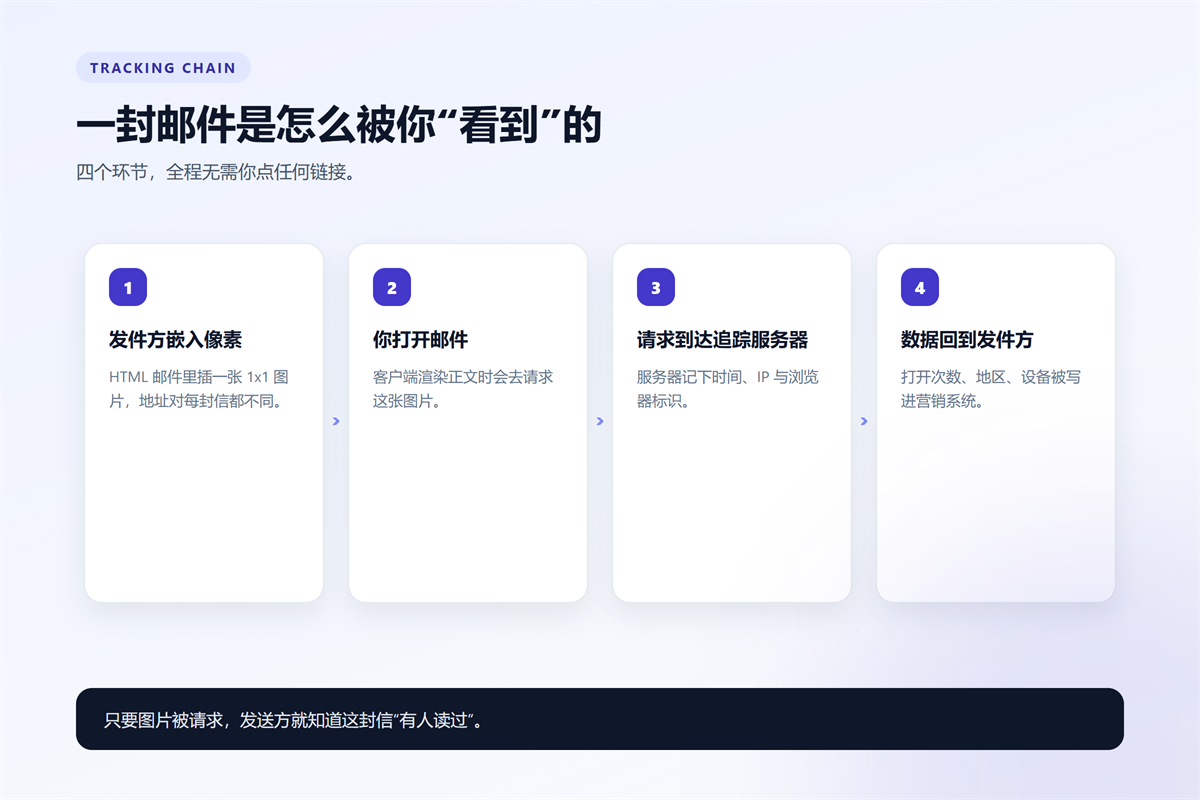
Notably, the fourth step is where the risk grows, because the log joins a mailing list record with a person.
What the Sender Learns, and What They Guess
Some conclusions are factual and others are inference. The facts include the open count, the time of day, the mail client and an approximate region from the IP address.
The guesses are more interesting. A forwarded mail looks like a second open from a new IP address, which is how lists grow without your consent.
Moreover, an open with images blocked often appears as a click instead, because the link redirect fires when you tap the call to action. That is why a blocked image never guarantees an invisible read.
How 邮件追踪 Survives Image Blocking
Blocking images handles the pixel, and that is only half of the system. The link is the other half, and it keeps working after you click.
In practice, a tracked link points at the sender’s domain first. That server logs the click and then forwards you to the real destination in milliseconds.
Furthermore, some clients prefetch images through a proxy to make mail load faster. The proxy hides your IP address, yet the open is still recorded. So 邮件追踪 survives even when your IP address does not.
Four Ways to Reduce 邮件追踪
The four options below differ in effort and in how much of your reading habit they hide.
- Turn off remote images, which stops pixels but breaks layout.
- Rely on Apple privacy protection, which proxies images by default.
- Accept the Gmail proxy, which hides your IP but keeps the open count.
- Move marketing mail to a disposable inbox, which breaks the identity link.
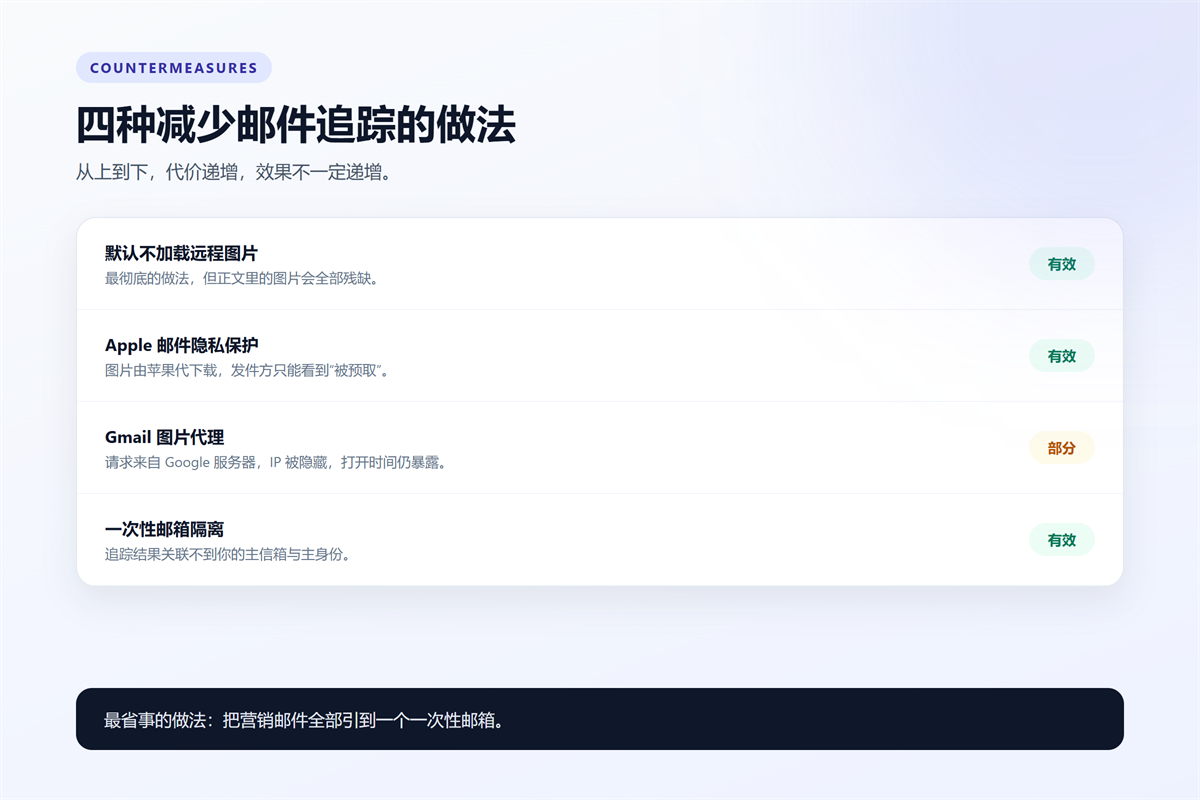
On balance, the last option is the cheapest, because the sender can still log an open that belongs to nobody you care about. 邮件追踪 continues, yet the profile it feeds no longer describes you.
When 邮件追踪 Is Legitimate
Not every pixel is hostile. Transactional mail often uses the same code to confirm delivery of a receipt or a security alert.
However, a clear line exists. A receipt tracker supports the service you paid for, and a marketing tracker builds a profile you never agreed to.
Therefore, keep transactional senders on your real address and push marketing senders somewhere else. That single rule removes most 邮件追踪 value without any technical work.
How to Test Your Own Inbox
You can see 邮件追踪 in one minute without any special tool. Open a message, then choose the option to view the original or raw source.
Next, search the source for image tags and for redirect domains. A one-pixel image or a long redirect address is all the evidence you need.
If you want a cleaner inbox while you experiment, our guide to 一次性邮箱 types covers the cheap end of the market, and the 小影邮箱 inbox takes about five seconds to open.
Frequently Asked Questions
Does 邮件追踪 work without images?
Partly. Link tracking survives, because it depends on the click rather than the render. Therefore, a text-only mail still reports every click you make. In other words, 邮件追踪 follows the click.
Can I tell when a sender uses 邮件追踪?
Yes, and the source view is enough. A one-pixel image or a redirect link reveals the intent immediately, and the domain name often names the vendor. Reading one header tells you more than any privacy score.
Does blocking images hide my location?
It hides the pixel request, so the sender sees nothing from that mail. However, any click still carries your IP address unless your client proxies it.
Is a disposable inbox enough on its own?
For marketing mail, yes. It breaks the link between the tracked email and your main identity, which is the part that matters most.
For the other half of this picture, see our guide to reading the raw header to see what travels with a message.
评论
还没有评论,来说两句吧。以下为本文的引用通告: