 小影邮箱
小影邮箱邮件端口怎么选?SMTP, IMAP and POP Explained
Key Takeaways
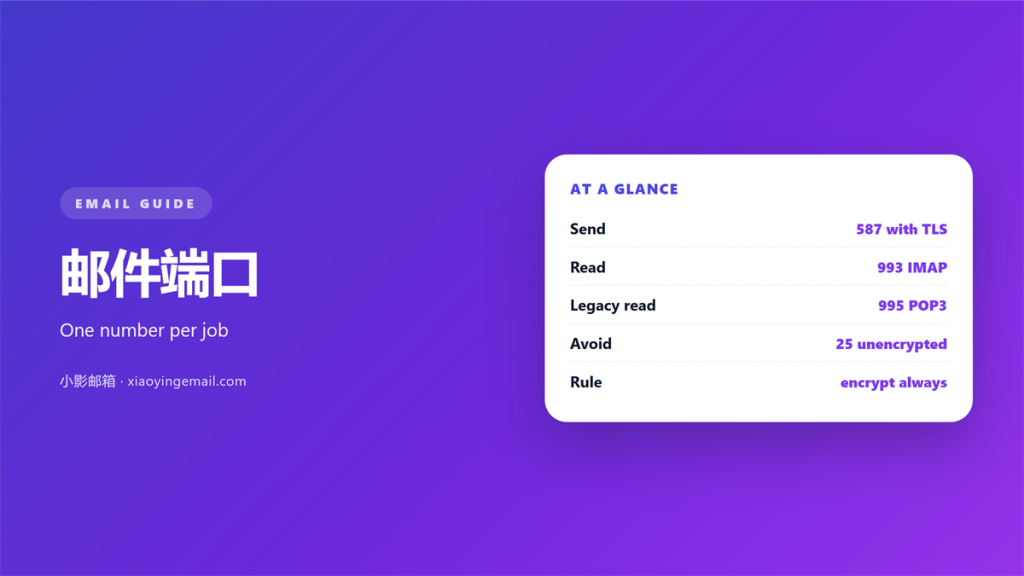
- A 邮件端口 is a number that points at one service on a server.
- Sending uses SMTP. Receiving uses IMAP or POP3.
- Port 587 and 465 are safer replacements for port 25.
- A blocked port gives a timeout, not a login error.
- Match the encryption mode to the port you choose.
What a 邮件端口 actually is
A 邮件端口 is a number, not a door handle.
It tells the network which service to reach on a server.
The address finds the machine. The 邮件端口 finds the service on it.
That split is why one server can run several services at once.
Mail uses a small set of well-known numbers.
Each number has a default, but the default can be changed.
A wrong 邮件端口 looks like a wrong password at first.
The error usually says the connection failed, not that the login did.
The number is part of the address, even when you never type it.
Most clients fill in a default so you rarely see it.
That convenience hides the value until something breaks.
A port number is written after the server name, separated by a colon.
Firewalls think in ports, so the number is the access point.
Two services can share one machine. The port keeps them apart.
Learn the few numbers that matter and most puzzles shrink.
Guessing wastes more time than checking ever would.
Memorising them once pays off for years.
Most problems start with one wrong number.
A single check saves an afternoon of frustration.
Which 邮件端口 belongs to which job
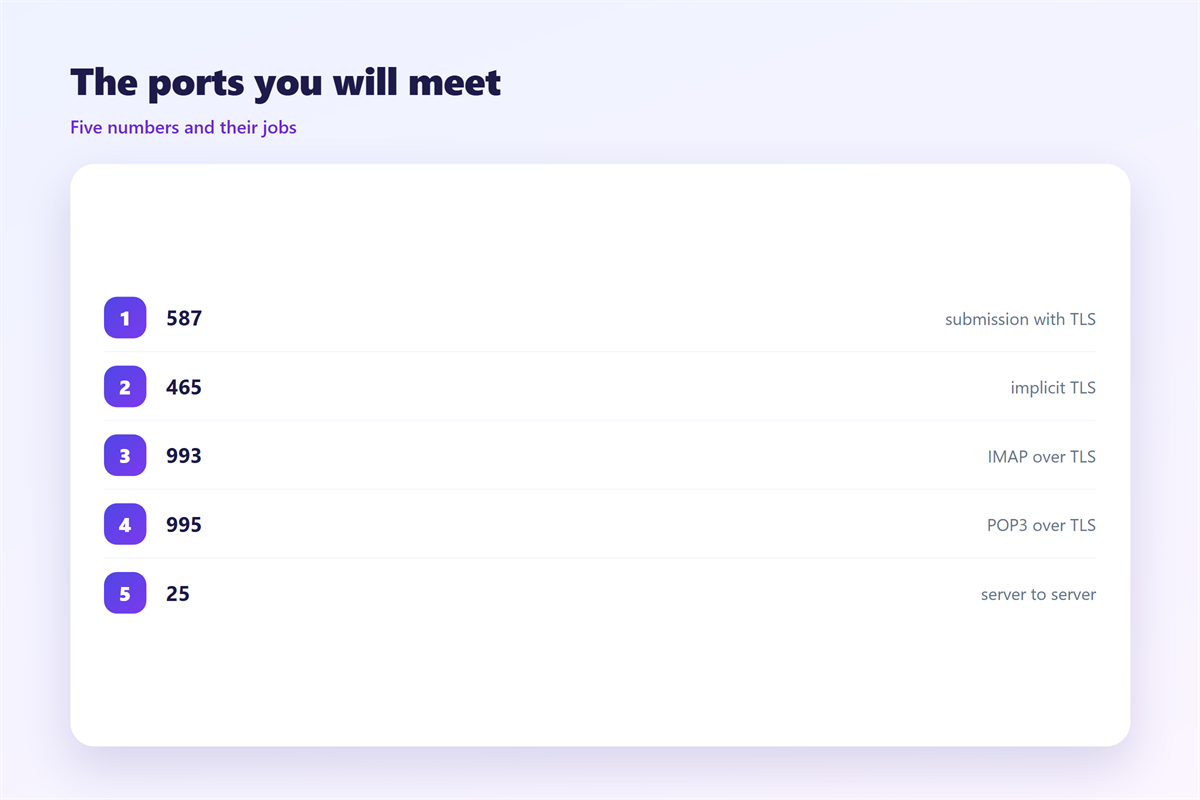
Sending uses SMTP. Receiving uses IMAP or POP3.
Each protocol has a plain port and a secure one.
Old SMTP used port 25, which many networks now block.
Modern SMTP uses 587 for submission or 465 for implicit TLS.
IMAP moves between 143 and 993.
POP3 moves between 110 and 995.
The secure 邮件端口 is usually the four-digit one ending in three or five.
That pattern is not a rule, but it is a useful clue.
Providers publish the exact number in their help pages.
Two protocols can share a server and still use different ports.
A provider may offer an alternative when a port is blocked.
A wrong number is the same as a wrong address.
Use their numbers before you invent your own.
Encryption and the 邮件端口 you choose
A 邮件端口 decides more than speed. It shapes how encryption starts.
Some ports begin in the clear, then upgrade. That is STARTTLS.
Others are encrypted from the first byte. That is implicit TLS.
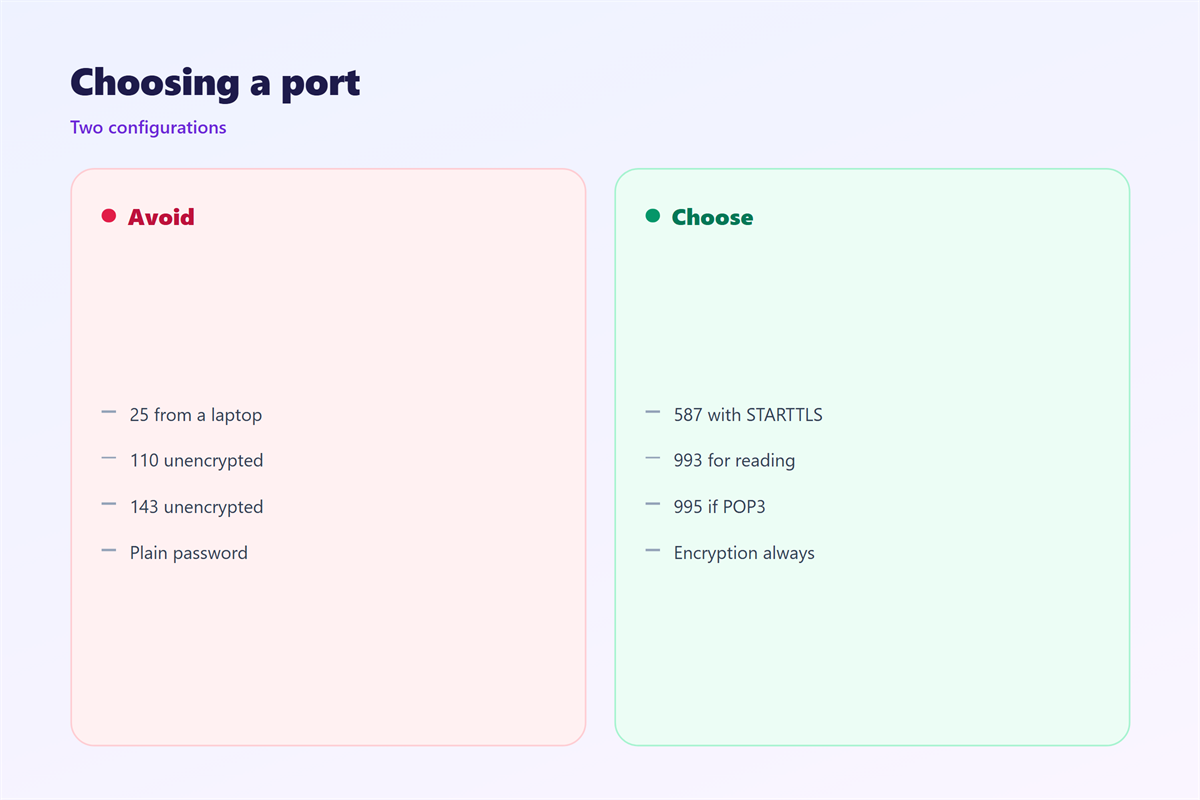
Port 587 usually means STARTTLS.
Port 465 usually means implicit TLS.
Both protect the message while it is in transit.
The 邮件端口 does not protect the message once it is stored.
That is a different problem with a different answer.
Match the encryption mode to the port you pick.
A mismatch is a common cause of failed connections.
The client and the server must agree on the mode.
Try the secure option first. It is the better default today.
Old guides still mention port 25. Treat them with care.
Encryption settings and port numbers travel together in every guide.
Use the mode your provider documents, not the one you prefer.
When a 邮件端口 is blocked
Offices and hotels often block outbound mail ports.
They do this to stop spam leaving their network.
A blocked 邮件端口 gives a timeout, not a refusal.
The client waits, then gives up without a clear reason.
Switching to a secure port often solves it.
Port 587 and 465 are blocked far less often than 25.
A web connection can work when a direct one cannot.
Test another network to prove the cause.
If mail flows on a phone hotspot, the office is the problem.
A quick test on a second network often ends the debate.
A failed connection is not always your fault.
Some captive portals block everything until you log in.
Ask the network admin before you change firewall rules.
Some networks allow webmail but block direct clients.
Record what worked so you do not repeat the test.
Choosing a 邮件端口 without guessing
Start with the numbers your provider publishes.
Set the secure 邮件端口 for both sending and receiving.
Then confirm the encryption mode matches.
Save the settings and send one test message.
Read the error if it fails. It points to the layer.
A timeout suggests a blocked 邮件端口.
A login error suggests credentials, not the port.
Change one value and retest. That way you learn the cause.
Keep a note of the working settings for each device you own.
A short checklist saves a long call to support.
Test after every change, not after all of them.
Document the fix so the next setup is faster.
Save a screenshot of the working settings page.
Write down the working set for each device.
Connecting a device is covered in 邮件客户端. The machine on the far side is described in 邮件服务器. Protection in transit sits in 邮件加密, and the standards are explained in 邮件协议.
Keep the notes somewhere you will find them later.
A port you chose on purpose beats one you inherited.
Good notes turn a mystery into a routine.
FAQ
Which 邮件端口 should I use?
Use 587 for sending and 993 for IMAP, unless your provider says otherwise.
Why is port 25 blocked?
Spammers abused it for direct sending. Networks now block it to reduce abuse.
What does a timeout mean?
The connection never completed. A firewall or a blocked port is the likely cause.
Do I need SSL and a port?
You need both. The port chooses the service, and the mode secures it.
评论
还没有评论,来说两句吧。
评论功能已关闭。