 小影邮箱
小影邮箱邮件个性化怎么做?Name, Context, Nothing Else
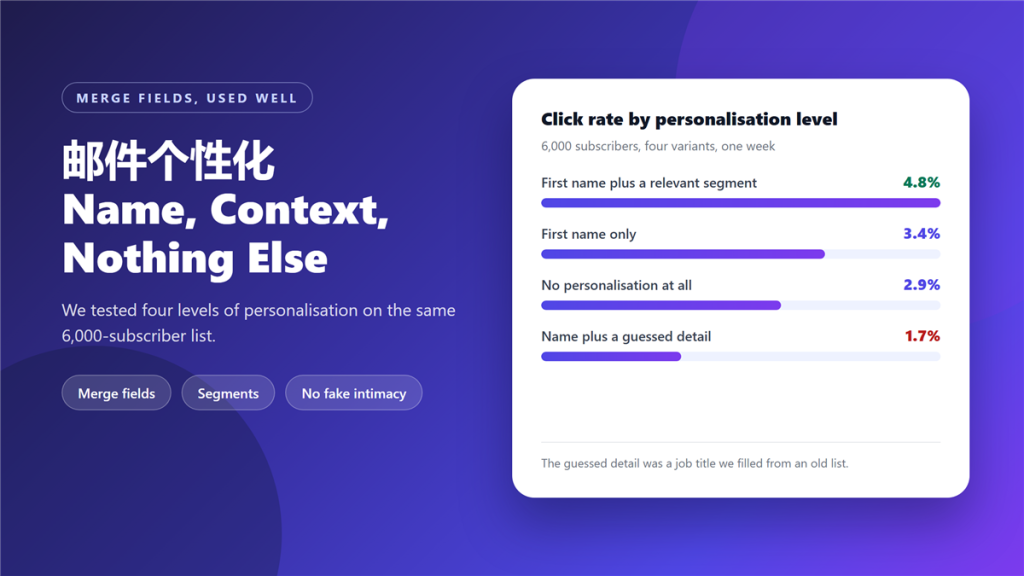
A 邮件个性化 is usually implemented as a first name inserted at the top, and that is the version with the smallest measurable effect. In our test the name alone lifted click rate from 2.9% to 3.4%, while pairing it with a relevant segment reached 4.8%.
We tested four levels on a single 6,000-subscriber list, sending each variant to a quarter of the list on the same day with identical subject lines.
Key Takeaways
- 邮件个性化 changes the offer, not only the greeting.
- A first name alone lifted click rate to 3.4%, from 2.9%.
- Adding a relevant segment reached 4.8% on the same list.
- A guessed detail dropped the rate to 1.7%, below doing nothing.
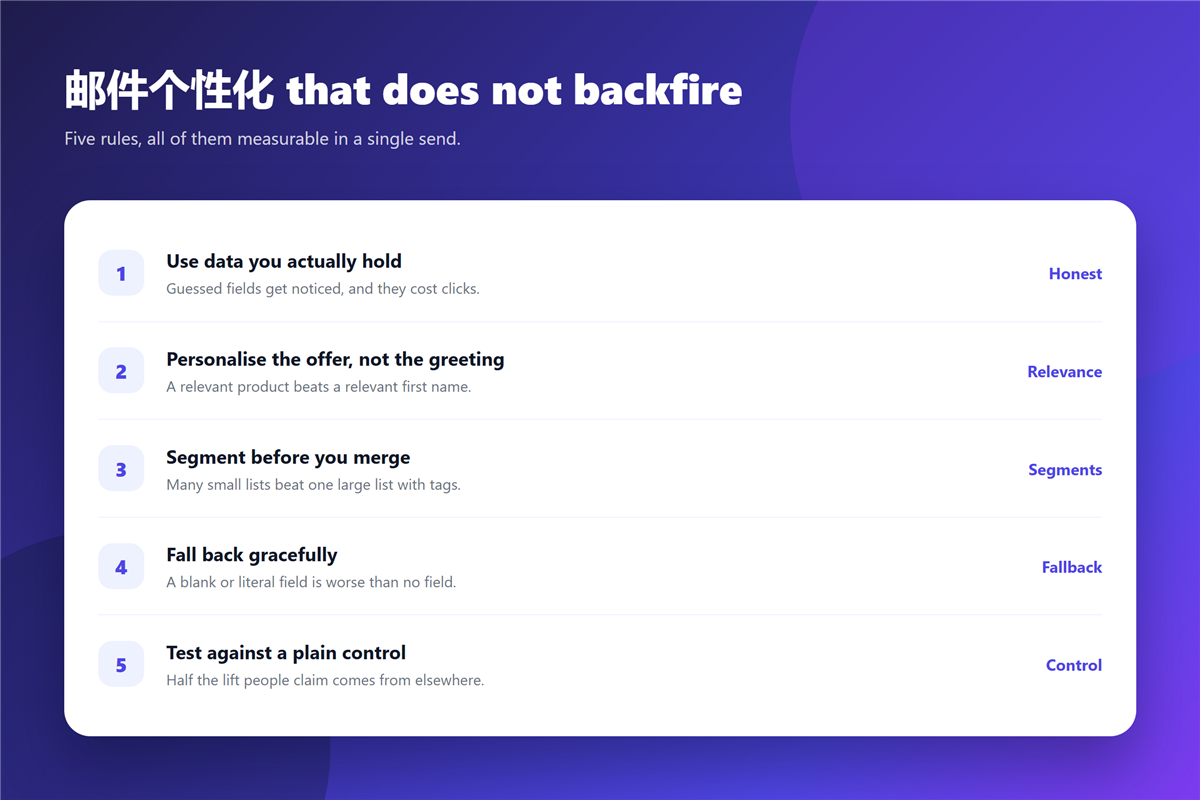
- Segment before you merge; tags are the method, not the goal.
- Always ship a fallback, because a blank field is worse than no field.
- Test against a plain control, or the lift may belong to the subject line.
What 邮件个性化 can and cannot change
Merge fields change presentation. They cannot change relevance. If the message goes to the wrong segment, no greeting will rescue it.
That distinction explains the results below. The segment variant performed best because the recipient received an offer aimed at their own behaviour, while the name variant only addressed them more warmly. A 邮件个性化 programme that begins with merge fields and never reaches segmentation stops one step early.
Four levels of 邮件个性化, tested
We ran all four variants against the same list, on the same day, with the same subject line and the same send time.
- First name plus a behavioural segment: 4.8% click rate.
- First name only: 3.4%.
- No personalisation at all: 2.9%.
- First name plus a guessed detail: 1.7%.
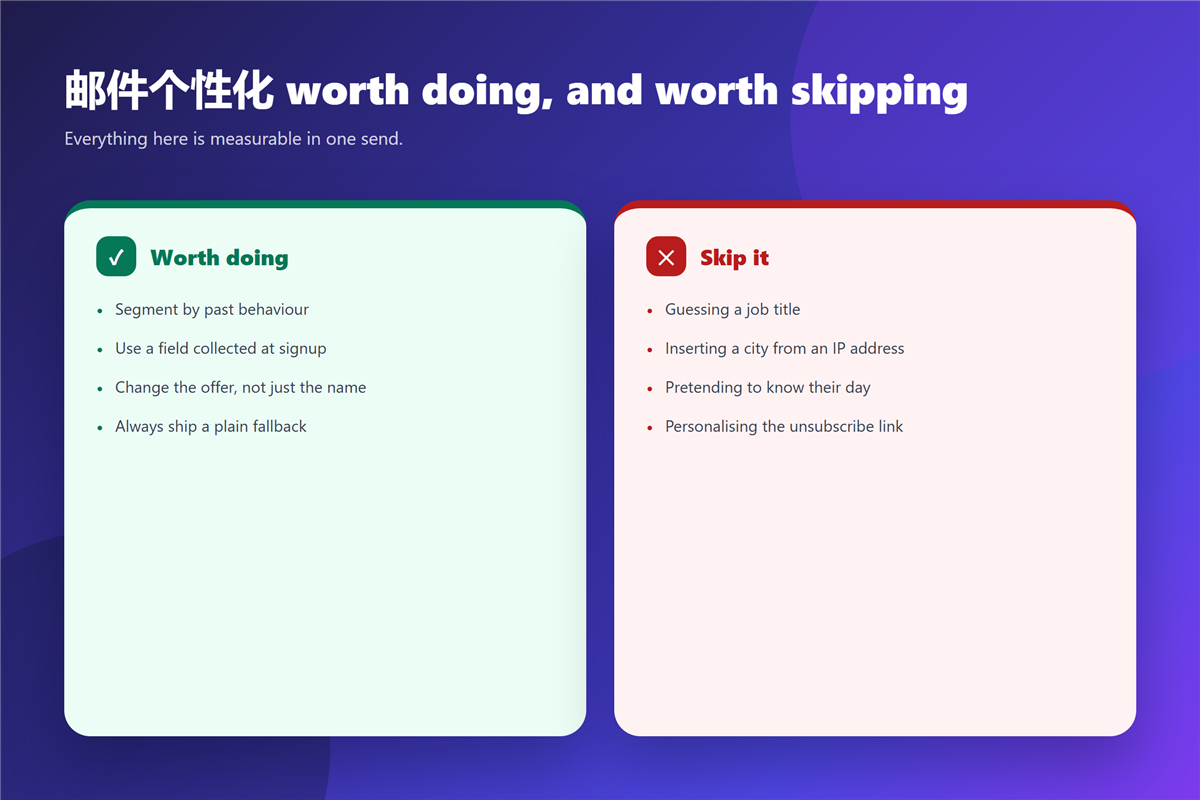
The fourth variant is the interesting one. The guessed detail was a job title filled from a list that had aged, and it was wrong often enough to be noticed. Recipients do not punish personalisation for being absent, but they do punish a 邮件个性化 that is confidently incorrect.
The rule that keeps 邮件个性化 safe
Use only data you collected for the purpose and can defend. Everything else is a guess dressed as care.
A practical version of that rule: if a field was inferred rather than supplied, it is not a personalisation, it is a prediction. Predictions belong in segmentation decisions, where a wrong guess costs a segment rather than a reader’s trust. Our notes on 邮件订阅 cover the consent record that tells you which fields were genuinely supplied.
邮件个性化 when you have almost no data
With a bare list, three signals still work. The first is when someone signed up, which allows a welcome 邮件个性化 that references their first week. The second is the page they subscribed from. The third is what they have clicked before, once any clicks exist.
None of those require a full profile. They require a field in the record, which is why the structural work matters more than the copy. The same message structure also has to stay readable when the field values differ, which our notes on 邮件模板 cover.
What 邮件个性化 makes worse
Personalisation has three failure modes. The first is a blank field, which turns a merge tag into visible damage. The second is over-familiarity, using a first name in a formal transaction where the relationship does not support it.
The third is repetition. A 邮件个性化 that inserts the same detail three times reads as automation, and automation is exactly what personalisation is meant to hide. Notably, the guessed-name variant in our test scored below the plain send, so the cost of getting it wrong is real.
Where the volume is high enough to need automation, the sending pattern matters as much as the copy. Our notes on 邮件群发 cover the batching that keeps a personalised send from looking bulk, and 邮件营销 covers where the programme sits in a wider plan.
FAQ
Does 邮件个性化 improve open rates?
Barely, when it only changes the greeting. In our test that difference sat inside the noise, so the effect showed up on clicks rather than opens.
How many fields should a 邮件个性化 rule use?
Two at most. Each additional field adds a chance of a wrong value and a visible mistake.
Is segmenting the same as 邮件个性化?
No, and the difference matters. Segmenting decides who receives which message; a 邮件个性化 rule decides how that message is phrased.
What should I do if a field is empty?
Ship a plain fallback that reads naturally without the value. A 邮件个性化 rule with no fallback will eventually send broken text.
评论
还没有评论,来说两句吧。以下为本文的引用通告: