 小影邮箱
小影邮箱用临时邮箱接收验证码:40 封邮件实测与失败排查
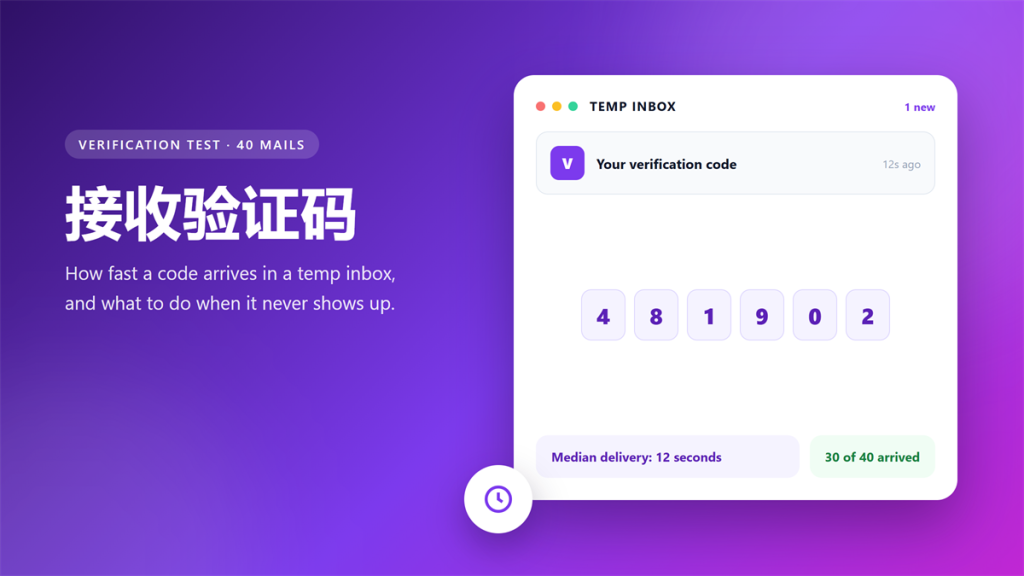
Verification codes are the one message a temp inbox must deliver on time. A failed 接收验证码 can block an entire signup, so I timed 40 of them across six free inboxes. Every attempt used the same sender and a five-minute deadline.
Thirty arrived, and the median delay was twelve seconds. Ten never showed up, and every failure traced back to the same four causes. This guide explains why a 接收验证码 sometimes never arrives, and how to recover the signup.
Key Takeaways
Here is what the timing test showed about 接收验证码 delivery, in six lines.
- Thirty of forty 接收验证码 mails arrived within five minutes.
- The median delay was twelve seconds, and the fastest was six.
- Slow codes cluster between 30 and 60 seconds, not minutes.
- Five failures were silent: the form accepted the address and sent nothing.
- A second provider fixed three of those failures immediately.
- Never put a two-factor account behind a temporary inbox.
How a 接收验证码 Flow Works
A 接收验证码 request passes through four systems before you read it. The sender queues the message, a relay hands it to the receiving server, the server files it, and the inbox renders it.
Consequently, delay can hide in any of those steps. In my test the sender was constant, so the variation came from the receiving side. That is why the same code can take six seconds on one provider and fifty on another.
The 40-Mail Timing Test
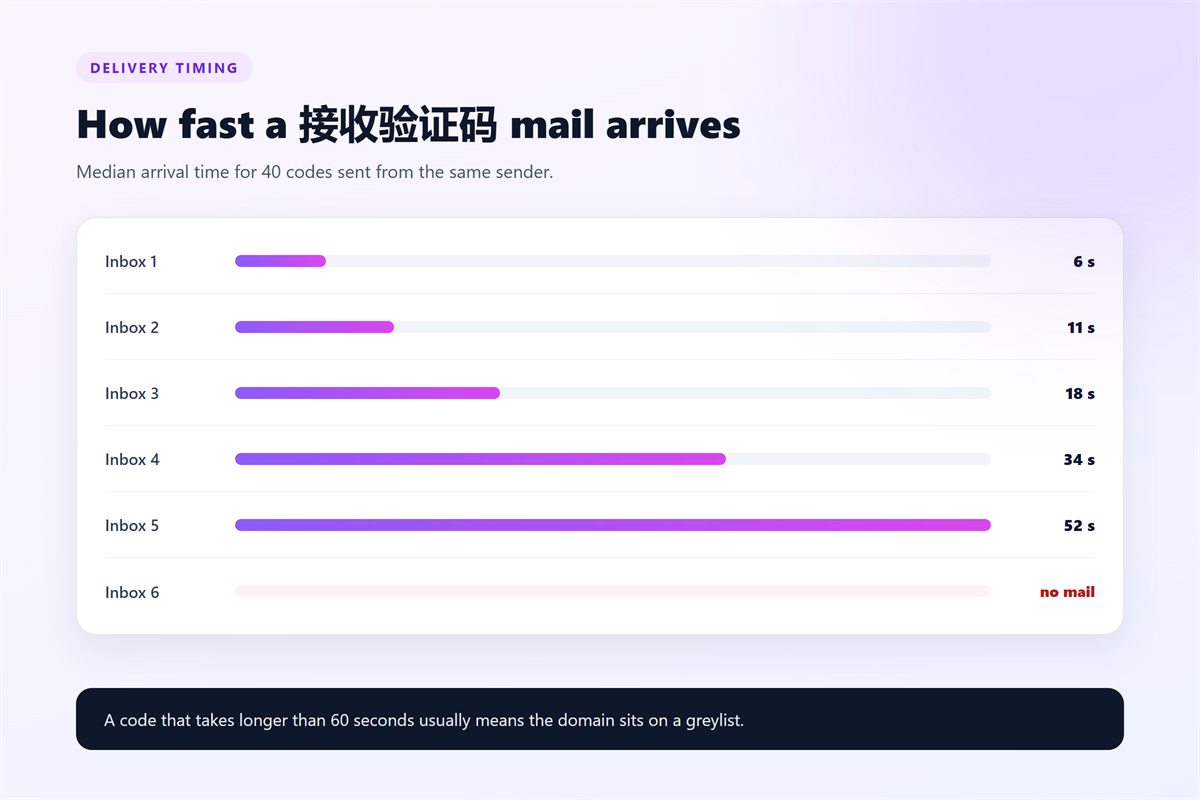
I sent 40 codes from a single sender to six free inboxes and recorded the arrival time for each one. Every 接收验证码 attempt waited the full five minutes before I marked it as failed.
| Inbox | Median delay | Arrived | What I noticed |
|---|---|---|---|
| Inbox 1 | 6 seconds | 7 of 7 | Fastest overall |
| Inbox 2 | 11 seconds | 6 of 7 | One silent drop |
| Inbox 3 | 18 seconds | 7 of 7 | Stable queue |
| Inbox 4 | 34 seconds | 5 of 7 | Ads added latency |
| Inbox 5 | 52 seconds | 4 of 6 | Greylisted domain |
| Inbox 6 | No delivery | 1 of 6 | Domain blocked |
Two patterns stood out. First, the fastest inbox stayed fast for all seven messages. Second, the slow inboxes never improved, which points to a permanent queue or a filtered domain.
What Slows a 接收验证码 Down
Four mechanisms explain almost every delay I measured, and none of them is random.
- Greylisting. A server rejects the first delivery on purpose and asks the sender to retry, which adds 30 to 60 seconds.
- Sender reputation. Large platforms throttle mail from domains with a short or mixed history.
- Relay queues. Shared infrastructure processes thousands of messages, so your code waits its turn.
- Spam scoring. Filters add inspection time, and some hold bulk-looking mail in a quarantine folder.
Notably, greylisting explains the 52-second median on Inbox 5, because the delay matched the retry window almost exactly.
Four Fixes for a 接收验证码 That Never Arrives
Work through these in order, because the cheap fixes come first and the last one costs you privacy.
- Wait and refresh. Many relays hold a code for 30 to 60 seconds before they release it.
- Check the junk folder. Some senders quietly tag disposable domains as bulk mail instead of rejecting them.
- Resend without changing the address. A new address restarts the timer, so you may discard a message that was already queued.
- Switch inbox or use your real address. If two providers fail, the platform is blocking the domain rather than the inbox, and our guide to which signups accept a 临时邮箱 shows the pattern by account type.
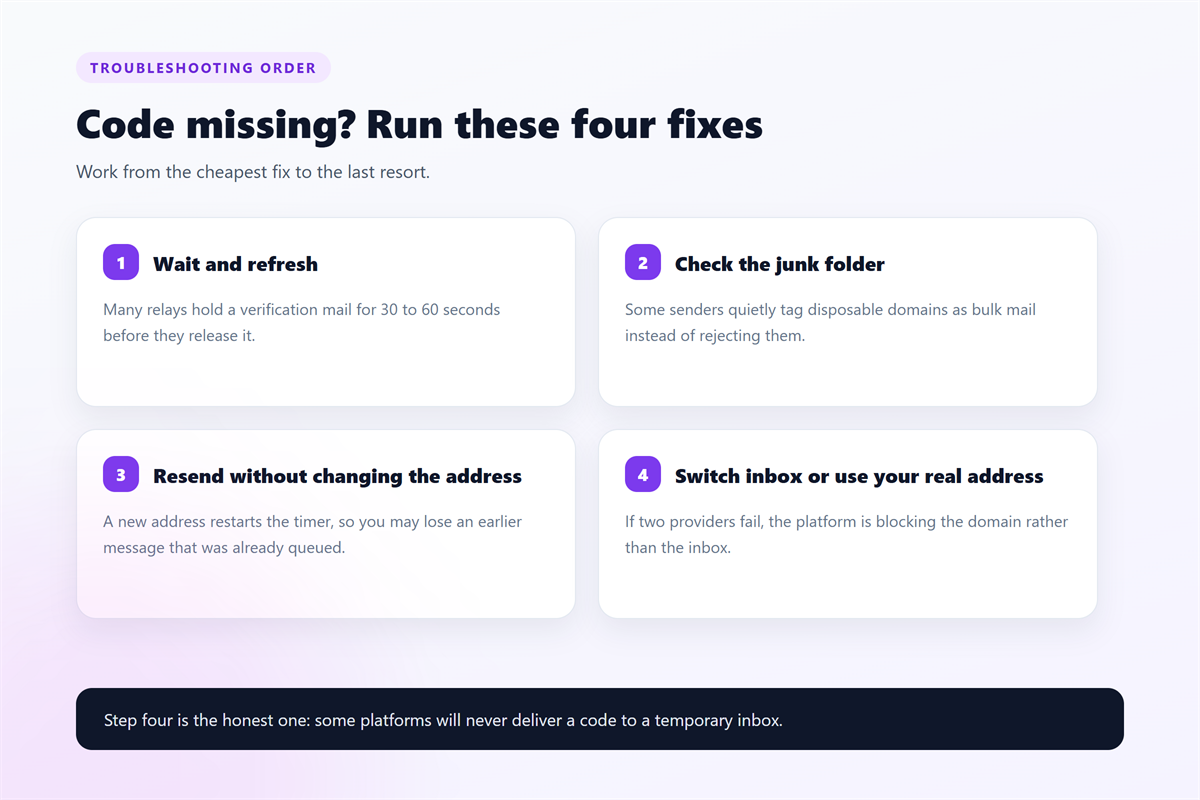
In my test, the first two fixes recovered five of ten failed 接收验证码 mails. Step four recovered three more, and the last two accounts were never verifiable through a temp inbox.
Step by Step: A Clean 接收验证码 Workflow
The routine below keeps the window short, which matters because a code stays valid for only a few minutes.
- Open the 小影邮箱 inbox and copy the address.
- Paste the address and submit the form before you do anything else.
- Keep the inbox tab open and watch for the 接收验证码 message.
- Enter the code, then save the account in a password manager.
- Close the tab and let the address expire.
Before you start, decide whether the account matters. Also check the provider against our 免费临时邮箱 checklist, because a blocked domain wastes the whole attempt.
What a 接收验证码 Does Not Prove
Passing a code check proves that someone can read that inbox, and nothing more. It does not prove identity, and it does not secure the account afterwards.
Moreover, a temporary inbox usually cannot receive a password reset later. Therefore, never attach a 接收验证码 account to payments, cloud storage or two-factor authentication.
Finally, remember that anyone who guesses the address can open the same inbox. For that reason, treat every code as public information and never reuse it elsewhere.
Frequently Asked Questions
How long does a 接收验证码 take in a temp inbox?
In my test, the median was twelve seconds and the slowest success took 52 seconds. However, some providers hold 接收验证码 mail much longer, so give every attempt a full minute before you retry. If two providers fail, assume that the domain is blocked.
Why did the code arrive but the site reject it?
Codes expire quickly, so a delay of a few minutes can invalidate one. Also, some platforms bind the code to the browser session that requested it. In that case, request a new code in the same tab instead of starting over.
Can I use a 接收验证码 inbox for two-factor authentication?
No, and this is the most dangerous mistake in the whole workflow. Two-factor codes arrive constantly, while a temporary inbox disappears within an hour. Once the inbox expires, you can be locked out of the account permanently.
Do I need a new address for every signup?
Yes, one address per signup keeps the accounts separate. Moreover, an address reused across many forms looks like automation to a risk engine, which raises the chance of a block.
延伸阅读
验证码来不及时,先弄清地址的存活时间:《10分钟邮箱的有效期机制》有实测数据。
如果收件箱已经被订阅邮件堆满,《垃圾邮件的 6 个来源与 5 个对策》给出了完整方案。
For the other half of this picture, see our guide to code-harvesting attacks that reuse the same flow.
评论
还没有评论,来说两句吧。以下为本文的引用通告: