 小影邮箱
小影邮箱邮件大小限制是多少?Why Your File Bounces
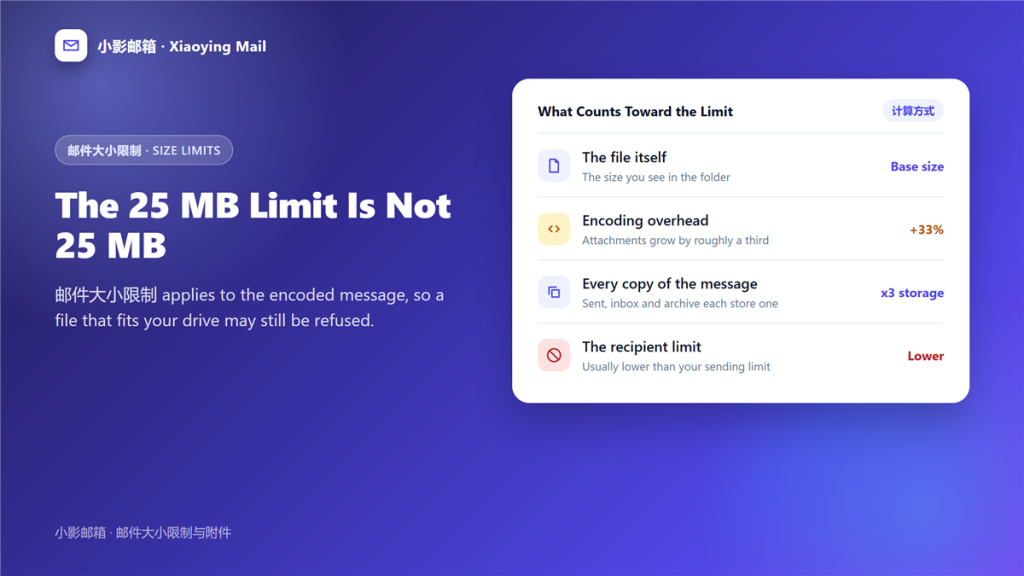
What 邮件大小限制 actually counts
邮件大小限制 sounds like a single number, and it is really four numbers stacked on top of each other. A file that passes one of them can still fail the next.
A designer once sent a 24 MB presentation that had left her laptop without trouble and bounced back from every recipient outside her company. Nothing was wrong with the file; the limit on the receiving side was simply lower than the one she could see.
Key Takeaways
- 邮件大小限制 applies to the encoded message, not to the file.
- Base64 encoding inflates an attachment by roughly a third.
- 25 MB is a common ceiling and 10 MB is a common default.
- The limit is set by each hop, so it varies by recipient.
- Sending to five people can count five copies toward storage.
- A download link bypasses the limit entirely.
- Large mail also fills the recipient mailbox, not just your own.
The four numbers behind 邮件大小限制
Each one is measured at a different point, and the smallest wins.
The raw file size
This is the number you see in a file browser, and it is the least useful of the four for predicting a bounce.
The encoded size
Attachments travel as text, so binary data is converted with base64. Consequently the message on the wire is about 37 percent larger than the file, and the limit is measured there. Notably, a 20 MB attachment becomes roughly 27 MB in transit.
The number of recipients
Some servers count the total across all recipients. Therefore a 15 MB file sent to four people can exceed a 40 MB per message ceiling even though no single copy does.
The provider cap
Gmail allows 25 MB, Outlook allows 20 MB in many configurations, and corporate gateways often sit near 10 MB. In particular, the sending limit is frequently more generous than the receiving one.
Why the same file fails for one recipient and not another
邮件大小限制 is enforced per hop rather than per file, so the weakest link decides. A message you send successfully inside one company may be rejected the moment it leaves the domain.
Two habits remove most of the guesswork. First, stay under 10 MB if the file must arrive by email at all. Second, test a large message to one external recipient before sending it to a list. Additionally, check whether the bounce came back as a size rejection, which is described in 邮件退信.
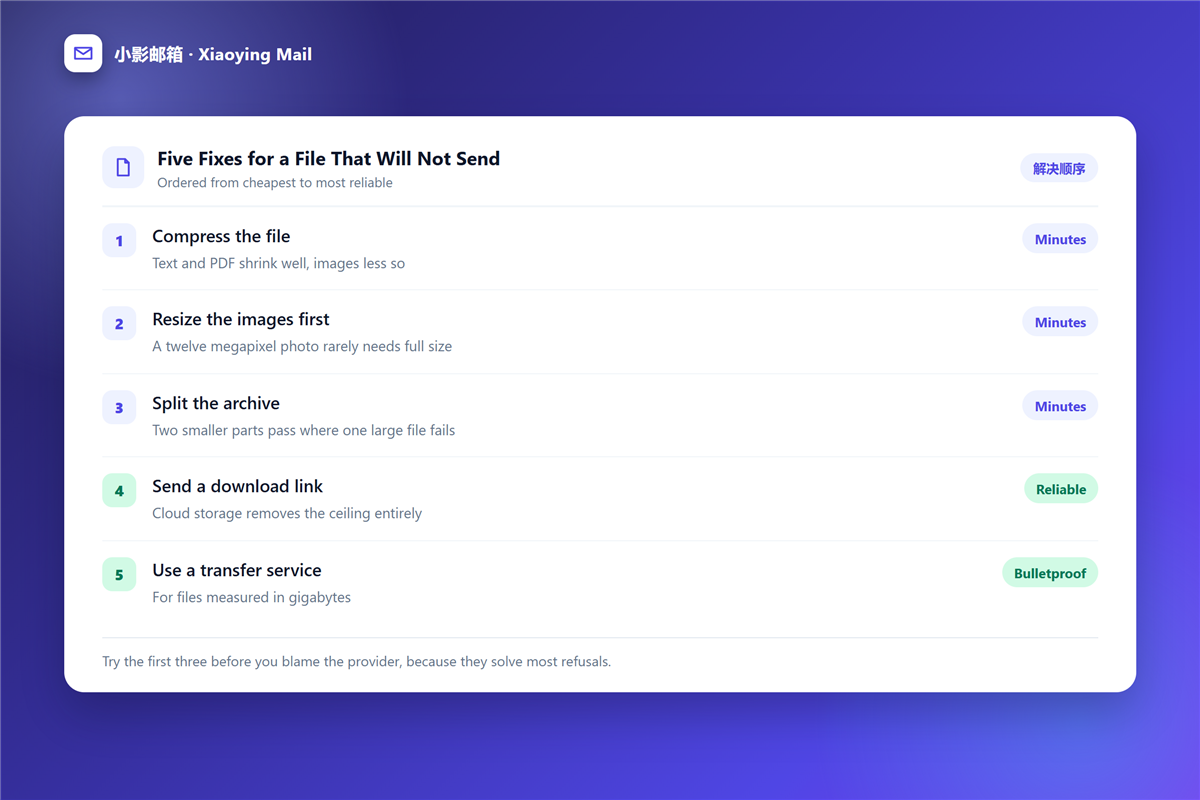
Five ways to send a file that exceeds 邮件大小限制
- Upload the file to cloud storage and send the link instead of the attachment.
- Compress the file, remembering that images and video barely shrink.
- Split the archive into parts that sit under the limit.
- Reduce the file itself, by exporting at a smaller resolution or removing embedded fonts.
- Use a transfer service that keeps the payload out of the message.
Compressing a PDF rarely helps because the format is already compressed, whereas plain text and uncompressed images respond well. Meanwhile, splitting an archive creates its own problem: the recipient needs every part before any of it opens. Furthermore, a quoted reply chain can add several megabytes before a single attachment is added.
What 邮件大小限制 does to your mailbox
Sending a large attachment stores a copy in your sent folder, and receiving one stores a copy in the inbox. Therefore a handful of 20 MB messages can consume a gigabyte across both accounts. If you are already near the ceiling, the triage routine in 邮箱容量 is the place to start.
Attachment size is also a security signal. Files that arrive unexpectedly and sit just under a provider limit deserve a second look, and the workflow in 邮件附件 covers what to examine first. However, if your client refuses to send at all, the settings in 邮件客户端 may be enforcing a lower local cap than your provider does.
Frequently asked questions
What is the usual 邮件大小限制?
25 MB is the common public number, and 10 MB is the common practical one, because that is where corporate gateways tend to sit.
Does 邮件大小限制 include the message text?
Yes, and so do the headers and every previous reply quoted in the thread. Because a long chain is carried in full, it can cost several megabytes before any attachment is added.
Can I raise 邮件大小限制 on my own mail server?
You can raise yours, and you cannot raise anyone else’s. Since the receiving hop decides, the only reliable fix is to send less data. For example, a link plus an 邮件加密 step moves the payload out of the message entirely.
References
- Gmail Help: Send attachments with your Gmail message
- RFC 5322: Internet Message Format
- Wikipedia: Base64
评论
还没有评论,来说两句吧。以下为本文的引用通告: