 小影邮箱
小影邮箱邮件会话怎么用?Threads, Breakages and Long Discussions
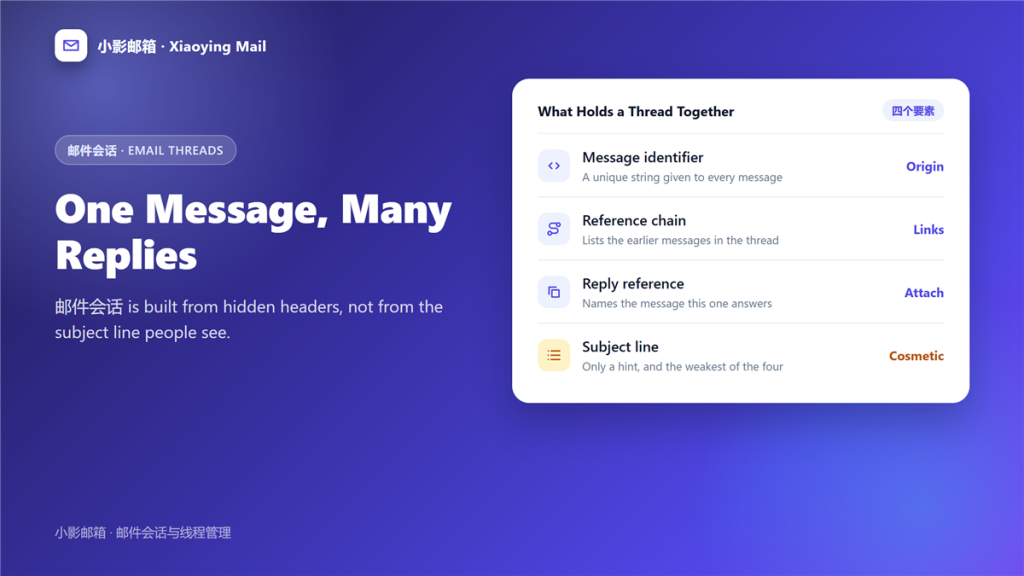
What 邮件会话 really is
邮件会话 is a group of messages that a mail client believes belong to one discussion. The grouping is computed from hidden headers, not from the subject line people see.
I watched a twelve-message negotiation split into four separate rows after somebody renamed the subject. Nothing was lost and every reply stayed searchable, yet the discussion became four unrelated messages. That is the practical cost of a broken 邮件会话.
Key Takeaways
- 邮件会话 is assembled from headers, not from the subject line.
- Three identifiers decide which messages belong together.
- Editing the subject is the most common way to split a 邮件会话.
- Forwarding starts a new chain; replying extends the old one.
- Older clients group by subject alone and get it wrong.
- Conversation view helps reading and hinders single-message forwarding.
- Search finds a split thread only if you search the right words.
Three identifiers that build a 邮件会话
Every message carries a few invisible strings, and those strings do all the work.
The unique message identifier
Each message gets one identifier when it is sent. Therefore a client can recognise the same message arriving twice instead of showing it as two, and that single string is the root of every 邮件会话.
The reply reference
A reply names the message it answers. Consequently, the client knows its parent without having to guess from the subject.
The reference chain
The chain lists every earlier message in the discussion, which is what lets a long 邮件会话 survive several participants and weeks of delay.
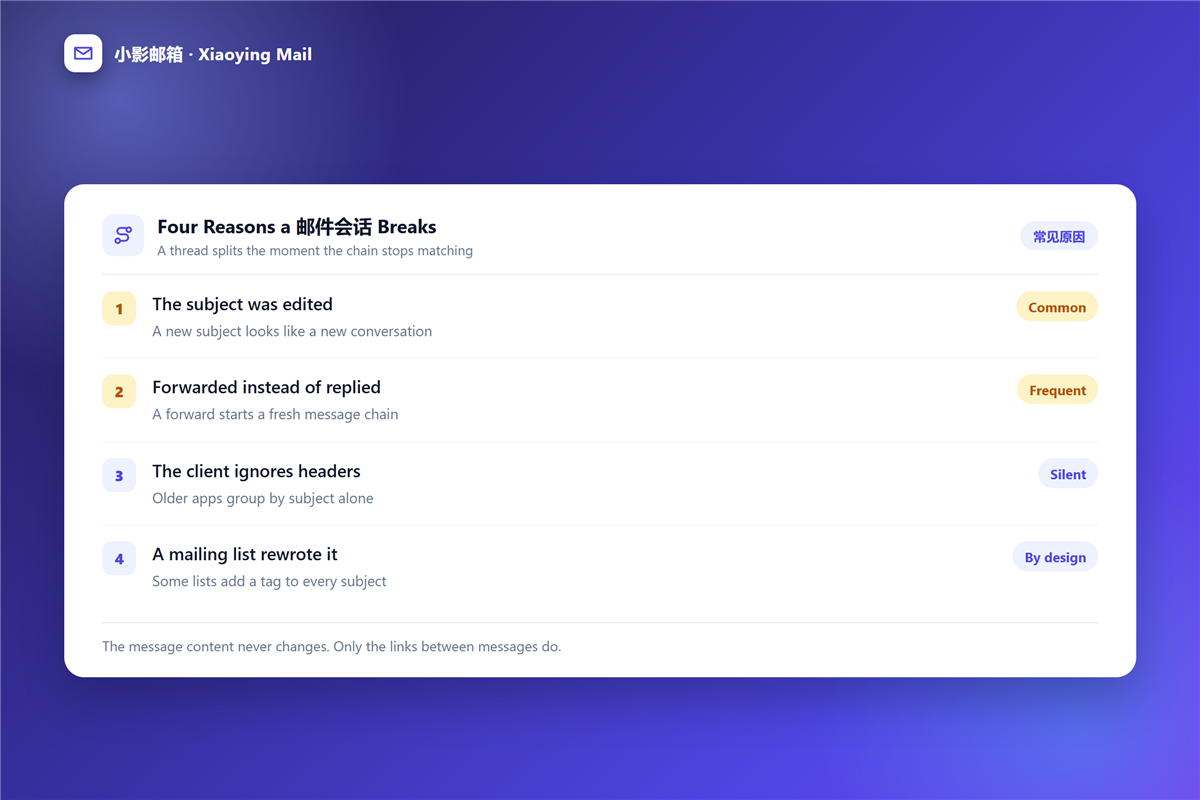
Why a 邮件会话 breaks
Four habits break the chain, and only one of them is the client fault.
The subject was edited
A new subject looks like a new discussion to any client that weighs the subject heavily. In particular, adding a category tag or a project name is enough to split a 邮件会话.
Forwarded instead of replied
A forward begins a fresh chain, because the new message has no parent. As a result, the answer stands alone rather than joining the 邮件会话.
The client ignores headers
Some older apps group by subject only, which means two unrelated messages can merge while a real thread splits. Reading the raw 邮件头 is the only way to see which case you have.
A mailing list rewrote it
Many lists add a prefix to every subject. That prefix is deliberate, and it breaks threading in clients that treat the subject as the primary clue.
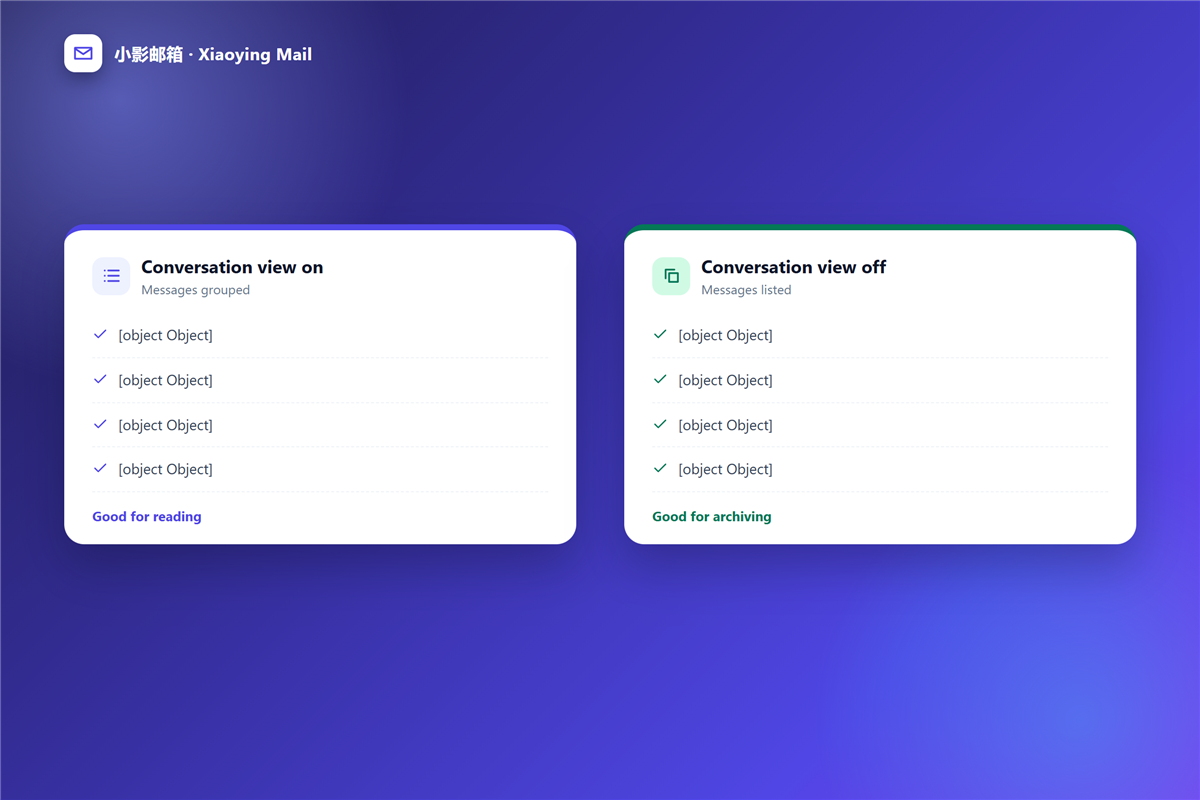
Conversation view on or off
The setting changes what you see in a 邮件会话, not what is stored, so it is safe to switch.
Conversation view collapses repeated quotes and shows one row per discussion. Thus a decision is easy to follow, though forwarding a single reply becomes awkward.
With the view off, every message is listed separately and sorted by date exactly. That suits archiving work, where you need to quote one specific message rather than follow a whole 邮件会话.
Reading a long 邮件会话
Five habits keep a forty-message 邮件会话 readable.
- Read the newest message first, then walk backwards.
- Check who was added recently, because recipients change mid-thread.
- Trim quoted text when you reply, leaving one or two lines.
- Answer inline when the thread asks several questions.
- Move the discussion to a new subject if the topic has truly changed.
That last point matters, because a 邮件回复 that keeps an old subject hides the new topic from everyone who searches later.
How 邮件会话 affect search and archiving
Threading is a view, so a broken 邮件会话 still contains all of its messages.
However, a split thread is harder to find, because one search returns four results instead of one. Therefore, searching by sender and date beats searching by subject, a habit covered in more detail in our guide to 邮件搜索.
For storage, keep a long discussion in one 邮件归档 folder rather than spreading replies across years of inbox pages. The thread then stays together when you need to reconstruct who agreed to what.
Frequently asked questions
Why do my replies arrive as separate messages?
Usually because the subject changed, or because the recipient uses a client that groups by subject. The headers are intact in both cases, so the 邮件会话 data was never wrong.
Can I merge two 邮件会话?
Rarely, and not by hand. Editing the subject back can help some clients, but most providers decide the grouping at delivery time.
Does 邮件会话 work across different providers?
Usually yes, because the identifiers are part of the message format itself rather than a feature of one provider.
Is 邮件会话 available on a phone?
Most mobile clients group messages by default, and a few hide the setting entirely. The grouping may therefore differ from your desktop view.
References
延伸阅读
- 《邮件列表是什么?Group Addresses and Reply Rules》
- 《邮件提醒怎么设?Badges, Sounds and Quiet Hours》
- 《邮件跟进怎么写?Timing, Wording and the Third Try》
- 《投诉邮件怎么写?Evidence, Sequence and Escalation》
- 《邮件确认怎么写?What Was Agreed, In Writing》
- 《邮件引用怎么处理?Quoting in Replies Without Clutter》
- 《邮件静音怎么用?Staying in the Loop Quietly》
- 《邮件未读标记是什么?Read States Across Devices》
- 《邮件协作怎么做?Sharing a Mailbox Well》
- 《邮件回复全部该不该用?When Reply All Helps》
- 《邮件投票怎么做?Settle a Decision Fast》
- 《邮件折叠怎么用?Tidy a Long Thread》
评论
还没有评论,来说两句吧。以下为本文的引用通告: