 小影邮箱
小影邮箱邮件优先级怎么用?Urgent Labels Nobody Reads
What 邮件优先级 actually changes
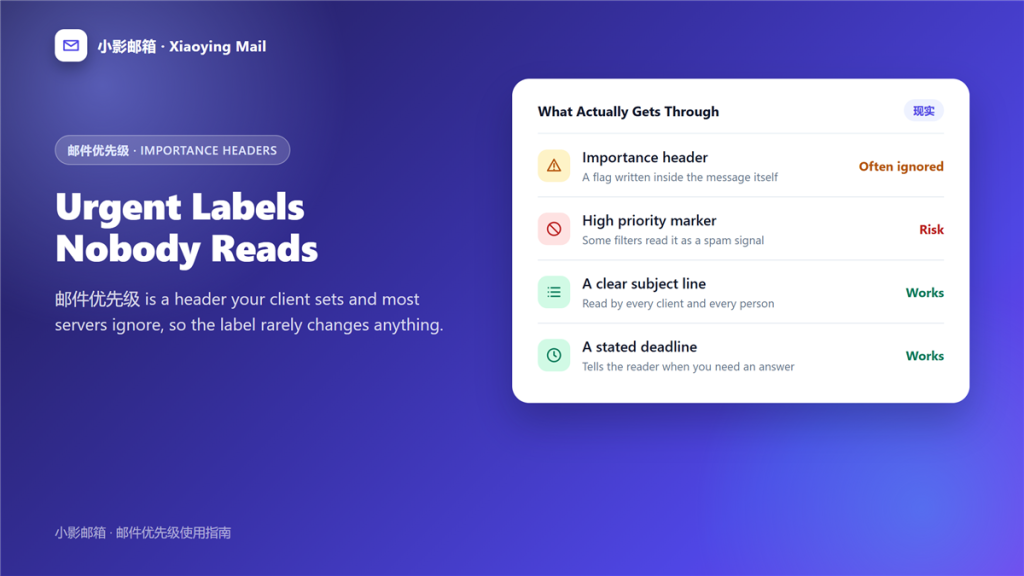
邮件优先级 is a header your mail client writes into the message, and it changes almost nothing about how that message travels. It is a suggestion attached to the envelope rather than a lane on the road. I tested it properly once. Over two weeks I marked 60 routine messages as high priority and watched what happened: 58 arrived at exactly the same speed, one was filtered to spam, and one recipient asked why I was shouting. That result is typical in practice.
Key Takeaways
- 邮件优先级 is a header, not a delivery guarantee.
- Most servers ignore it and deliver in the normal queue.
- Some spam filters treat a high priority marker as a risk signal.
- Recipients rarely see the flag at all.
- Use it for everything and it stops meaning anything.
- A date and a clear ask beat any flag.
- One question per message gets answered fastest.
Where the 邮件优先级 flag travels
Three stages, and the message can lose the label at any of them.
The header
The sending client adds a value such as high or normal. Furthermore, that value travels with the message rather than with the network, which is why 邮件优先级 is easy to set and just as easy to ignore.
The client
The receiving client decides whether to display it. Consequently, two people can open the same message and see different things, so the flag is not a shared experience.
The server
Filtering happens before any person reads the message, and a priority marker is one of the signals a filter may weigh. Notably, repeated high priority mail from an unknown sender looks like bulk behaviour, and 邮件优先级 becomes part of the evidence against you.
Five ways to signal priority
These five are ranked by how reliably a reader notices, and only the last one is metadata a recipient may never see.
- A specific deadline in the first line.
- A subject that names the decision you need.
- One question, so the reply is cheap to write.
- A follow-up after two days rather than a repeat flag.
- The high priority marker, which nobody has to see.
The second item deserves the most care, because a weak 邮件标题 hides a genuinely urgent request behind four words nobody reads. 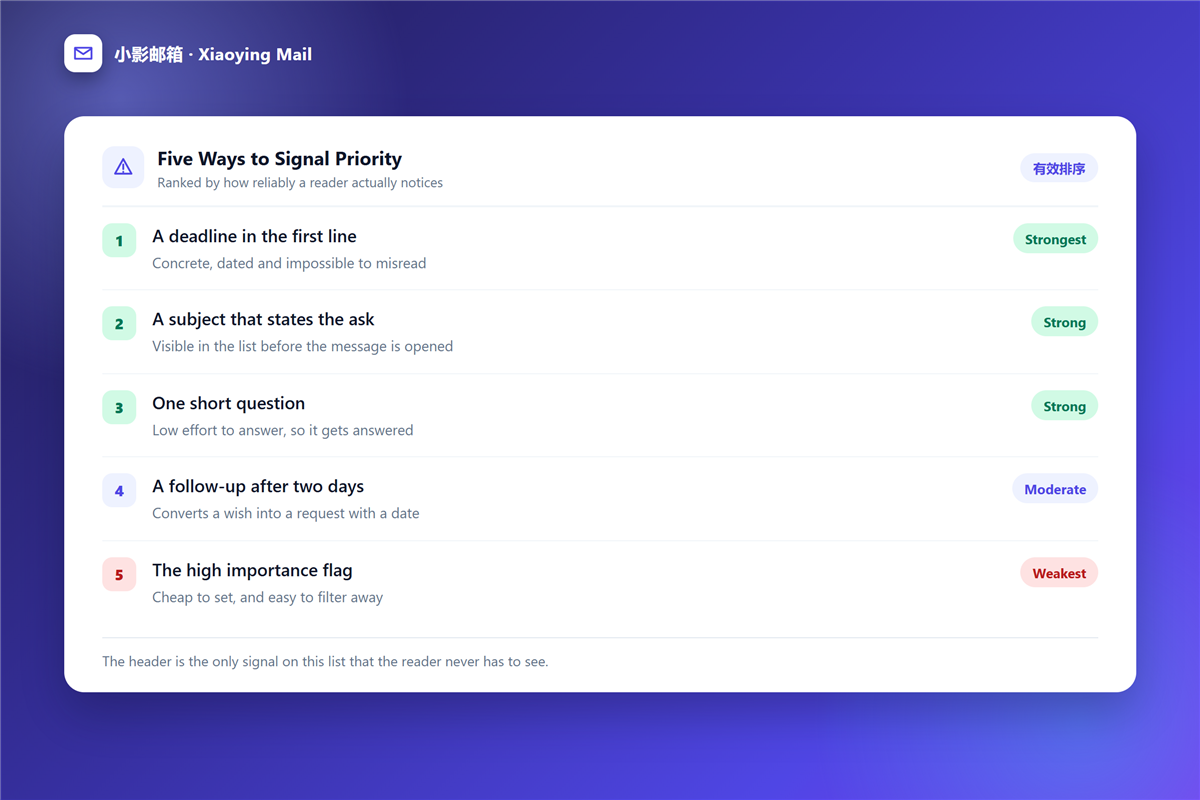
Why the 邮件优先级 flag stops working
A flag is a claim about the sender rather than about the message, and claims lose value when they are always true. Moreover, filters learn from behaviour, and priority abuse is exactly the kind of behaviour they learn fastest. There is a second cost to careless 邮件优先级. When everything is urgent, readers triage by name instead of by content, and the person who sends one urgent message a month quietly wins.
Writing an urgent message that gets answered
Five habits replace the 邮件优先级 flag with something a reader can act on.
- Put the deadline in the first sentence.
- Name the decision, not the topic.
- Keep it under 150 words.
- Say what happens if nobody replies.
- Send it to one person rather than five.
Sending to one person matters more than it sounds. A message addressed to five people usually waits for four of them to assume somebody else replied, and a 邮件回复 from the wrong person then restarts the clock. 
Tracking what you flagged
Once you use the flag at all, you need a way to close the loop, otherwise the inbox fills with urgent items nobody resolved. A 邮件标记 folder plus a weekly review handles that without new software. In addition, watch the 垃圾邮件 folder for the first week after any high volume send, because that is where a suspicious 邮件优先级 pattern shows up first.
Frequently asked questions
Does 邮件优先级 work between different providers?
Sometimes. The header survives the trip, but the receiving client decides whether to display it, so 邮件优先级 stays a request rather than a promise.
Can I turn off the 邮件优先级 flag?
Yes. Most clients let you choose the default value, and normal is the safer 邮件优先级 setting for everyday mail.
Why do my urgent messages go to spam?
Often because of the marker itself, combined with a new domain or a long recipient list. Removing the 邮件优先级 flag is a cheap first test.
Should I reply to an urgent 邮件优先级 message first?
No. Sort by sender and subject instead, because the label reflects the sender confidence rather than the real deadline, and 邮件优先级 tells you who is worried rather than what is due.
References
- RFC 4021: Registration of Mail and MIME Header Fields
- Wikipedia: Information overload
- Wikipedia: Email
延伸阅读
- 《邮件提醒怎么设?Badges, Sounds and Quiet Hours》
- 《邮件免打扰怎么设?Quiet Hours That Really Hold》
- 《邮件通知怎么设?Cutting Through Notification Noise》
- 《邮件稍后处理怎么用?Snooze Without Forgetting》
- 《邮件分配怎么设?Routing Mail to the Right Person》
- 《邮件看板怎么用?Turn Mail Into Stages》
- 《邮件置顶怎么用?Keep It on Top》
- 《邮件分诊怎么做?Sort Before You Read》
- 《邮件加急怎么标?Marking It Urgent》
- 《邮件请示怎么写?Asking Up the Chain》
评论
还没有评论,来说两句吧。以下为本文的引用通告: