 小影邮箱
小影邮箱邮件队列是什么?Where Mail Waits Before Delivery
Key Takeaways
- A 邮件队列 is the holding area between acceptance and delivery.
- Deferred does not mean failed; most deferred mail is delivered on the next retry.
- Queue age matters more than queue length when you are diagnosing a delay.
- A healthy queue drains steadily, while a stuck one keeps the same oldest message.
- Restarting the service is the last resort, not the first move.
What a 邮件队列 is
A 邮件队列 is the place a message waits after the server accepts it but before the destination confirms delivery. Every serious mail server has one, including Postfix, Exim and Microsoft Exchange. I spent a week watching a small outbound queue, and the pattern in the logs was far more informative than any dashboard.
The queue exists because delivery is not instant. However, it also exists because retrying is normal, and a server that gave up on the first refusal would lose a lot of legitimate mail.
Think of it as a departure lounge rather than a waste bin. Messages sit there briefly, then leave. A 邮件队列 only becomes a problem when the same passengers never board.
Why a 邮件队列 defers messages
Deferral means the receiving server said “try again later” rather than “never”. Common causes include a temporary block, a greylisting delay, a DNS timeout, or a full mailbox on the far side.
Consequently, a deferred message sits in the queue and waits. The server retries on a schedule that usually starts at a few minutes and stretches toward hours.
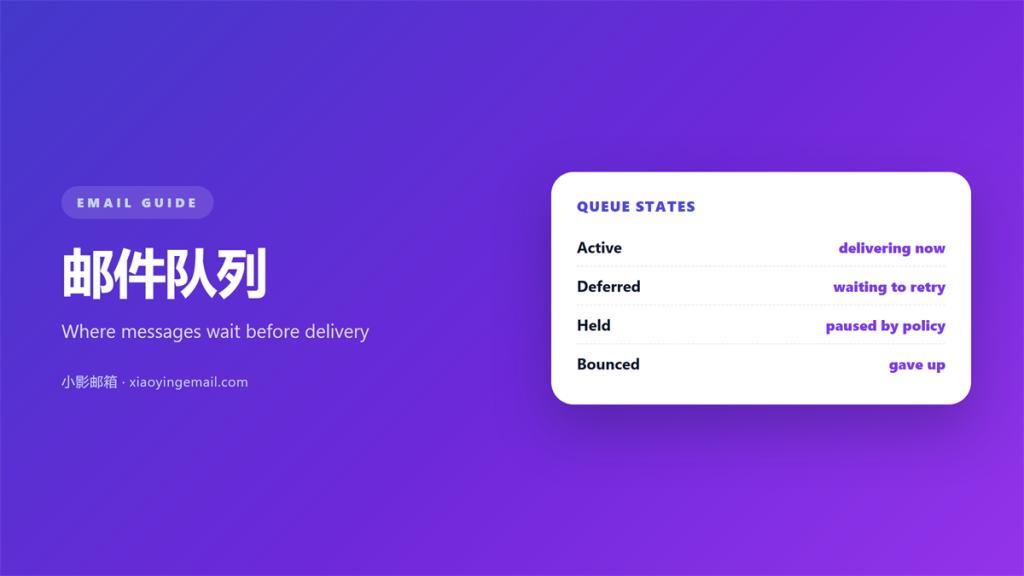
| State | Meaning | What to do |
|---|---|---|
| Active | Delivery is in progress right now | Nothing; this is normal |
| Deferred | Waiting for the next retry | Check the reason, not the count |
| Held | Paused by policy or an admin | Review the rule that paused it |
| Bounced | The server gave up | Read the final status code |
Reading a 邮件队列 without panic
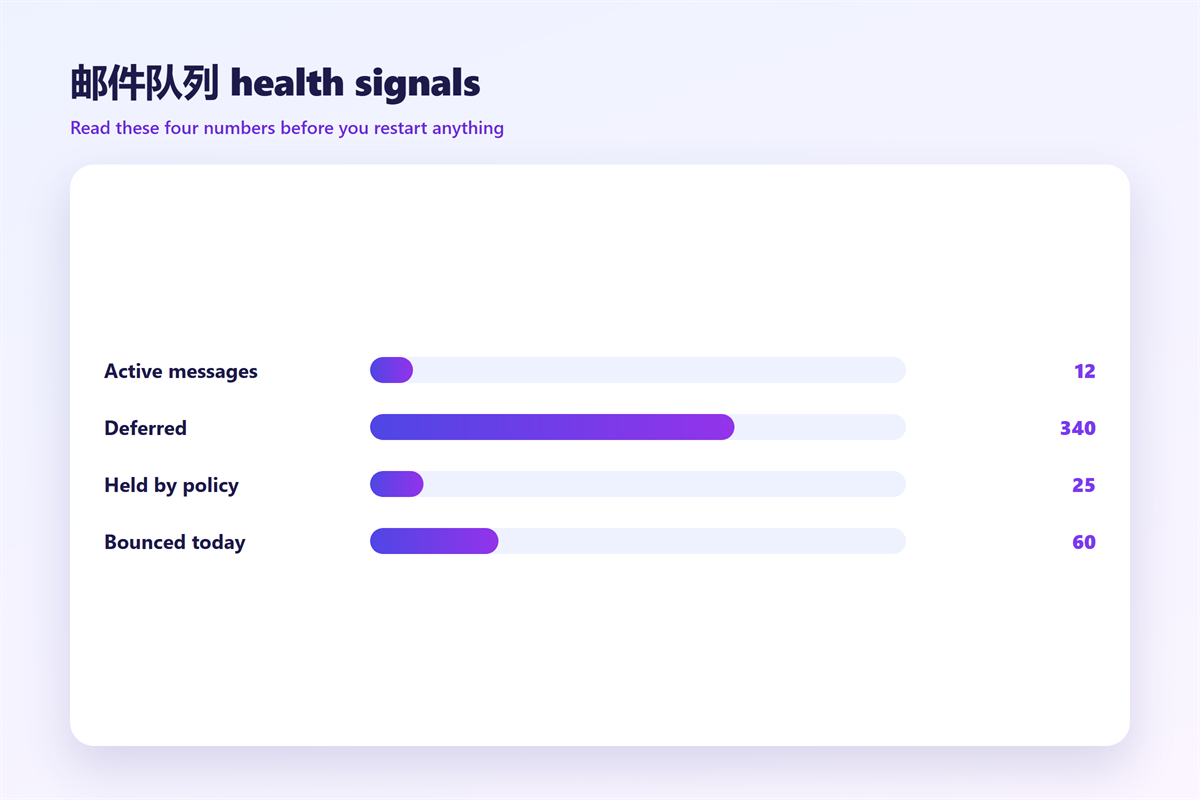
Four numbers tell most of the story. Length is the obvious one, but age and retry behaviour matter more. Therefore, look at the oldest entry before you count anything.
Normal patterns
Small transient spikes are healthy. For instance, a newsletter to ten thousand recipients will create a visible hump that clears within minutes, and the oldest message stays young.
Warning signs
In contrast, a queue that keeps its oldest message for hours is a genuine problem. Additionally, watch for one destination domain dominating the failures, because that points at a block rather than a server fault.
Consequently, a useful 邮件队列 dashboard shows the oldest message age as the largest number on the page. When that number keeps climbing, the queue is losing ground regardless of how many messages it happens to hold.
What a stuck 邮件队列 looks like
A stuck queue has a signature. Hundreds of messages sit in deferred state, the oldest entry keeps ageing, and the retry counter climbs on every pass. Often, the same destination appears repeatedly.
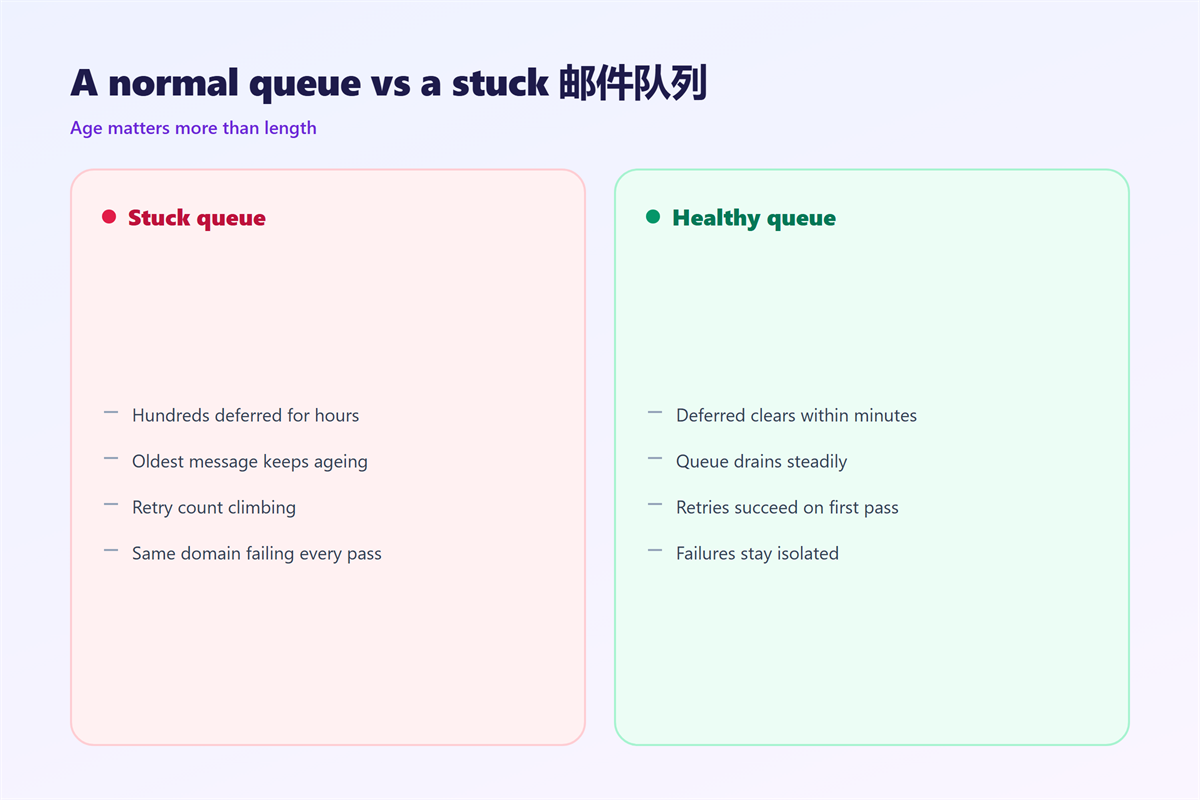
Notably, length alone can mislead you. A long queue that turns over quickly is far healthier than a short queue that never moves. A 邮件队列 of ten messages that has not moved since breakfast is worse than one of ten thousand that drains in a minute.
If the far side is refusing you outright, the cause may be reputation rather than the queue itself, and our notes on 邮件延迟 explain how to separate the two.
Fixing a stalled 邮件队列
Start with evidence, not with a restart. Read the deferral reason for the oldest message, then decide whether the fault is local or remote.
Order of operations
- Read the deferral reason for the oldest entry.
- Confirm DNS and connectivity to the destination.
- Check whether one domain dominates the failures.
- Flush only the affected destination, not the whole queue.
- Restart the service last, and only after you saved the log.
Meanwhile, remember that a mass flush can look like an attack to the receiving side. Therefore, flush in small batches when the queue is large. If the underlying server is misconfigured, the checklist in 邮件服务器 covers the usual suspects, and the failure modes in 邮件发送失败 map closely to queue errors.
One more caution. Emptying a 邮件队列 by deleting entries hides the symptom while leaving the cause in place. The messages vanish, the next batch rebuilds the same backlog, and you have lost the evidence you needed.
How to prevent 邮件队列 problems
Prevention is mostly about pacing. Send at a steady rate, keep your DNS records correct, and remove dead addresses before they generate bounces.
Furthermore, monitor age rather than length. A simple alert on “oldest message older than thirty minutes” catches real incidents that a length threshold would miss. Defence tools such as 邮件网关 also shape what reaches your 邮件队列 in the first place, which changes the workload it has to carry.
Finally, keep a written baseline. If you know what a normal Tuesday looks like, an abnormal Friday becomes obvious within minutes. For that reason, a small 邮件队列 checked daily beats a large one watched only during incidents.
FAQ
Is deferred mail lost?
Usually not. The server keeps retrying for a configured period, often several days, before it bounces the message back to the sender.
Can I delete a single queued message?
Yes, most servers expose a queue manager that can delete or hold one entry. I would hold rather than delete while you are still investigating what filled the 邮件队列.
Why does the queue grow at night?
Scheduled reports and backups often fire together. Consequently, a predictable nightly hump is normal rather than alarming.
Does a long queue always mean spam?
No, though a sudden spike can indicate a compromised account. Check whether the recipients look like your normal audience before you blame the 邮件队列 itself.
References
- IETF RFC 5321: Simple Mail Transfer Protocol
- Postfix: Qshape queue analysis
- Wikipedia: Message queue
评论
还没有评论,来说两句吧。以下为本文的引用通告: