 小影邮箱
小影邮箱邮件打开率怎么看?A Number You Cannot Fully Trust
Key Takeaways
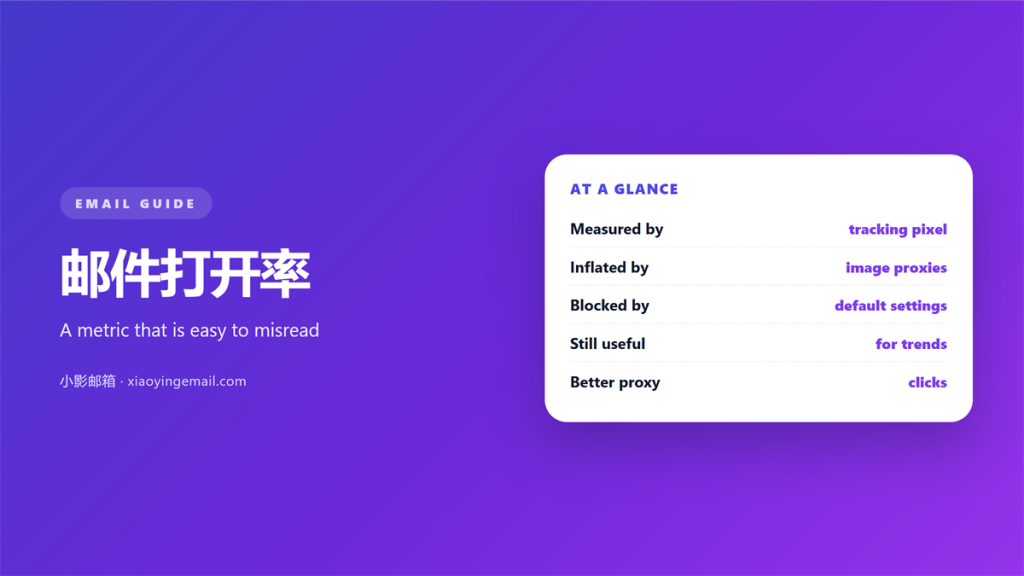
- 邮件打开率 is the share of delivered messages that recorded an open, not the share of people who read them.
- One invisible pixel decides whether an open is logged, and many clients block or preload images.
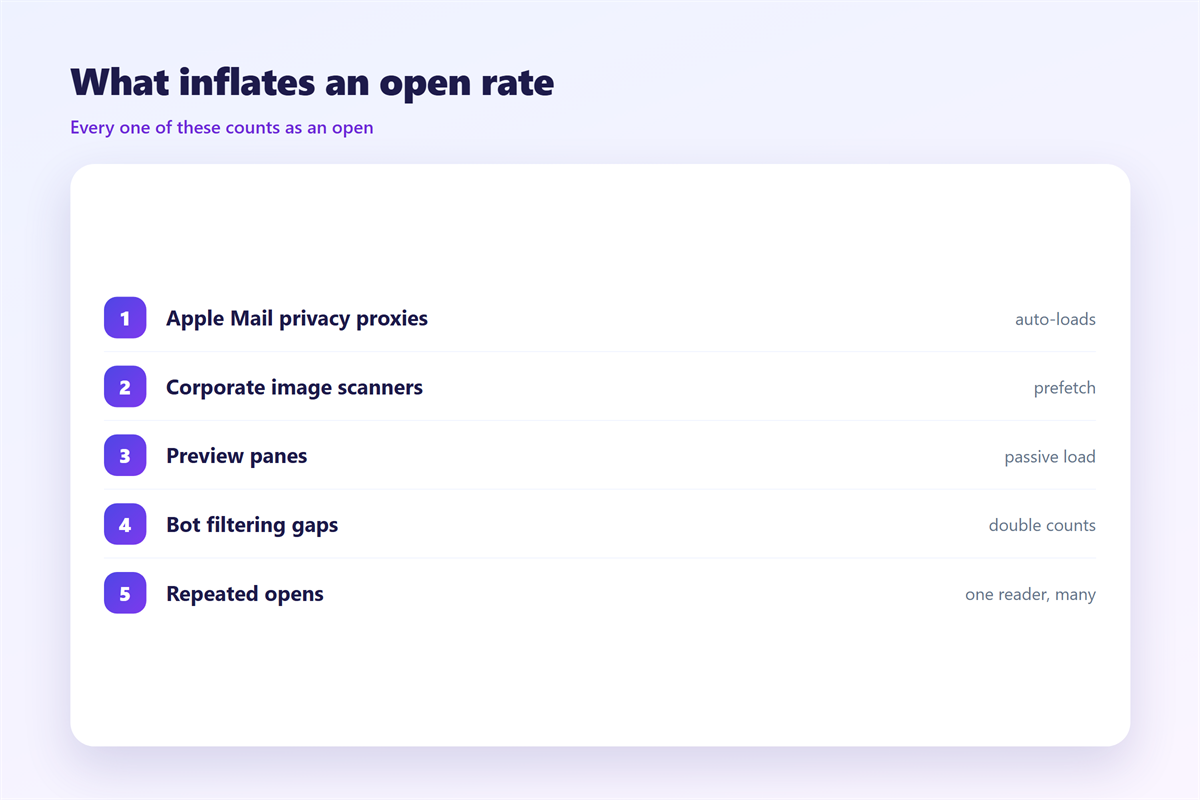
- Apple’s privacy features now trigger opens automatically, which quietly inflates the number.
- Long-term trends and segment splits still carry signal even when the absolute value is soft.
- Clicks and replies are harder to fake, so weigh them more heavily than opens.
What 邮件打开率 actually measures
邮件打开率 sounds like a measure of attention. It is really a measure of an image request. The inbox never tells you that a human read your mail. It tells you that a small picture inside the message was fetched from a server. I ran a two-week test with a seed list of ten accounts, and the gap between logged opens and real reads was wider than I expected.
When a client blocks images, no request is made, so a genuine reader can count as a non-open. When a client preloads images, the reverse happens, and a message nobody touched counts as an open. As a result, the same reader can push your 邮件打开率 in either direction based on a setting they never chose.
In other words, the metric is a proxy. The proxy is useful, and it is also fragile. Anyone who reports it as a count of readers is describing something the data cannot support.
How the open signal is generated
The mechanism is old and simple, which is exactly why it breaks so often. A sender embeds a one-pixel image with a unique URL, and the server logs a request. Notably, the log records the image, not the reader, and it fires the moment the picture loads.
The tracking pixel
Most senders place a transparent pixel near the bottom of the template. When images load, the request reaches the sending platform and the 邮件打开率 moves by one. If someone reads the message as plain text, nothing is recorded at all, and the message silently disappears from the count.
The privacy changes
Apple Mail Privacy Protection fetches images through a proxy whether or not the message was opened. Therefore, many reporting dashboards can no longer separate a real read from an automatic fetch. Other inbox providers have moved in a similar direction, and the trend is unlikely to reverse.
Why 邮件打开率 still matters
It would be easy to throw the number away once you know how soft it is. That would be a mistake. The 邮件打开率 remains one of the few signals available across an entire list, and it is captured the same way for every sender you compete with.
Moreover, filters watch engagement, and opens feed that signal even when they are noisy. A list that never opens anything looks identical to a list that has stopped caring, and the two attract the same filtering. Furthermore, subject-line tests still produce clear differences in 邮件打开率, so the metric keeps real comparative value.
Additionally, the figure is cheap. You already collect it, and reading it correctly costs nothing more than a moment of honesty about what it contains.
Five rules for reading 邮件打开率
Treat the figure as a direction, not a verdict. This is the discipline I use before I report anything to a client.
- Compare the 邮件打开率 against your own last ten sends, never against an industry average.
- Split by domain, because Apple, Gmail and Outlook behave very differently.
- Ignore week-to-week noise and read the four-week trend instead.
- Pair every open figure with a click figure before drawing a conclusion.
- Ask what the pixel did, not what the reader felt.
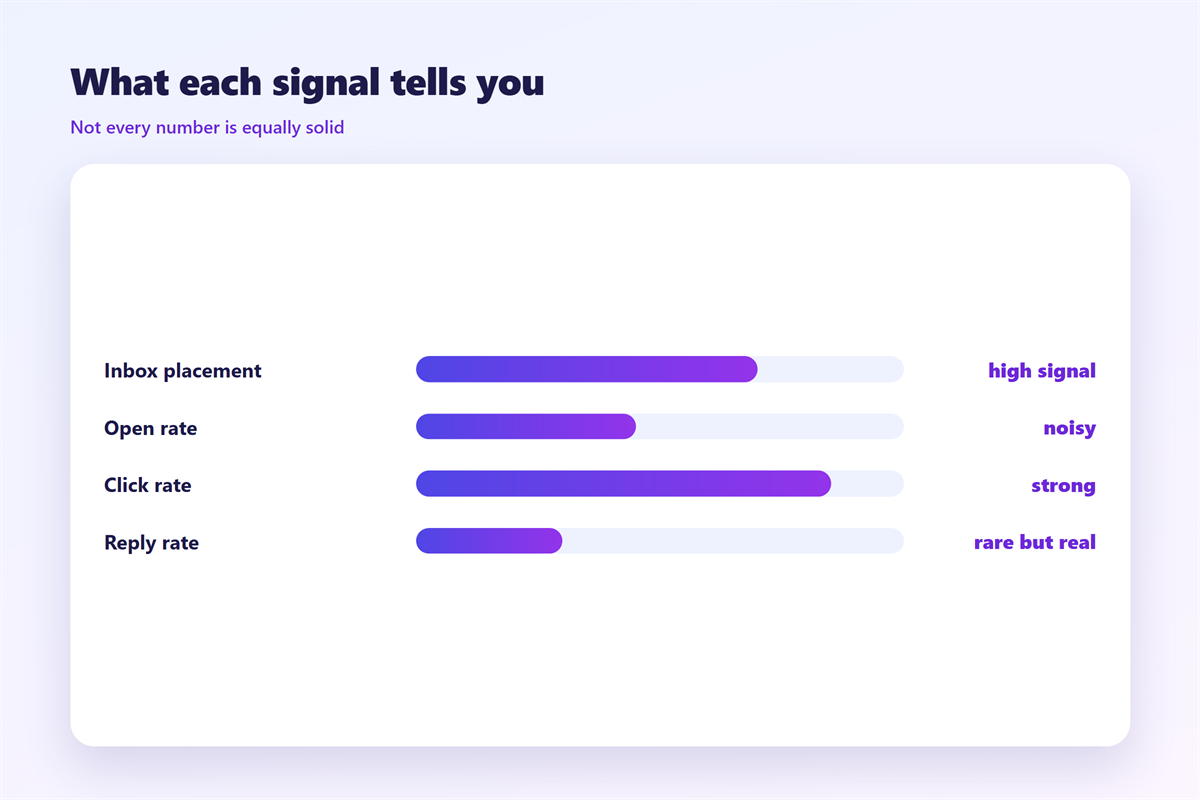
| Signal | What it records | How easy to fake |
|---|---|---|
| Open | An image request | Very easy |
| Click | A link request | Harder |
| Reply | A real reply message | Very hard |
The table shows the order of trust for 邮件打开率 reporting. If you must defend a single number in a meeting, defend the click, because it required a decision.
Where 邮件打开率 goes wrong
Three mistakes show up again and again. The first is treating an open as proof of interest, which turns a technical event into a business claim. The second is comparing your list to a published benchmark that was collected with a different pixel and a different audience.
The third is subtler. When opens rise after a privacy update, teams celebrate a win that never happened. As a result, the metric drifts upward while attention stays flat, and the dashboard tells a story the replies do not support.
On balance, the fix is not to abandon the number. It is to label it honestly and to stop it from carrying weight it cannot bear. A metric that is described accurately is far more useful than one that is defended too hard.
How to test 邮件打开率 without fooling yourself
The only reliable test is to compare like with like. Send to a controlled seed list, log what each client reports, and read the 邮件打开率 the way an outsider would. It takes minutes and removes most of the guesswork.
Build a seed list
A seed list is a handful of addresses you control. Five is enough to begin, and the goal is coverage rather than volume. Include at least one Apple account, one Gmail account and one mobile client.
Read the trend, not the spike
Single sends are noisy, therefore a spike proves little on its own. Track the 邮件打开率 across four weeks and watch the shape of the line rather than any single point on it.
Once the measurement is honest, the rest of the program follows the discipline described in our guide to 邮件营销. Placement decides whether anyone sees the message at all, so the signals in 邮件投递率 are worth reading next. When you send at scale, 邮件群发 covers the volume traps, and 阅读回执 explains why a receipt is not the same thing as an open.
FAQ
Is 邮件打开率 still worth tracking?
Yes. Track the 邮件打开率 as a trend and a comparison, not as a precise count of readers.
Why did my open rate jump overnight?
A privacy update is the usual cause. Automatic image fetching logs opens that no person triggered.
Can I remove the inflation?
Not fully. You can reduce the noise by leaning on clicks and replies when you make decisions.
Which signal should I trust most?
Replies first, then clicks. Both require a deliberate action from a real person.
References
延伸阅读
- 《邮件回复率怎么提高?Getting an Answer Back》
- 《邮件AB测试怎么做?Test Two Subject Lines》
- 《邮件客户关怀怎么做?Keep Customers Close》
- 《邮件主题行怎么写?Get the Message Opened》
- 《邮件转化率怎么提升?From Clicks to Action》
- 《邮件营销漏斗怎么搭?From List to Loyal》
- 《邮件培育怎么做?Nurture Before the Ask》
- 《邮件回执怎么用?A Receipt That Confirms》
- 《邮件唤醒怎么做?Winning Back Quiet Readers》
- 《邮件退订率怎么看?Reading the Exit Sign》
- 《邮件活跃度怎么看?Measuring Real Engagement》
- 《邮件报表怎么看?Numbers That Explain》
- 《邮件标题党怎么避?Titles Without Tricks》
- 《邮件秒杀怎么发?Hours That Count》
- 《邮件发件人名称怎么写?The Name They See》
- 《邮件像素是什么?The Invisible Bead》
评论
还没有评论,来说两句吧。
评论功能已关闭。