 小影邮箱
小影邮箱邮件列表是什么?Group Addresses and Reply Rules
What 邮件列表 actually is
邮件列表 is a single address that delivers to a group of people, and the list owns the membership rather than the sender. That one distinction explains everything else about it.
I once replied to a list of 400 people thinking I was answering one person. The reply went everywhere, and a stranger emailed me about it two days later. Reading the 邮件列表 reply setting first would have prevented the whole episode.
Key Takeaways
- 邮件列表 is one address with managed membership.
- Reply behaviour is set by the list, not by you.
- Reply all can deliver twice when the list is in Cc.
- Public archives are indexed and permanent.
- Moderated lists add a delay you cannot see.
- Members can usually leave without asking anyone.
- Some answers belong in a direct message.
Who a reply actually reaches
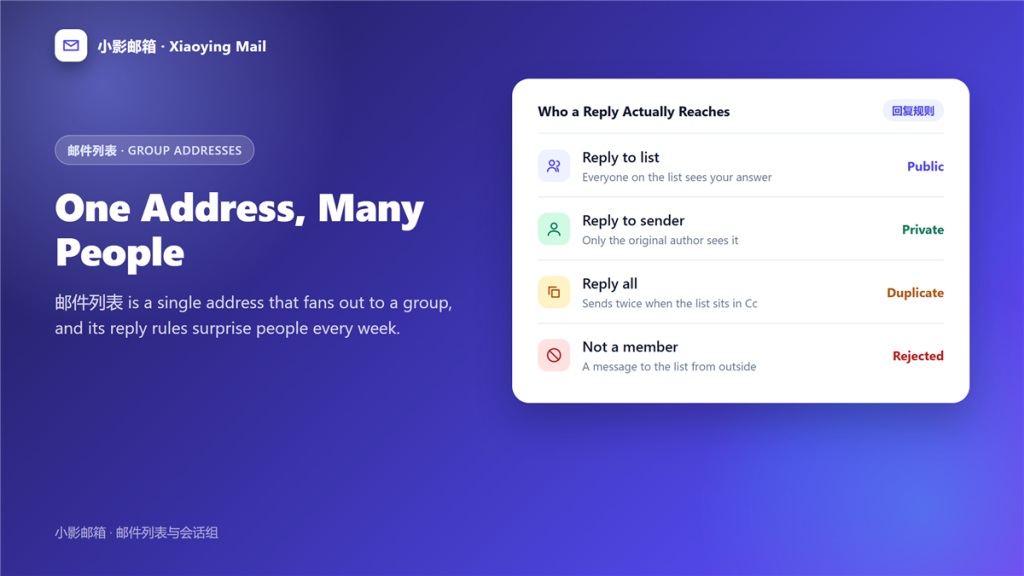
Three buttons, three very different audiences, and the list decides which one does what.
Reply to list
The answer goes to the whole membership. Furthermore, that is often the point of a 邮件列表 discussion, because everybody benefits from the answer.
Reply to sender
Only the original author sees it. Consequently, advice that would have helped fifty 邮件列表 members stays in one inbox.
Reply all
This can produce two copies when the list address sits in the Cc field. Notably, the duplicate is invisible until it arrives.
Five questions before you post
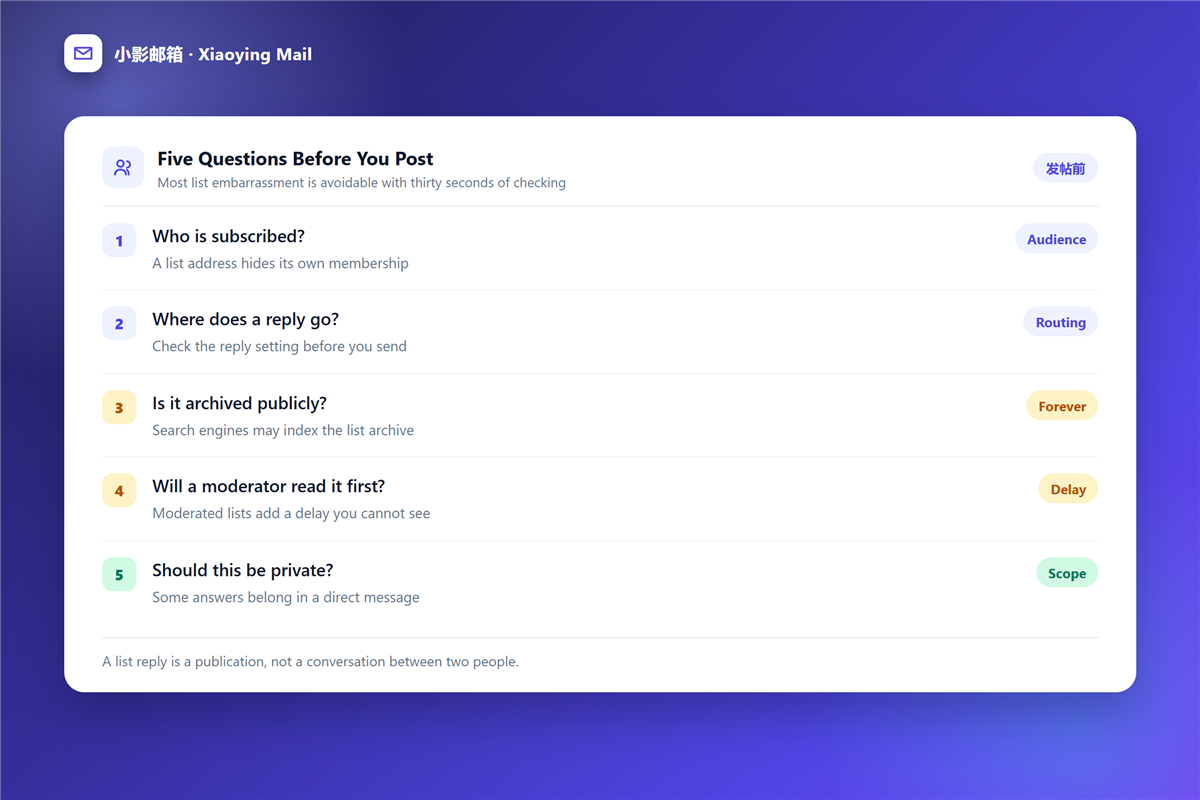
Thirty seconds of checking prevents almost every list embarrassment.
- Who is subscribed to this list?
- Where does a reply actually go?
- Is the archive public and searchable?
- Will a moderator read it first?
- Should this be a private message instead?
What a 邮件列表 archive keeps
Most lists store every message and publish the archive on the web, where search engines can reach it.
Therefore treat a post to a 邮件列表 as a publication rather than a conversation. Names, addresses and half-finished opinions stay findable years later, and a quote from a 邮件会话 can outlive the project that caused it.
Joining and leaving a 邮件列表
Membership is usually self-service, which is both the strength and the weakness of the model.
You can normally join by sending one message and leave by sending another. However, a list that hides the leave address is a list that will keep arriving, and a 邮件订阅 cleanup is the usual next step.
邮件列表 versus a group of recipients
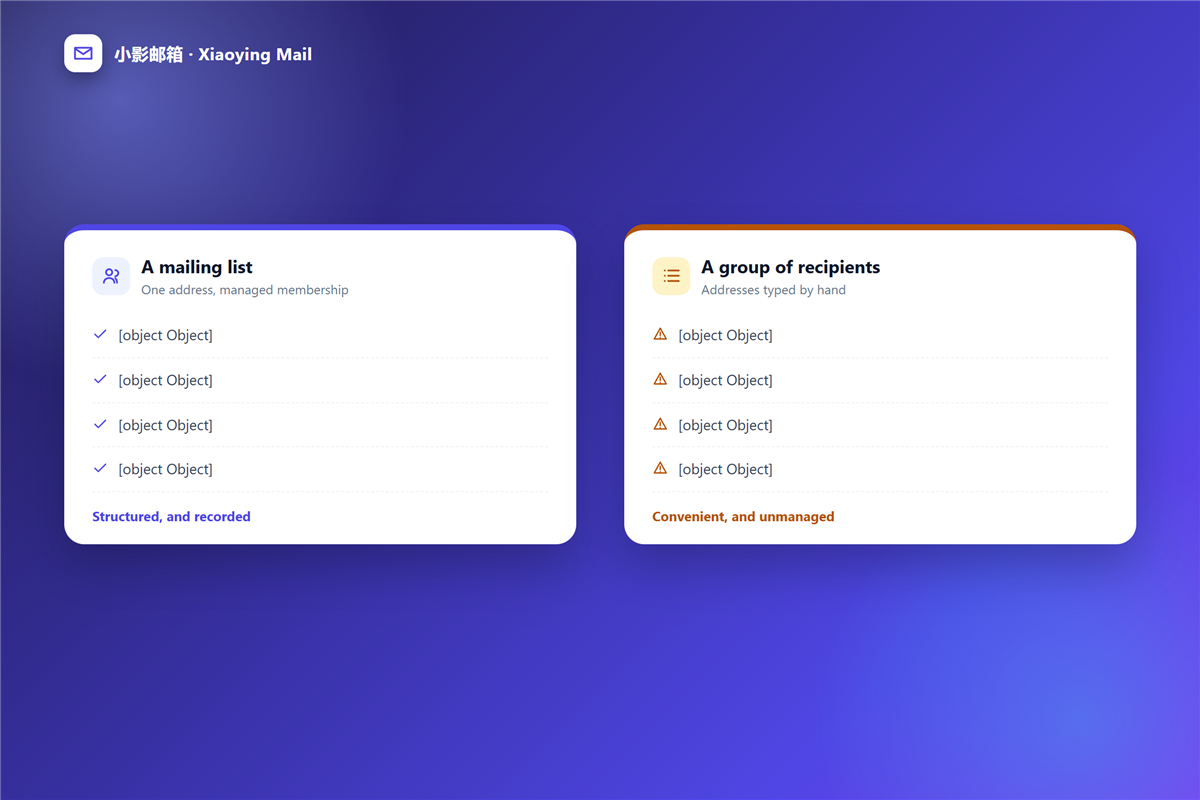
The two are often confused, and the difference is who manages the membership.
A list owns its members, so people join and leave without involving the sender. A hand-typed group has no membership at all, and the sender carries every change, which is why long group threads decay into stale addresses.
For one-off announcements, a 邮件群发 approach with hidden recipients works fine. For anything recurring, a list pays for itself immediately.
When a list reply should stay private
Some messages belong in a direct reply, and knowing which is a matter of judgement rather than rules.
A correction of a factual error helps everybody, so send it to the list. A negotiation about money usually does not, and neither does anything that criticises a named person. When in doubt, reply to the sender and let them decide whether to share.
One more habit protects you. Before sending, re-read the recipient field and say the audience out loud, because that is where a 邮件回复 mistake becomes irreversible.
Frequently asked questions
Is a 邮件列表 the same as a group of recipients?
No. A list manages its own members, while a typed group of addresses has no membership and no way to opt out.
Why did my reply go to everyone?
Because the list set the reply address to the group. Check that setting before you compose, since it varies between lists.
Can I hide my address in a 邮件列表 archive?
Rarely. Some lists truncate addresses, but the archive is public by design, so assume anything you post stays visible.
Do I need permission to post to a 邮件列表?
Sometimes. Open lists accept any member message, while moderated lists hold it for review first.
References
延伸阅读
- 《邮件群组怎么建?Contact Groups That Stay Clean》
- 《邮件偏好中心怎么设?Fewer Switches, Better Choices》
- 《邮件退订页怎么做?Losing Readers Gracefully》
- 《邮件通讯录怎么整理?An Address Book That Lasts》
- 《邮件硬退信是什么?Why an Address Dies》
- 《邮件群发单显是什么?One Mail, Many Copies》
- 《邮件合并怎么用?One Template, Many Inboxes》
- 《邮件合并域怎么用?Personal Fields Done Right》
- 《邮件营销漏斗怎么搭?From List to Loyal》
- 《邮件培育怎么做?Nurture Before the Ask》
- 《邮件列表清洗怎么做?Clean Before You Send》
- 《邮件订阅确认怎么做?A Double Opt-In That Works》
- 《邮件订阅者怎么维护?Keeping Subscribers Close》
- 《邮件分页怎么做?Short Pages in Order》
- 《邮件分众怎么做?Splitting a List Well》
评论
还没有评论,来说两句吧。以下为本文的引用通告: