 小影邮箱
小影邮箱邮件模板怎么用?Reuse Without Sounding Robotic
What 邮件模板 really is
邮件模板 is a saved reply you adapt, not a script you send. The distinction sounds pedantic until a customer receives an answer that clearly was not written for them.
I keep eleven templates after three years of support work. Two of them account for roughly 40 percent of everything I send, and one I retired after a single embarrassing use. That ratio is normal, and it explains why a small set is enough.
Key Takeaways
- 邮件模板 works when the situation repeats, not when the person is unique.
- Five parts make a template usable: subject, greeting, context, ask and signature.
- Placeholders are where most templates quietly fail.
- Never reuse a template for an apology or a complaint.
- A template should save the first draft, not the second half.
- Retire any template you rewrite from scratch three times.
- Test on yourself before you send it to anyone else.
Where 邮件模板 save real time
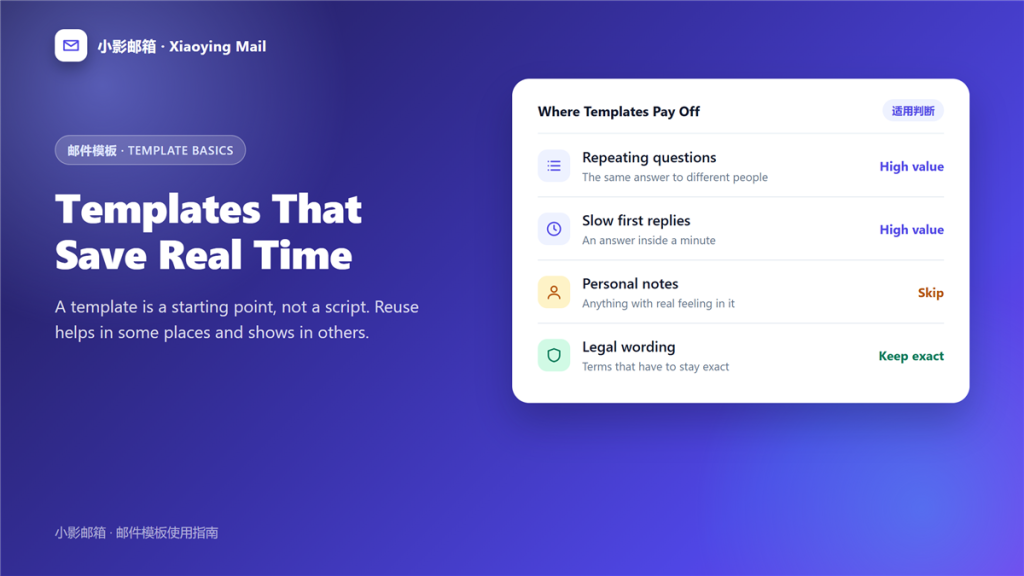
Reuse pays off in specific situations, and naming them prevents 邮件模板 overuse.
Questions you answer weekly
If you have typed the same explanation twice this month, you will type it again. Therefore, the savings compound from the first week, which is the classic 邮件模板 case.
Slow first replies
Speed matters more than polish for an initial response. A template that acknowledges a message in a minute beats a perfect answer tomorrow.
Onboarding and instructions
The same steps apply to every new person. Consequently, a template keeps instructions accurate instead of half-remembered, and that reliability is the quiet benefit of 邮件模板.
The five parts every 邮件模板 needs
A usable 邮件模板 carries five things. Leave one out and the reply feels mechanical.
A subject that names the topic
Reuse the 邮件标题 pattern that fits the case rather than the one that fits every case. A borrowed subject line is the first sign of a form letter.
A greeting with a real name field
One placeholder, filled every time. Notably, a template that opens with a generic greeting reads worse than no 邮件模板 at all.
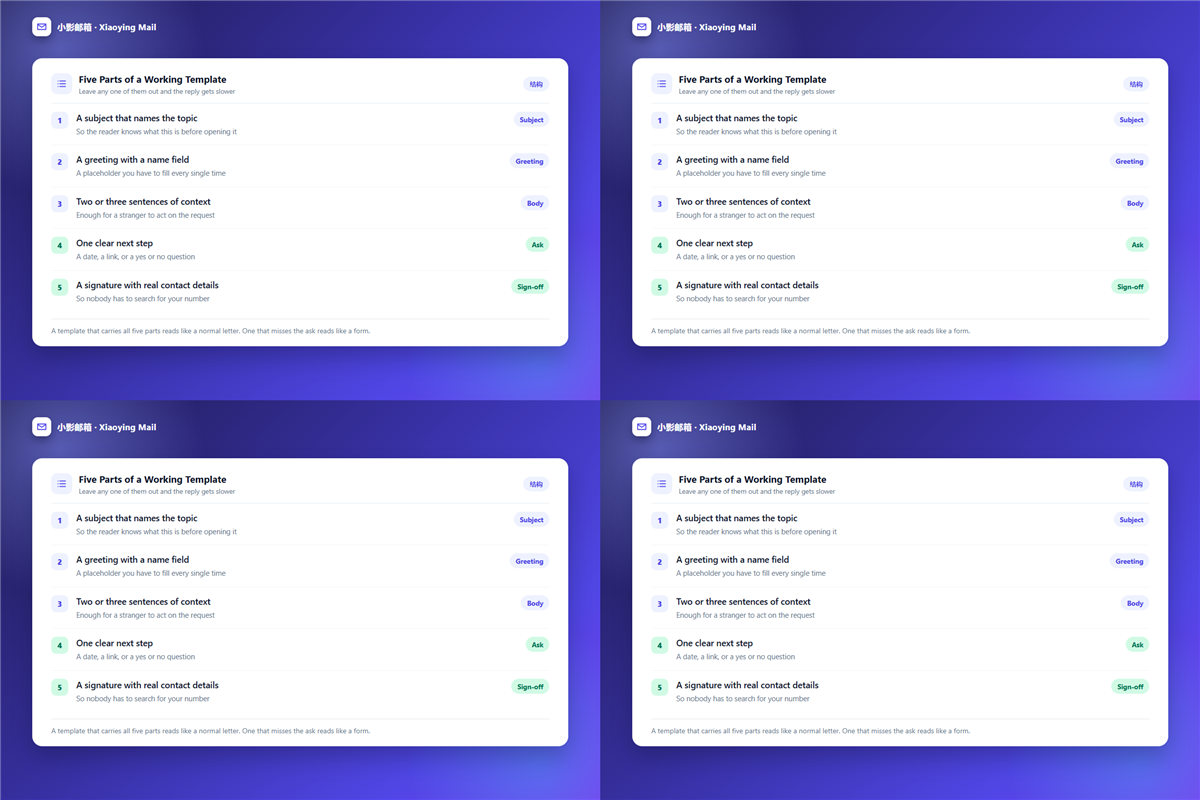
Context a stranger can act on
Two or three sentences are enough. Furthermore, context is what turns a template into an answer rather than an acknowledgement.
One clear ask
End with a date, a link, or a yes and no question. Accordingly, the reader knows exactly what happens next.
A signature with contact details
Plan the 邮件签名 once and reuse it, because it is the least personal part of any message and the most useful.
Where 邮件模板 show through
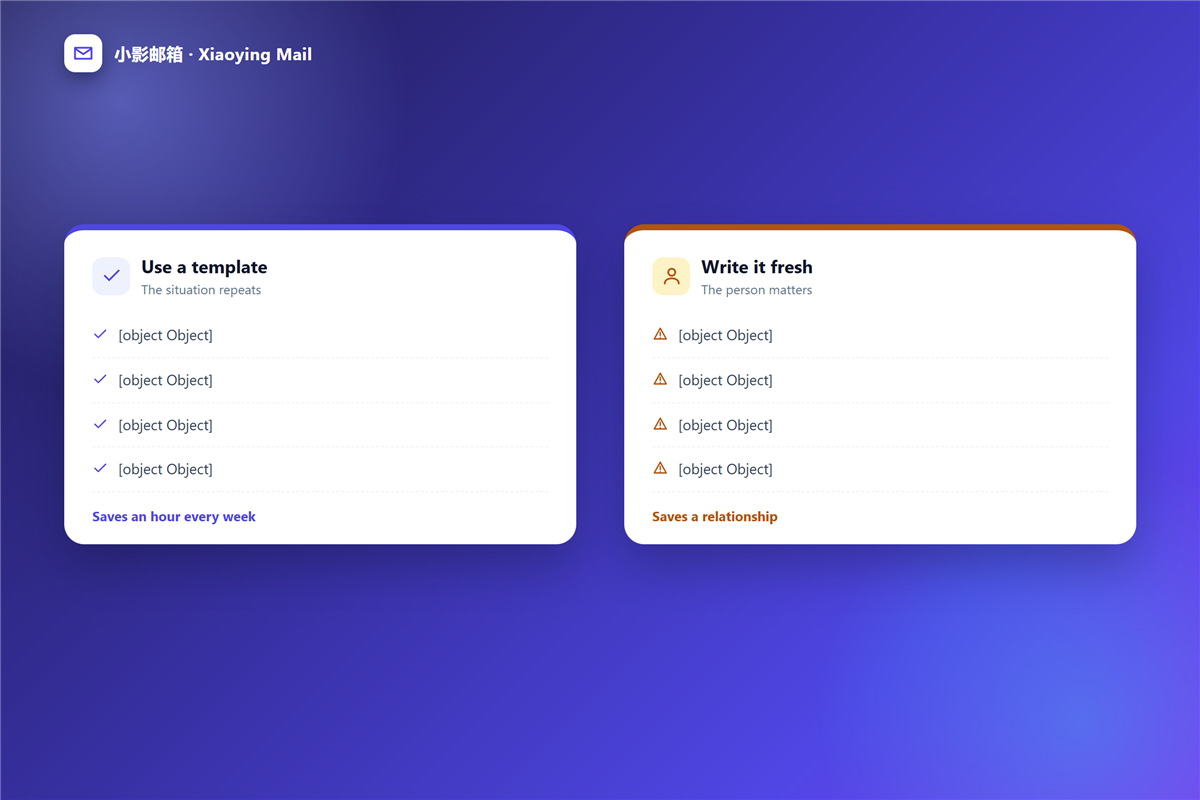
Some messages carry meaning that formatting cannot, so a 邮件模板 is simply the wrong instrument in these four cases.
An apology for a real mistake is the clearest example. Similarly, a 邮件回复 to a complaint has to acknowledge one specific detail, and a template cannot know which detail matters. A reply to a job offer or a personal note belongs in the same group.
However, a template can still help here as a checklist. For instance, it can remind you to name the problem, accept responsibility and say what changes. That is preparation rather than reuse.
Placeholders and the mistakes they create
Every 邮件模板 fails in the same two ways, and both come from the fill-in-the-blank design.
- A name placeholder left as written, which tells the reader they were on a list.
- A date or order number that no longer matches the message.
- Square brackets that survive into the sent copy.
- A tone that fits the template but not the situation.
Reading the message once before sending prevents every one of these. Therefore, the real cost of a 邮件模板 is ten seconds of proofreading, not the setup.
When a 邮件模板 is not worth keeping
Retire a 邮件模板 when it costs more than it saves. A reliable signal is rewriting the same file from scratch for the third time.
A 自动回复 message is a different case, because nobody expects a personal tone there. In contrast, a reply to a named person always invites one, which is why the two formats deserve different standards.
How to test whether your 邮件模板 works
Read it aloud, then read it angry. If the second reading sounds cold, the template is doing too much of the work.
Second, send it to yourself once and check how the placeholders render. Third, ask a colleague to skim it, because the flaws are obvious to fresh eyes. This routine takes five minutes and removes most of the risk in a new 邮件模板.
Frequently asked questions
Does 邮件模板 hurt personalisation?
Only when it replaces the whole message. Used for the routine parts, it frees time for the sentences that do need thought.
How many 邮件模板 should I keep?
Fewer than you expect. Most people settle between five and fifteen, and anything beyond that tends to go unused.
Can 邮件模板 break anything technically?
Rarely. Stored text is safe, although pasted formatting can carry over styling you did not want.
Should 邮件模板 include a subject line?
Yes, but change it for the situation. A subject reused word for word is the easiest way to look automated.
References
延伸阅读
- 《邮件草稿去哪了?Where Unsent Messages Go》
- 《投诉邮件怎么写?Evidence, Sequence and Escalation》
- 《道歉邮件怎么写?What to Admit and What to Leave Out》
- 《邮件营销怎么做?Permission, Flows and a Six-Item Pre-Send Check》
- 《邮件拒绝怎么说?Declining Requests Without Burning Bridges》
- 《邮件催款怎么写?Firm, Dated and Documented》
- 《邮件辞职怎么写?Clear, Short and Documented》
- 《邮件确认怎么写?What Was Agreed, In Writing》
- 《邮件个性化怎么做?Name, Context, Nothing Else》
- 《邮件自动化怎么做?Rules That Work While You Sleep》
- 《邮件页脚该写什么?Footer Lines That Do Real Work》
- 《邮件排版怎么做?Layouts That Survive Every Client》
- 《邮件字体怎么选?Fonts That Render Everywhere》
- 《邮件按钮怎么做?One Button That Gets Clicked》
- 《邮件快捷回复怎么做?Canned Replies That Sound Human》
- 《邮件页眉怎么做?The Top of the Message》
- 《邮件邀请函怎么写?Invitations People Accept》
- 《邮件公告怎么写?Announcements That Get Read》
- 《邮件合并怎么用?One Template, Many Inboxes》
- 《邮件表单怎么做?Forms That Reach an Inbox》
- 《邮件回复模板怎么建?Answers You Reuse Well》
- 《邮件报价怎么写?Quotes Clients Understand》
- 《邮件简报怎么写?Updates People Actually Read》
- 《邮件合并域怎么用?Personal Fields Done Right》
- 《邮件推荐信怎么写?Ask Well, Write Better》
- 《邮件预约怎么做?Confirm a Time in One Reply》
- 《邮件订单确认怎么写?A Receipt People Trust》
- 《邮件采购怎么做?From Request to Order》
- 《邮件询价怎么写?Ask for a Price Clearly》
- 《邮件退货怎么沟通?Replies That Resolve》
- 《邮件会议纪要怎么写?Minutes That Stick》
- 《邮件续费提醒怎么发?Time It Before the Bill》
- 《邮件周报怎么写?Align Without a Meeting》
- 《邮件模板库怎么建?Reuse a Good Reply》
- 《邮件欢迎信怎么写?The First Hello》
- 《邮件弃购挽回怎么做?Recover a Lost Sale》
- 《邮件内容日历怎么排?Plan the Whole Month》
- 《邮件催促怎么写?The Gentle Nudge》
- 《邮件插件怎么选?Small Tools, Big Habits》
- 《邮件回访怎么做?Check Back With Care》
- 《邮件述职怎么写?Reporting on Your Work》
- 《邮件清单怎么用?A List That Works》
- 《邮件版本怎么管?Which Draft Is Which》
- 《邮件加班怎么写?Asking for Extra Hours》
- 《邮件提纲怎么写?Plan Before You Write》
- 《邮件示例怎么用?Show, Then Tell》
- 《邮件入职怎么写?The First Week Mail》
- 《邮件绩效怎么写?Talking About Results》
- 《邮件建议怎么写?Suggest Without Push》
- 《邮件转正怎么写?Confirming the Role》
- 《邮件调岗怎么写?Moving to a New Seat》
- 《邮件版权声明怎么写?Marking Who Owns It》
- 《邮件工单怎么用?Turning Mail Into a Queue》
- 《邮件发货通知怎么写?Shipping Notes That Reassure》
- 《邮件导入怎么做?Moving a List Safely》
- 《邮件模板变量怎么用?Fields That Never Break》
- 《邮件范文怎么用?Samples You Can Adapt》
- 《邮件客服怎么做?Support Mail That Resolves》
- 《邮件栏目怎么设?Sections That Keep Readers》
- 《邮件品牌怎么体现?A Brand You Recognise》
- 《邮件周年庆怎么发?Anniversary Mail Done Well》
- 《邮件占位符怎么设?Where Values Go》
评论
还没有评论,来说两句吧。以下为本文的引用通告: